PAGE 24
206-03890
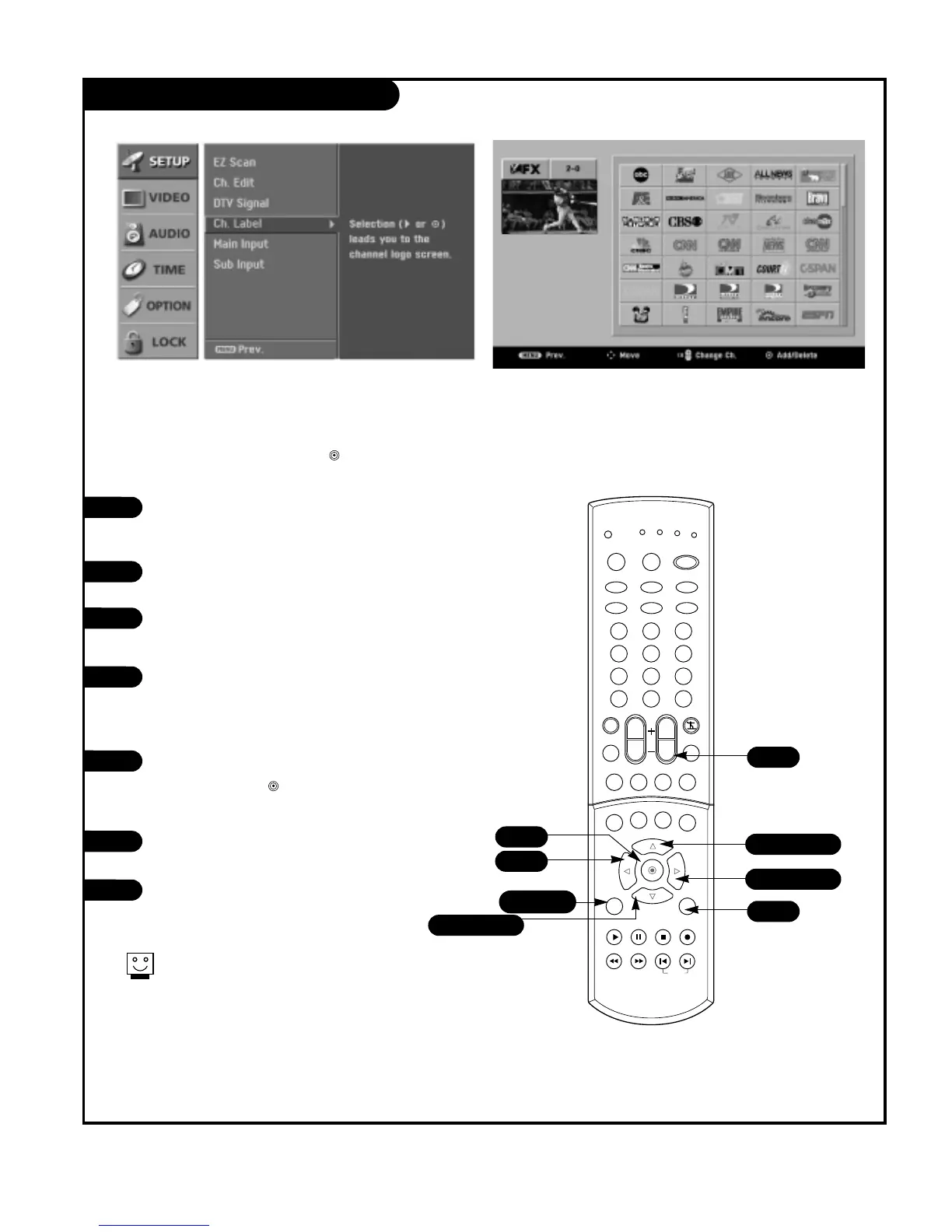
Channel Label Setup
Choose preset labels for your channels.
Use Channel +/- on your remote control in the CH Label
menu to select a channel for labeling, and choose a suit-
able label for your channel by pressing to set the label
to the selected channel.
Press the MENU button on the remote
control, then use the UP/DOWN arrow
button to select the Setup menu.
Press the RIGHT arrow button to access
the Setup menu.
Use the UP/DOWN arrow button to select
CH.Label and then press the RIGHT arrow
button.
You will now see a screen filled with
Labels and a preview screen. Use channel
UP/DOWN button on your remote control
to select the a channel to Label.
Use the UP/DOWN and LEFT/RIGHT arrows
to select the appropriate label for the
channel and press to set the Label to
the selected channel.
Repeat 4 and 5 steps until all channels
are Labeled.
Press EXIT button to return to TV viewing
or press MENU button to return to the
previous menu.
3
4
5
6
7
2
1



 To Next Page