PAGE 20
206-03890
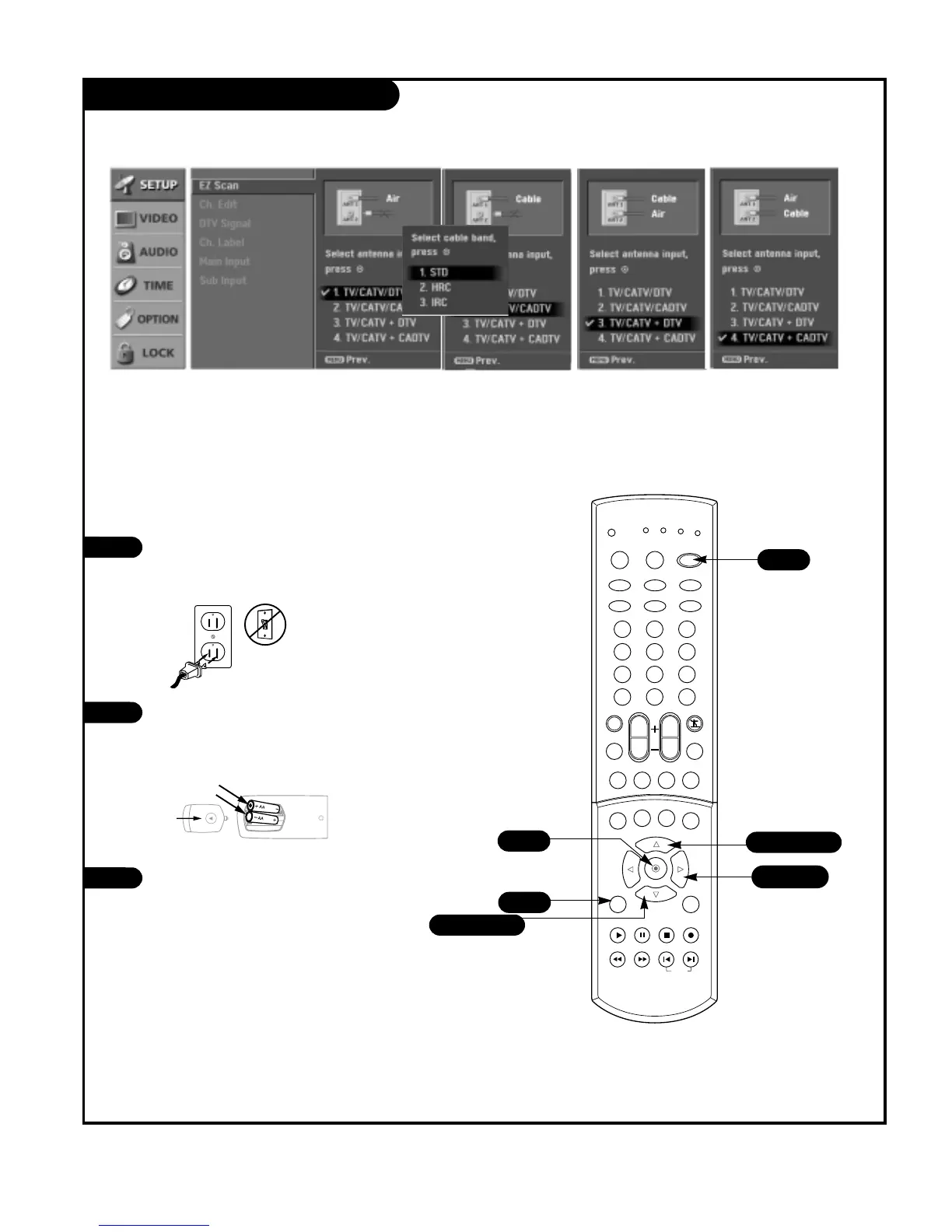
EZ Scan (Channel Search)
Use pages 9-13 to connect external
equipment to your TV. If you have not
done so, plug in your TV to a standard
120V, 60Hz power outlet.
If you have not done so, remove the back
of the remote and put in two AA batter-
ies. Make sure batteries are properly
installed (check the +/– symbols).
With the remote control in hand, press
the POWER button to turn your TV on.
1
2
3
Automatically finds all channels available
through antenna or cable inputs, and
stores them in memory on the channel
list.



 To Next Page