PAGE 39
206-03890
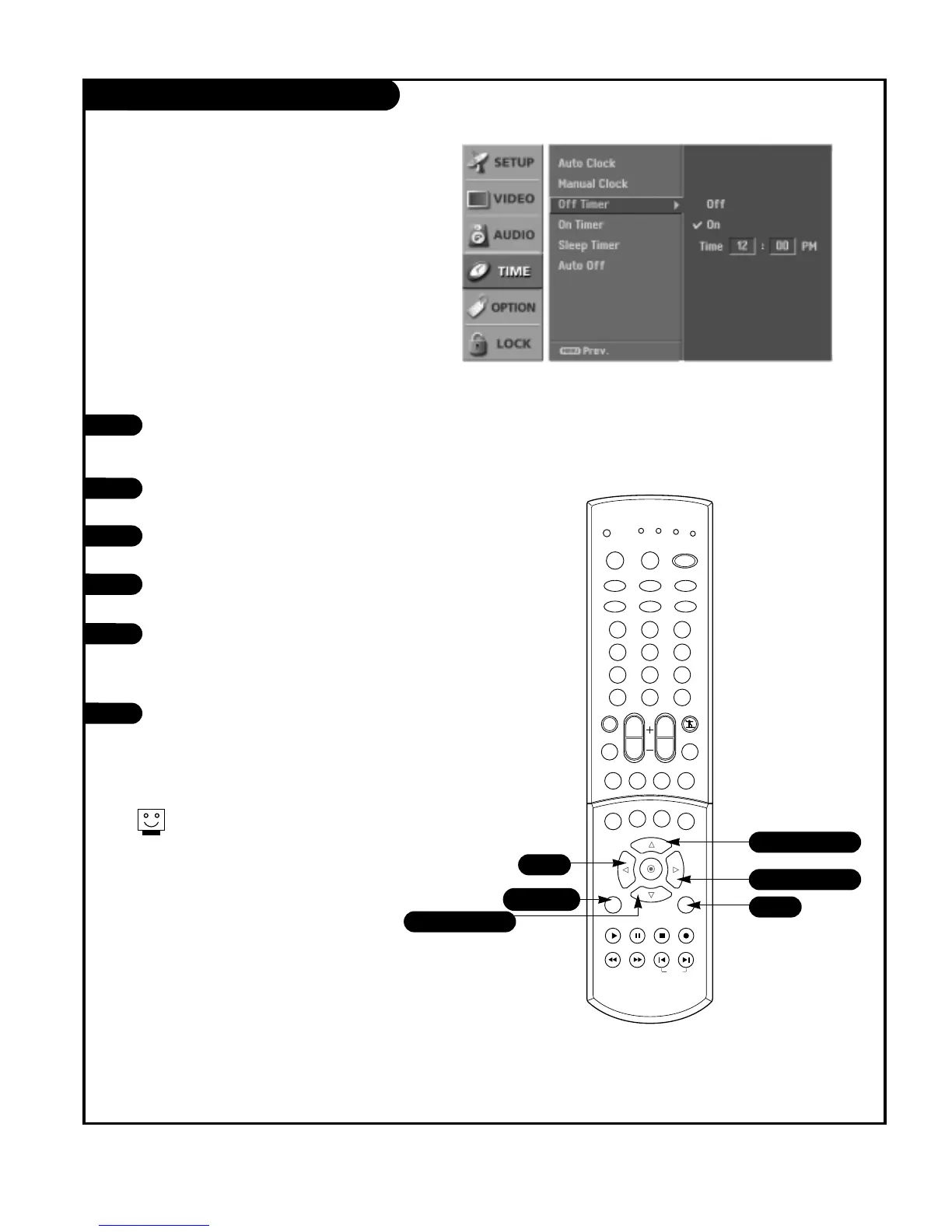
TV Turn Off Time Setup
Press the MENU button on the remote
control, then use the UP/DOWN arrow
button to select the Time menu.
Press the RIGHT arrow button to go to
the Time menu.
Use the UP/DOWN arrow button to choose
Off Timer, then press the RIGHT.
Use the UP/DOWN arrow button to choose
On, then press the RIGHT arrow button.
Use the LEFT/RIGHT arrow button to
select the hour or minutes options, then
use the UP/DOWN arrow button to set the
hours or minutes.
Press EXIT button to return to TV viewing
or press MENU button to return to the
previous menu.
1
2
3
4
5
Lets you set an automatic daily turn off time for your TV.
Off Timer function overrides On Timer function if they are
both set to the same time.
You must set the current time on the clock before using
on/off timers.
6
Next G
To cancel Off Timer function, use the
UP/DOWN arrow button to select Off in
step 4.



 To Next Page