PAGE 37
206-03890
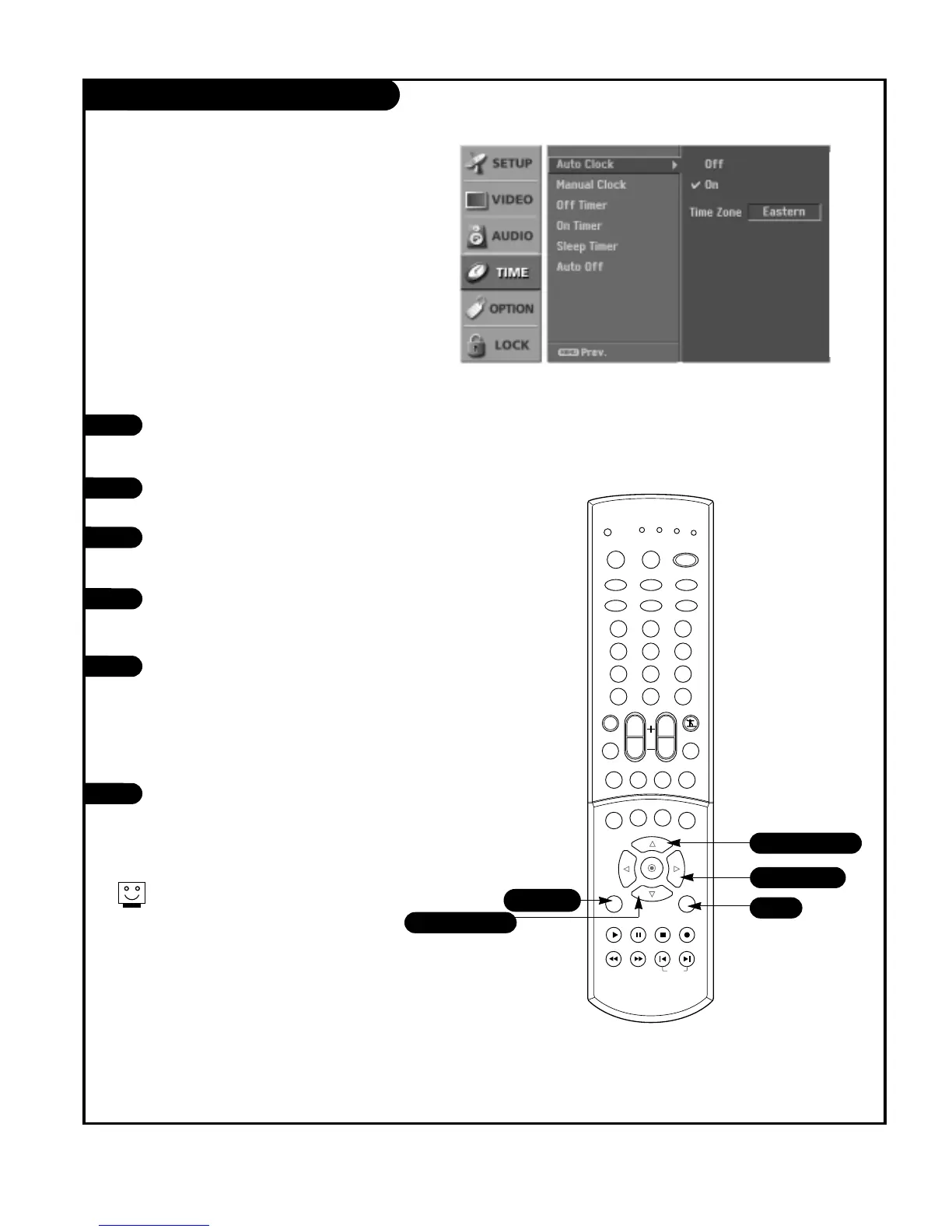
Auto Clock Setup
Press the MENU button on the remote
control, then use the UP/DOWN arrow
button to select the Time menu option.
Press the RIGHT arrow button to go to
the Time menu.
Use the UP/DOWN arrow button to choose
Auto Clock, then press the RIGHT arrow
button.
Use the UP/DOWN arrow button to choose
On, then use the RIGHT arrow button to
select Time Zone.
Use the UP/DOWN arrow button to adjust
Time Zone.
• Select the time zone for your viewing
area. Your options are: Eastern,
Central, Mountain, Pacific, Alaska,
Hawaii.
Press EXIT button to return to TV viewing
or press MENU button to return to the
previous menu.
1
2
3
4
5
6
Sets the time automatically through the digital channel
signal.
The digital channel signal includes information for the
current time provided by the broadcasting station.



 To Next Page