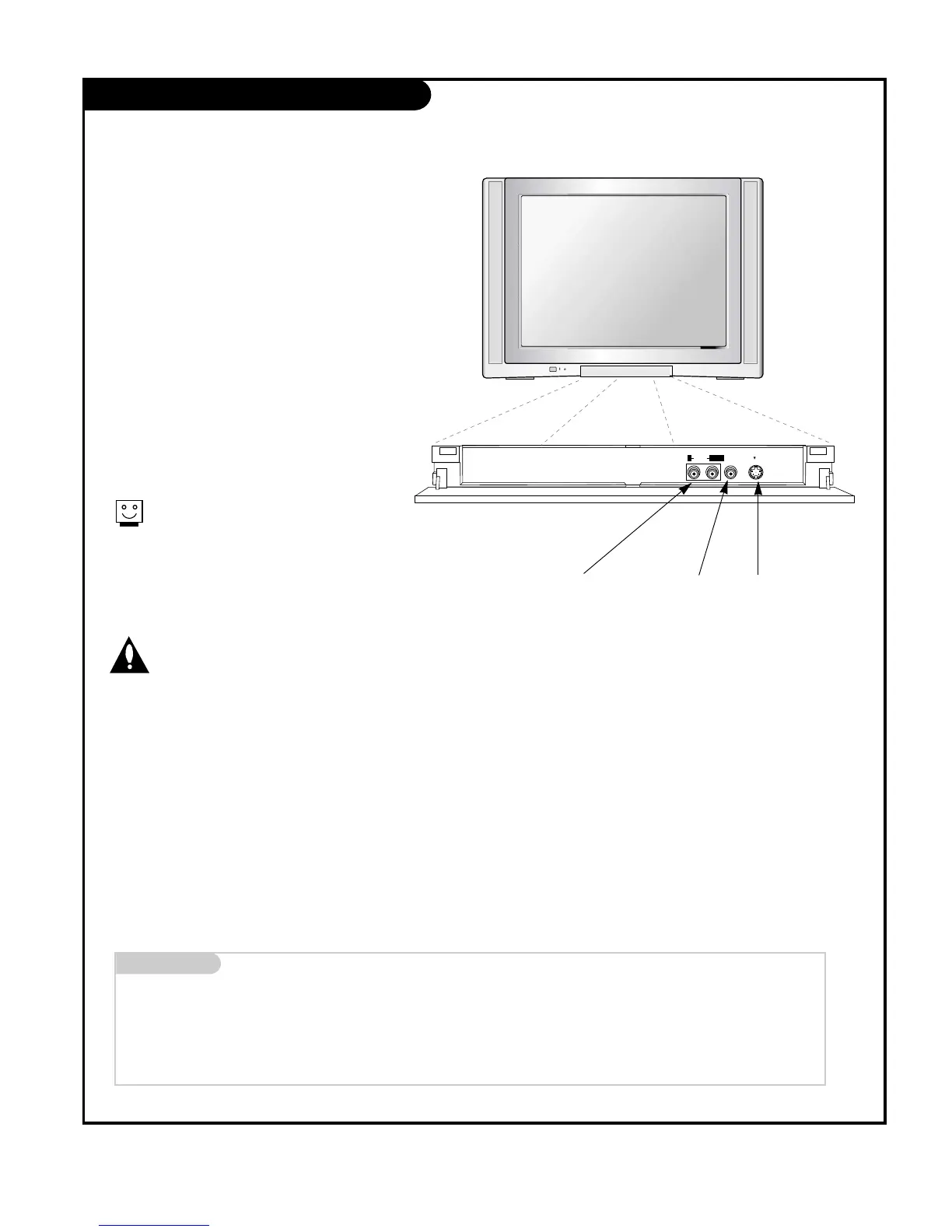
There are four jacks on the lower-right front
side of your TV that make connecting
Audio/Video devices like video games and
camcorders very simple.
The jacks are like those found on the back
jack connection panel. This means that most
equipment that connects to those types of
jacks on the rear jackpack, may be connected
to the front connection panel (Front Video).
To use the front jacks as the signal source,
select them using Main input menu as
described on page 25. They will be named
“Front Video” in the Main input menu.
Left/Right Audio
Used for stereo sound
from various types of
equipment.
Video in
Connects the video
signals from any
piece of equipment.
S-Video
A connection available
on some very
high-end equipment
that provides better
picture quality than
video input.
When you select Front video or
Front S-Video, the front audio
inputs are automatically selected
as well.
Do not connect to both Video and
S-Video at the same time.
Connect either Video or S-Video
only.
Mini glossary
A/V CABLES Audio/Video cables. Three cable connector—Right audio (red), Left audio (white), and Video (yellow). A/V cables are used for stereo
playback of videocassettes and for higher quality picture and sound from other A/V devices.
A/V DEVICE Any device that produces video (picture) and/or audio (sound) (VCR, DVD, cable box, or television).



 To Next Page