PAGE 30
206-03890
VIDEO Menu
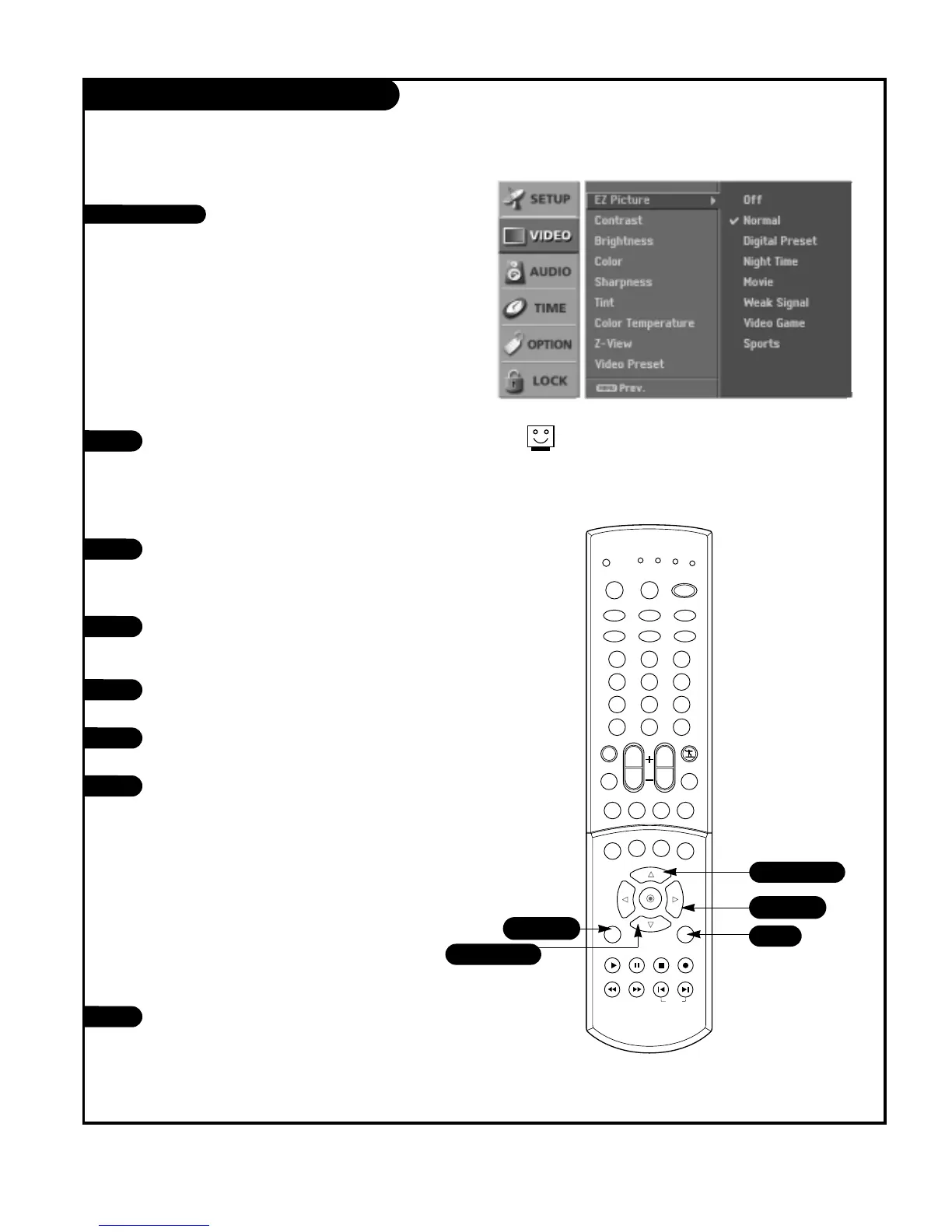
Use the VIDEO button to select EZ Picture option.
Each press of the VIDEO button change the EZ
Picture option:Off, Normal, Digital Preset, Night
Time, Movie, Weak Signal, Video Game, and
Sports.
Press EXIT to save and return to TV viewing.
1
2
This function adjusts the TV to the best picture appear-
ance. Select the preset value in the EZ Picture menu
based on the program category.
Digital Preset, Night Time, Movie, Weak Signal, Video
Game, and Sports are preset for good picture quality at
the factory and cannot be changed.
When adjusting video options (Contrast, Brightness, Color,
Sharpness, and Tint) manually, EZ Picture automatically
changes to ‘Off’.
EZ Picture
Choose the NORMAL option to reset the EZ picture
options to their factory preset values, or use your
own settings with Off.
Using the VIDEO button
1
2
Press the MENU button on the remote control,
then use the UP/DOWN arrow button to select
the Video menu.
Press the RIGHT arrow button to access the Video
menu.
Use the UP/DOWN arrows to select the EZ Picture
option.
Press the RIGHT arrow to access the EZ Picture
menu, then use the UP/DOWN arrow button to
select the options: Off, Normal, Digital Preset,
Night Time, Movie, Weak Signal, Video Game, and
Sports.
• Off: Allows you to adjust the picture the way
you want.
• Normal: Resets all the options to their preset
values.
• Other options adjust the picture to the source’s
image.
Press EXIT button to return to TV viewing or press
MENU button to return to the previous menu.
3
4
5
Using the menu



 To Next Page