SWT
GIGABIT/FAST ETHERNET SWITCH TYPE SWT 104/137
USER GUIDE - M0SWTA1903Iv09 - V09 March 2019
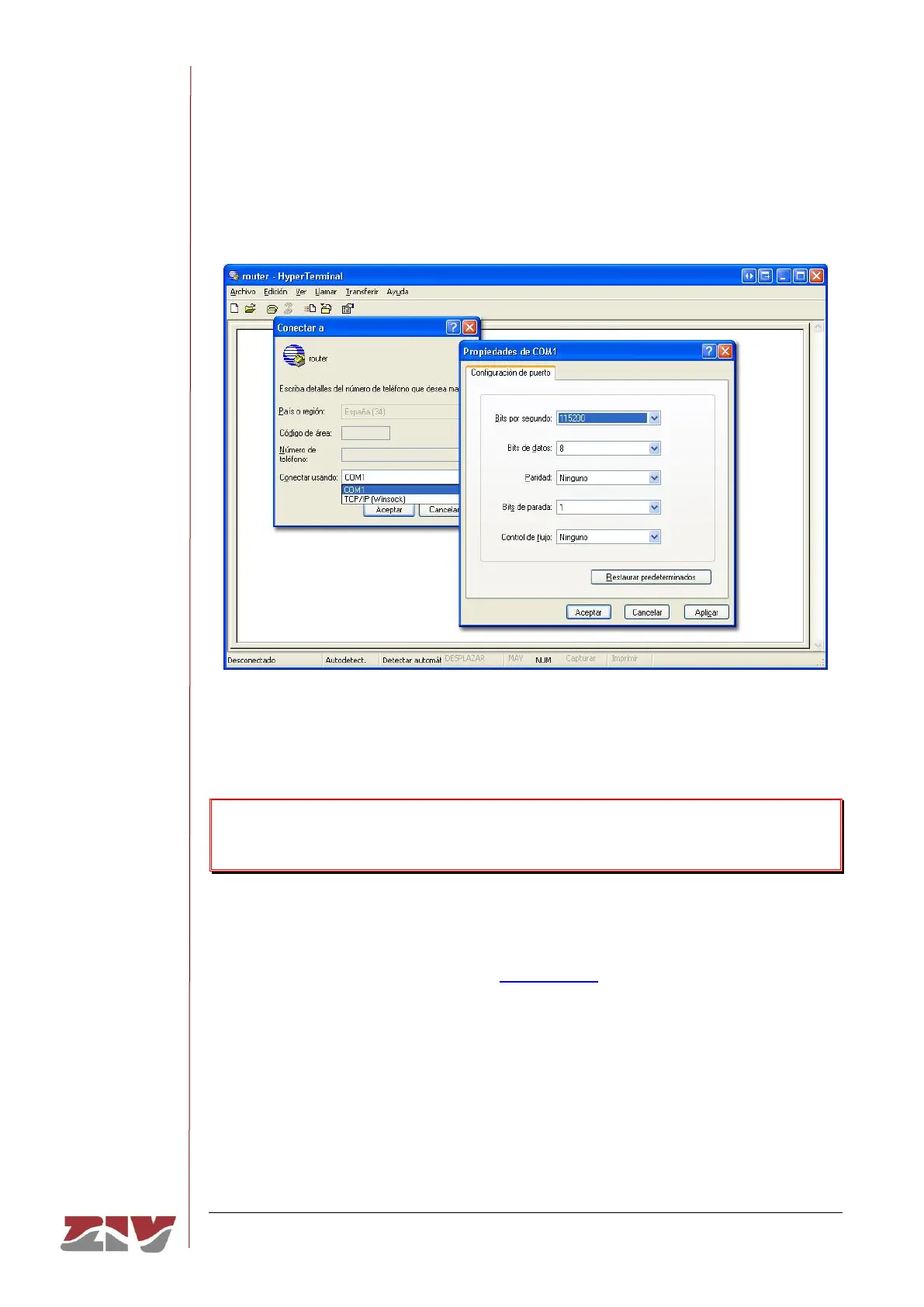
On opening HyperTerminal a text box appears, requesting the necessary information to
establish the connection (see FIGURE 60).
FIGURE 60 Connection configuration through the serial port with HyperTerminal
Run the Call option of the Call menu. Pressing return, a window is shown in which the swt
login: prompt will appear, ready for the user to enter the login and code for starting the
session (the logins and their respective passwords are the same as in the web interface).
Remember that no text will appear in the HyperTerminal window when entering the
password.
As operating systems like Microsoft Windows 7© no longer include the HyperTerminal
program, the Putty program, free and executable, is also considered.
The Putty program is accessible on the www.putty.org web. Simply select the Putty that
suits the operating system in use (usually the first, called putty.exe), copy it in the PC and
run it.



 To Next Page