SWT
GIGABIT/FAST ETHERNET SWITCH TYPE SWT 108/137
USER GUIDE - M0SWTA1903Iv09 - V09 March 2019
HyperTerminal can be used as the Telnet graphic interface. To do this, when configuring
the connection select TCP/IP (Winsock) in the Connect using drop down menu.
Telnet can also be run from the Putty program. Simply, type the IP address of the
equipment in the main window, and press Open.
Whatever the method chosen to establish connection with the equipment, the equipment
login prompt will appear: ready for the user to enter the login and code for starting the
session (the logins and their respective passwords are the same as in the web interface).
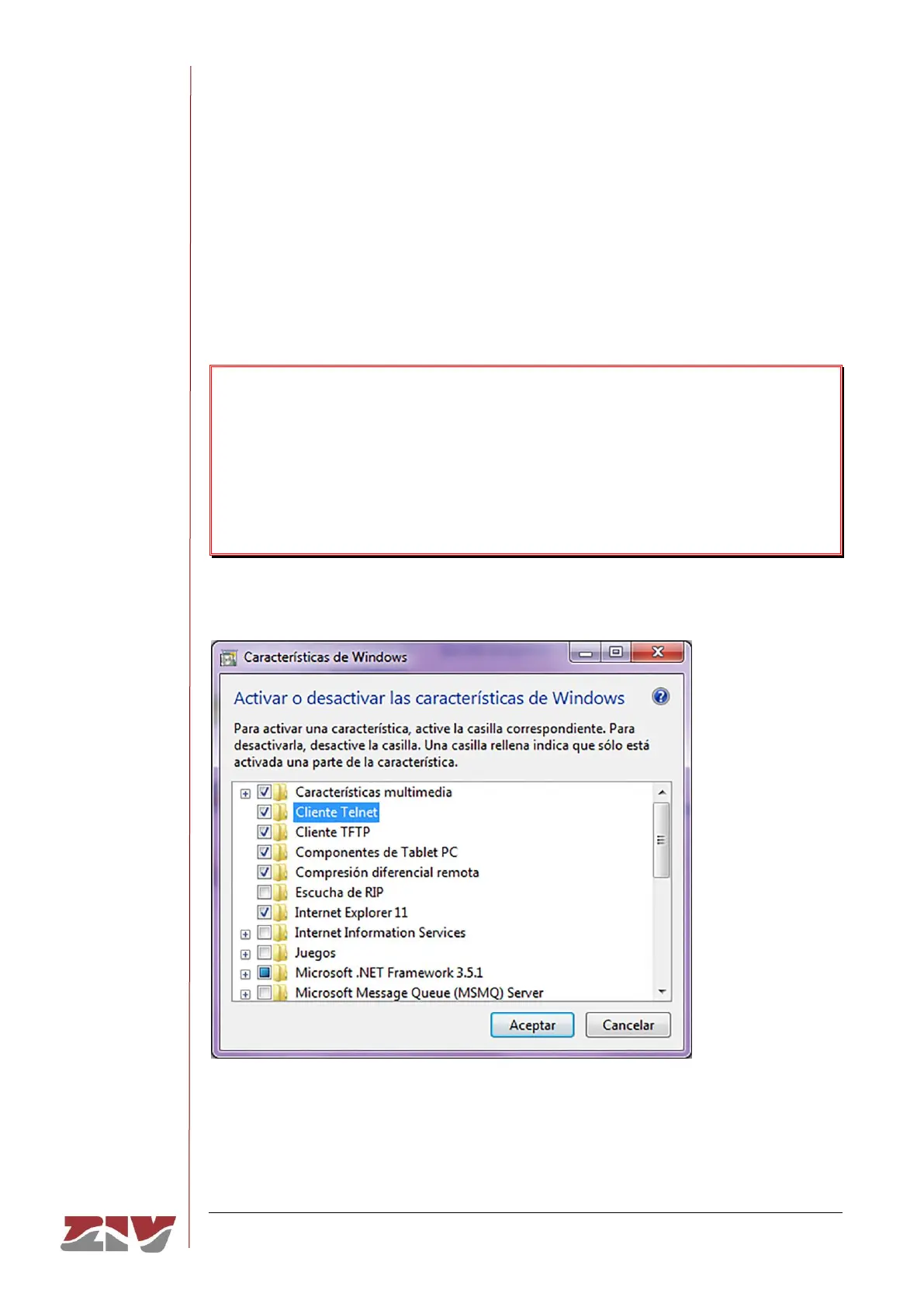
In operating systems like Microsoft Windows 7©, the Telnet client is disabled by default.
To enable it, from the Start button: Start → Control panel → All Programmes, in
Programs and characteristics, select Activate or deactivate the Windows characteristics.
Then, in the window of Characteristics of Windows, select Telnet client, see FIGURE 66.
By pressing Accept, the Telnet client of Windows may be used.
FIGURE 66 Window of characteristics of Windows



 To Next Page