ProFace X (DS) User Manual
Page | 12 Copyright©2022 ZKTECO CO., LTD. All rights reserved.
Communication
TCP/IP
Wiegand Input / Output
Wi-Fi (Optional)
RS485/RS232
Additional Info
Face Algorithm: ZKLiveFace5.95
Working Temperature: -20°C to 55°C, (-4°F to 131°F)
Working Humidity: ≤90%
Storage Temperature: -25°C to +65°C
Storage Humidity: ≤93%
Dimensions (H*L*D): 227*143*26mm
Power
Operating Voltage 12V DC
Current Draw < 3,000mA
3 Instruction for Use
Before getting into the device features and functions, it is recommended to be familiar with the below
fundamentals.
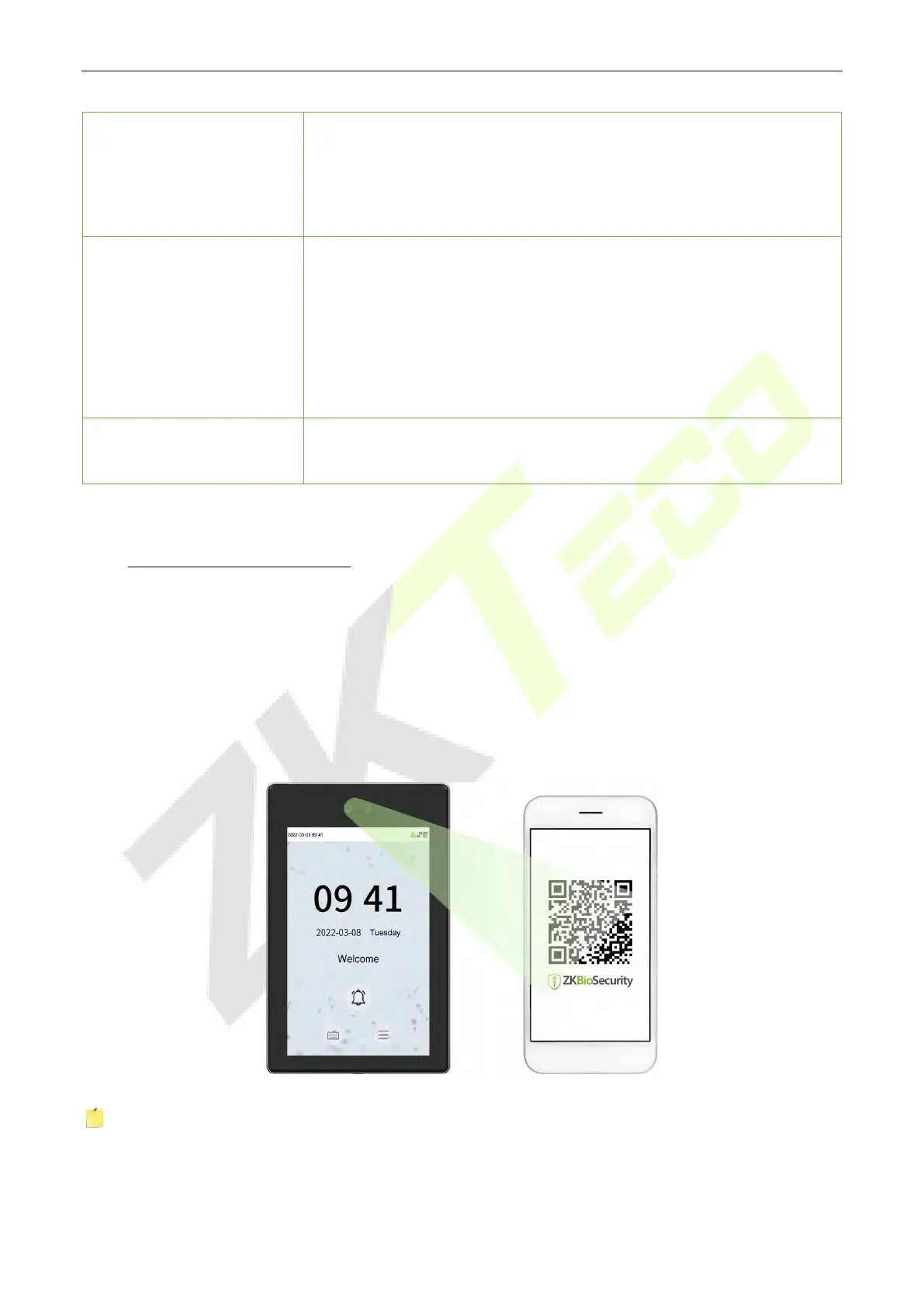
How to scan the QR code? 3.1
Open the ZKBioSecurity App's Mobile Credential and align the phone screen with the QR code reader on
the device.
Note: Place your phone within 15 to 50cm of the device (distance varies depending on phone screen
size) and avoid blocking the device QR code scanner and the QR code on the phone screen.



 To Next Page