■ Automatically enabling internal timecode when no external timecode is input
You can enable the automatic generation of internal timecode to preserve continuity when there is no
external timecode.
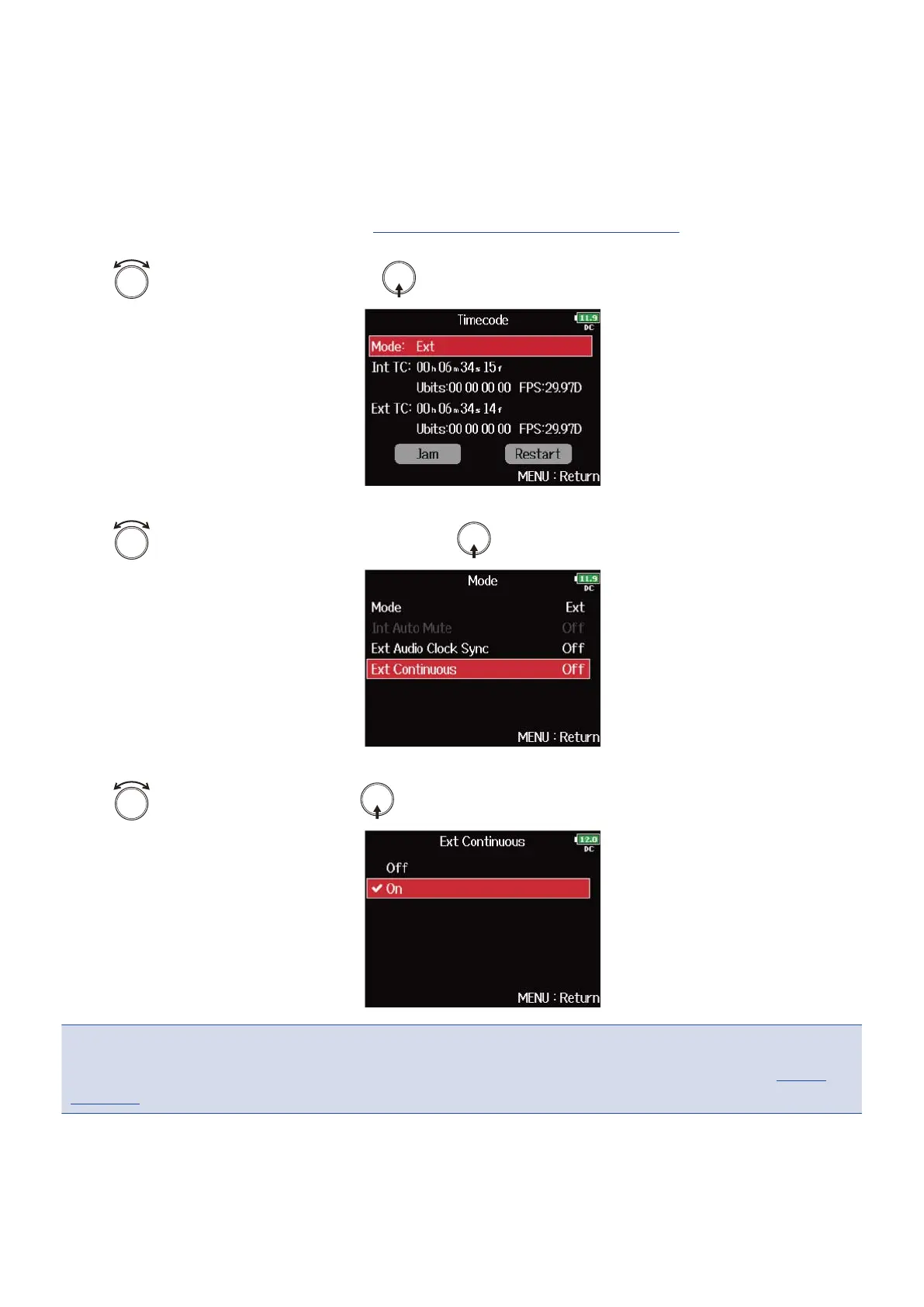
1. Open the timecode setting screen. (→Displaying the timecode setting screen)
2. Use to select “Mode”, and press .
3. Use to select “Ext Continuous”, and press .
4. Use to select “On”, and press .
NOTE:
This cannot be set when “Mode” is set to “Off”, “Int Free Run”, “Int Record Run” or “Int RTC Run”. (→Setting
the mode)
143



 To Next Page