■ Synchronizing audio clock with external timecode
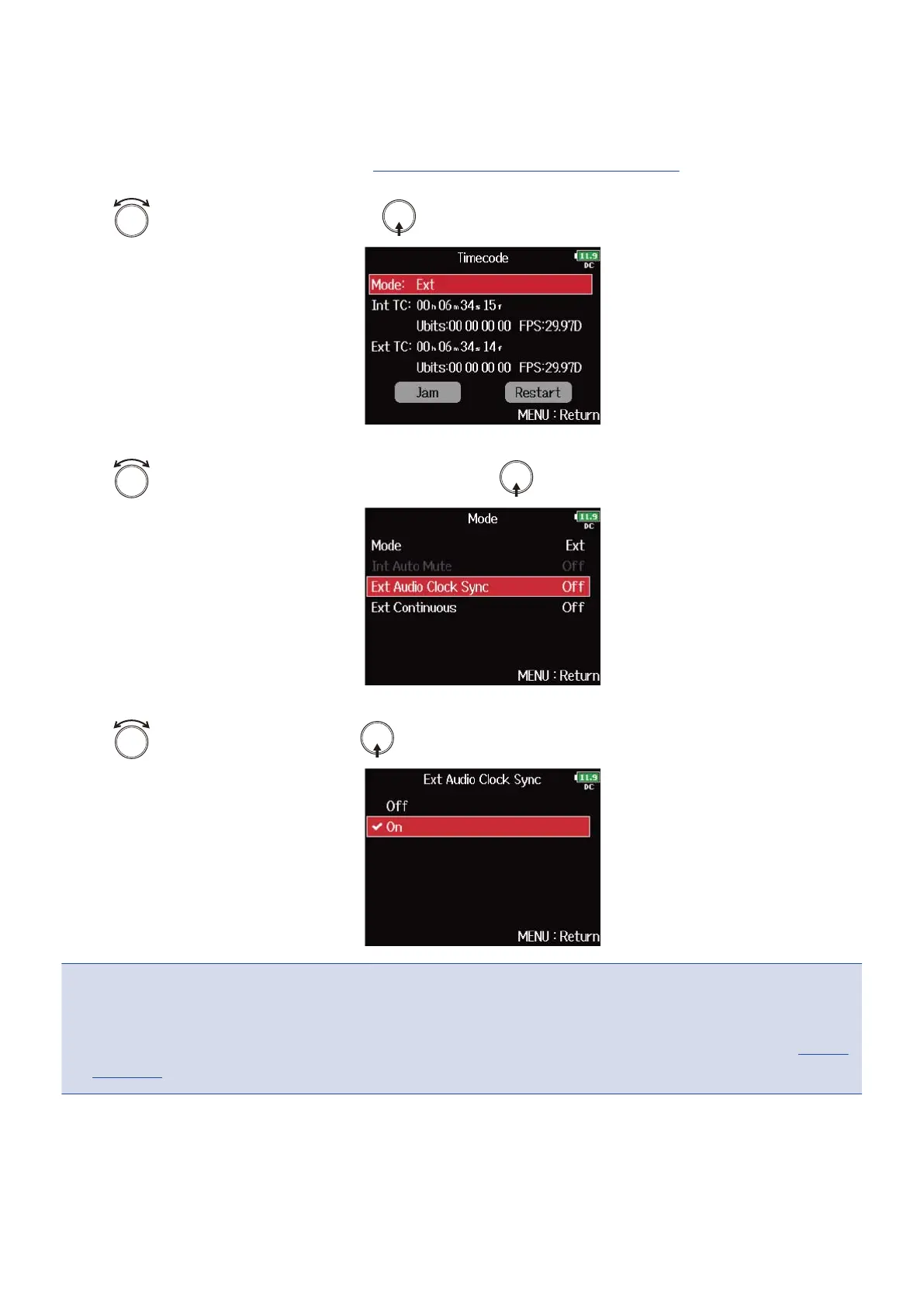
1. Open the timecode setting screen. (→Displaying the timecode setting screen)
2. Use to select “Mode”, and press .
3. Use to select “Ext Audio Clock Sync”, and press .
4. Use to select “On”, and press .
NOTE:
• When there is no external timecode, the internal audio clock is enabled to preserve continuity.
• This cannot be set when “Mode” is set to “Off”, “Int Free Run”, “Int Record Run” or “Int RTC Run”. (→Setting
the mode)
142



 To Next Page