■ Stopping timecode output when recording is stopped
You can set whether or not timecode is output from the TIMECODE OUT jack when recording is stopped.
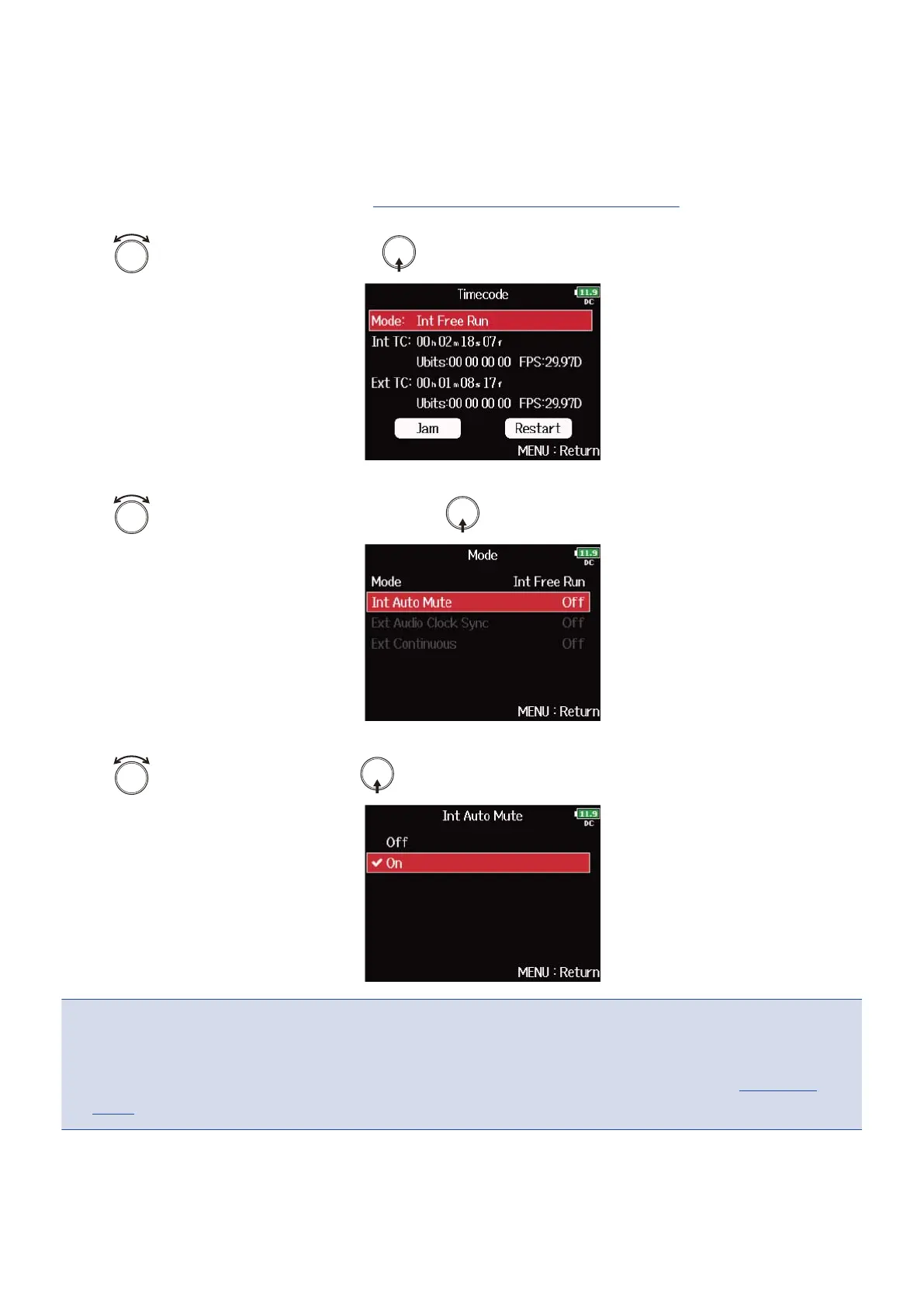
1. Open the timecode setting screen. (→Displaying the timecode setting screen)
2. Use to select “Mode”, and press .
3. Use to select “Int Auto Mute”, and press .
4. Use to select “On”, and press .
NOTE:
• Timecode will continue to be output when recording/playback is paused.
• This cannot be set when “Mode” is set to “Off”, “Int Record Run”, “Ext” or “Ext Auto Rec”. (→Setting the
mode)
141



 To Next Page