Setting the circling takes
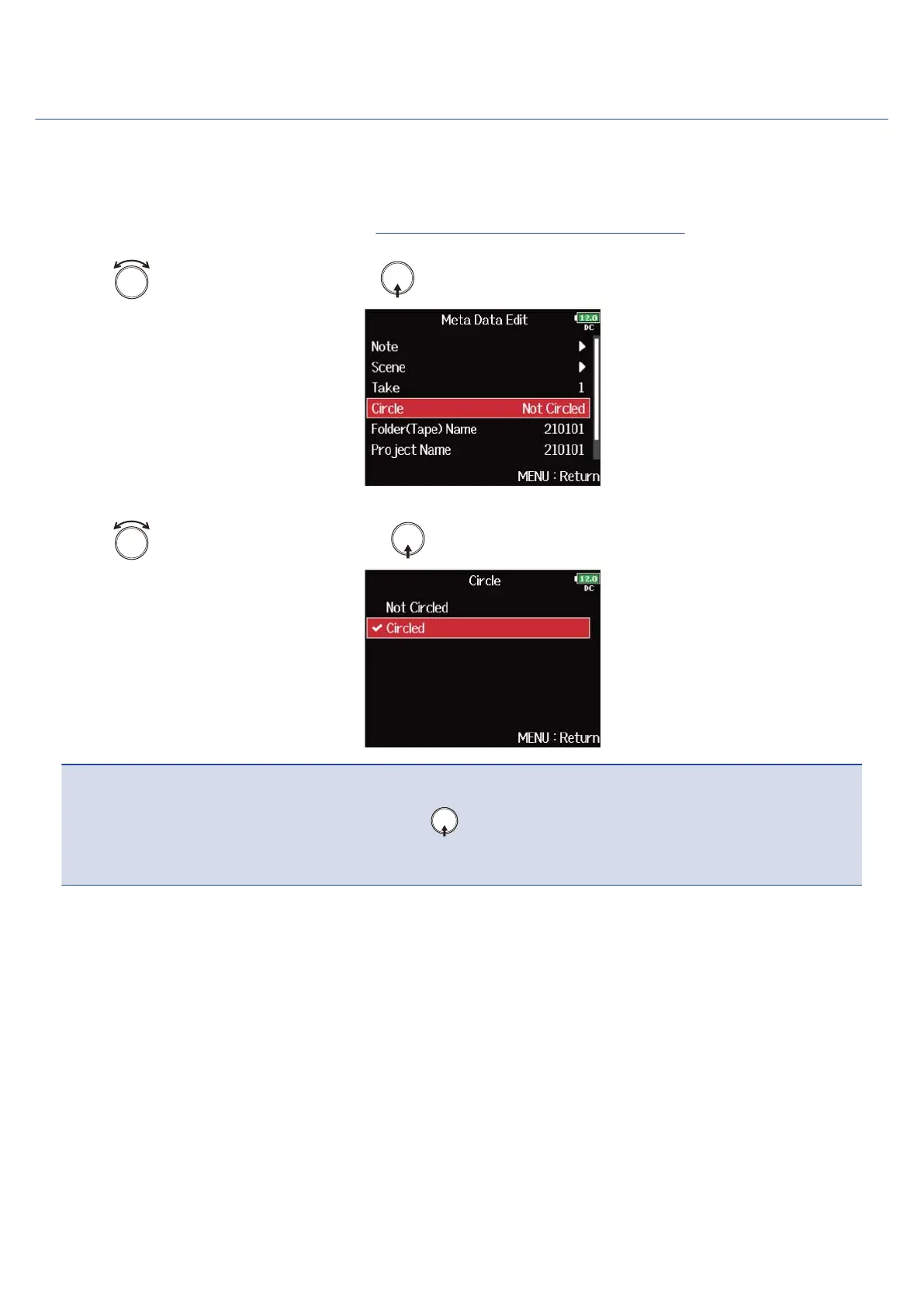
Use this function to add an @ mark to the beginning of the name of the best take to make it stand out. This
is called a “circled take”.
1. Open the metadata editing screen. (→Displaying the metadata editing screen)
2. Use to select “Circle”, and press .
3. Use to select “Circled”, and press .
NOTE:
• To clear a circle, select “Not Circled” and press .
• This circled status is written to the <CIRCLE> metadata.
222



 To Next Page