4.
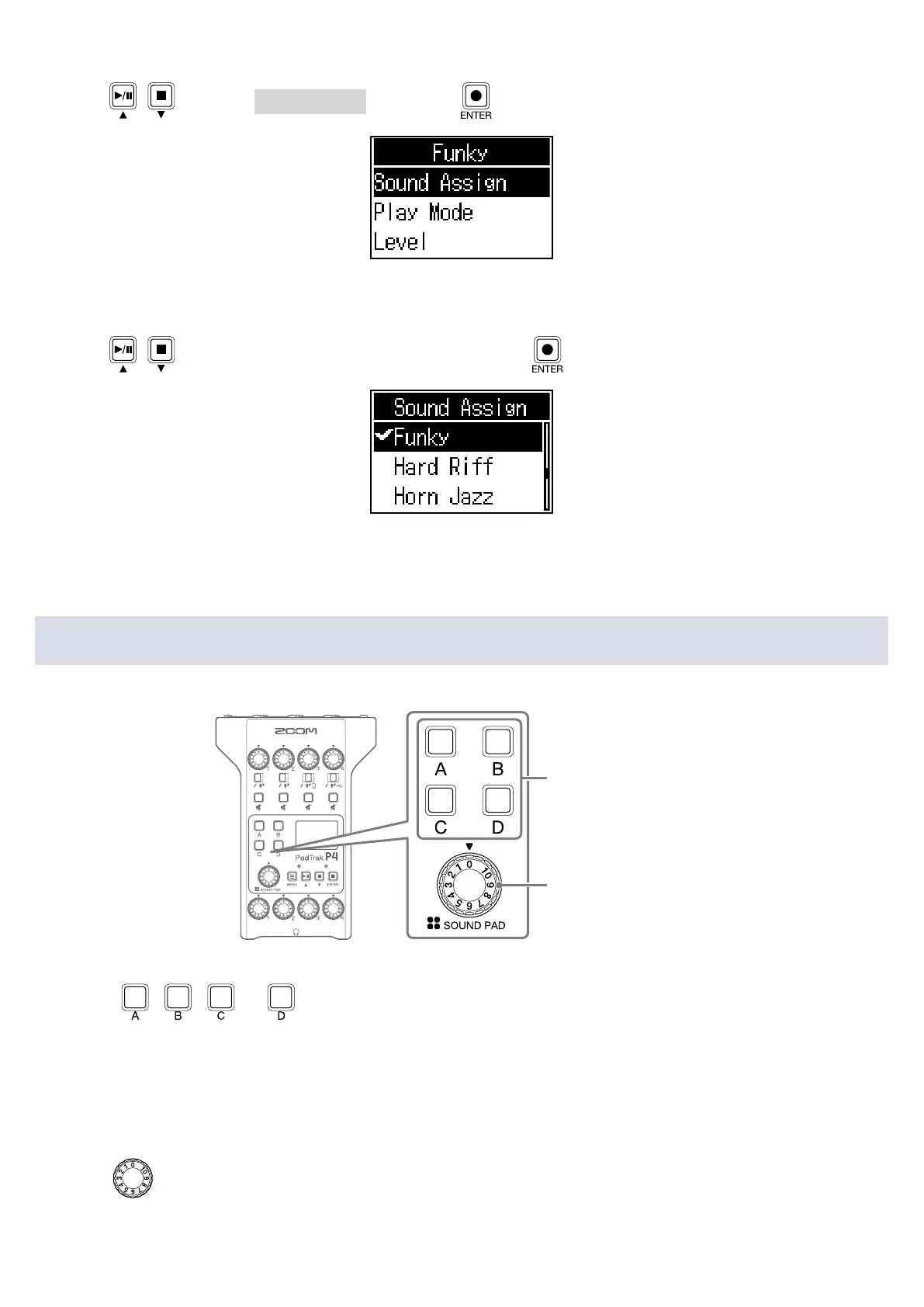
Use / to select Sound Assign, and press .
The built-in sound sources and the audio les stored on the SD card are shown in the list.
5.
Use / to select the audio le to assign, and press .
This assigns the selected le to the SOUND PAD selected in step 3.
Playing SOUND PAD buttons
SOUND PAD buttons
SOUND PAD knob
1.
Press , , or .
This plays the audio le assigned to the pressed SOUND PAD.
When a SOUND PAD button is played, the le name will be shown on the display for two seconds
after playback starts.
When a SOUND PAD is playing back, that button will blink.
2.
Turn to adjust the level.
34



 To Next Page
 Loading...











