How to fix ZyXEL Communications Network Router SYS LED if it does not turn on?
J
Jennifer GarciaJul 30, 2025
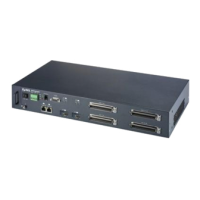
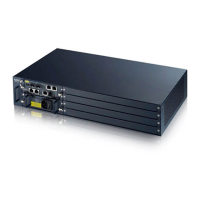
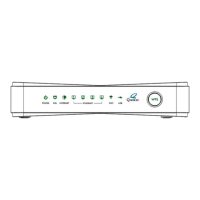
If the SYS LED on your ZyXEL Communications Network Router doesn't turn on, ensure the power cord is properly connected to the power outlet and that you're using the correct power source (100 watts maximum, 100-240VAC/1A, 50/60Hz). Also, check that the power connector and wire are correctly connected to the device. Verify the network module is properly connected. Make sure the fuse is not burnt-out and replace it if necessary. If the issue persists, the LED or the unit itself may be faulty; in this case, contact your vendor.
R
Ricardo NelsonAug 14, 2025
Why LAN LED(s) do not turn on on ZyXEL Communications IES-1000?
D
Danny MasonAug 14, 2025
If the LAN LEDs on your ZyXEL Communications Network Router are not turning on, ensure that the LAN port of your network module is connected to an Ethernet WAN switch using a straight-through Category 5 UTP (Unshielded Twisted Pair) cable with RJ-45 connectors. Also, consider that the factory default settings for the LAN (Ethernet) port of the network module are: Speed: Auto, Duplex: Auto, Flow control: Auto. If the IES-1000’s auto-negotiation is turned off, ensure the WAN switch Ethernet port settings match the pre-configured speed and duplex mode.
J
Jasmin PriceAug 19, 2025
What to do if there is no voice on an ADSL connection with ZyXEL Communications IES-1000 Network Router?
X
xtorresAug 19, 2025
If you're experiencing a lack of voice on an ADSL connection with your ZyXEL Communications Network Router, verify that the subscriber has a POTS splitter properly installed. Check the ADSL line pin assignments and the telephone wire connections between the subscriber and the MDF(s). Also, inspect the telephone wire and connections between the MDF(s) and USER port(s), as well as between the MDF(s) and the CO port(s). Ensure the connection from the MDF(s) to the telephone company or the PBX is correct. Check the telephone wire mapping on the MDF(s) and confirm that the in-house wiring works and is properly connected. If issues persist, repeat the troubleshooting steps using a different ADSL port.
K
keith39Aug 25, 2025
Why is the ALM LED on on ZyXEL Communications Network Router?
S
Samuel TurnerAug 25, 2025
If the ALM LED is illuminated on your ZyXEL Communications Network Router, it indicates that the device is overheated, the fans are not functioning correctly, and/or voltage readings are outside the tolerance levels. Check that you can feel or hear the fans working. Working fans should emit a low buzz and blow air. If the fans aren't working properly, ensure the power connector is properly connected. If the fans still don't work, contact your vendor. Important: Do not attempt to remove fans from the device yourself; only a qualified distributor should handle fan removal or repair.
C
cowanmanuelNov 3, 2025
What to do if ADSL LED(s) do not turn on on ZyXEL Communications IES-1000?
K
kathy44Nov 3, 2025
If the ADSL LEDs on your ZyXEL Communications Network Router are not turning on, ensure all hardware connections, including the modem/router on the subscriber’s side, are correctly installed and that all devices are powered on. Verify that the AAM1008 ADSL port is enabled. Check the ADSL line pin assignments, telephone wire connections between the ADSL modem/router and the MDF(s), the telephone wire and connections between the MDF(s) and ADSL port(s), and the telephone wire mapping on the MDF(s). Also, ensure the in-house wiring is working and properly connected. Confirm that the upstream and downstream line rates are consistent between the IES-1000 side and the CPE (Customer Premise Equipment) side. If line quality is low, consider selecting slower upstream and downstream line rates for b...
A
Alejandro WattsNov 8, 2025
What to do if SHDSL LED(s) do not turn on on ZyXEL Communications IES-1000?
M
Michael WilliamsNov 8, 2025
If the SHDSL LEDs on your ZyXEL Communications Network Router are not turning on, make sure that all hardware connections are correctly installed, including the modem/router on the subscriber’s side, and that all devices are turned on. Ensure that the SAM1008 SHDSL port is enabled because SHDSL ports are disabled by default. Check the SHDSL line pin assignments, the telephone wire connections between the G.SHDSL modem/router and the MDF(s), the telephone wire and connections between the MDF(s) and ADSL port(s), and the telephone wire mapping on the MDF(s). Verify that the in-house wiring works and is properly connected. Confirm that the line speed is consistent between the IES-1000 side and the CPE (Customer Premise Equipment) side. If your line quality is low, you may need to select a slo...
Describes the Maintenance screen for configuring UNIX syslog parameters and accessing links for secured client, firmware, and configuration management.


 To Next Page


 General