36
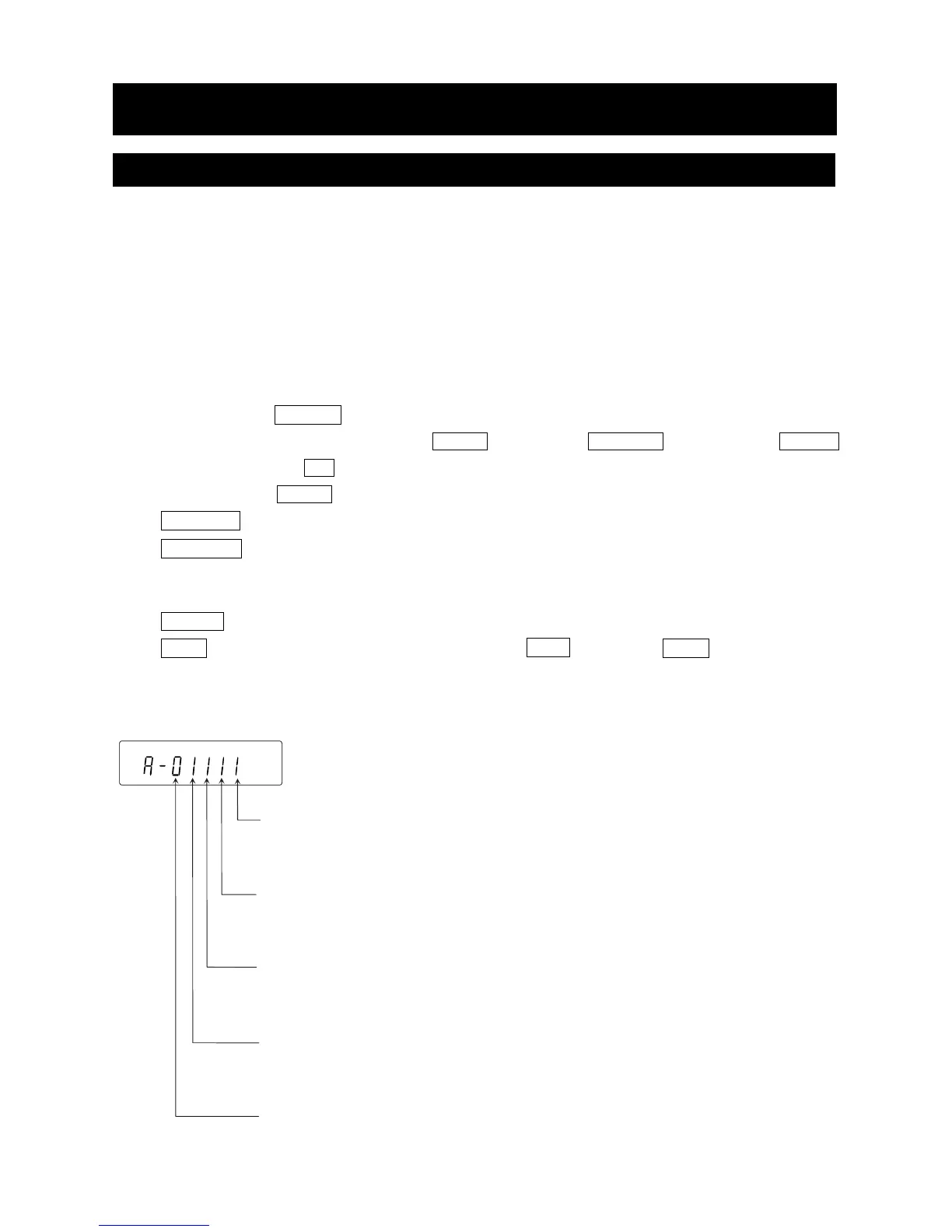
Function table
0 To inhibit changes to the function table.
1 To permit changes to the function table.
Calibration using the internal mass (One-touch calibration)
0 To inhibit calibration using the internal mass.
1 To permit calibration using the internal mass.
Calibration using an external weight
0 To inhibit calibration using an external weight.
1 To permit calibration using an external weight.
Automatic self calibration
(Calibration due to changes in temperature)
0 To inhibit automatic self calibration.
1 To permit automatic self calibration.
Internal mass correction
0 To inhibit correction
1 To permit correction
The display shown left indicates the factory settings.
9.Function Switch And Initialization
9-1 Permit Or Inhibit
The balance stores parameters that must not be changed unintentionally adjustment data for accurately
weighing, data for adapting to the usage environment, data to control the communications interface, etc.
"A function selection switch" is provided to protect those parameters and it can be used to select "change
prohibited" or "changeable (usable)". By setting to "change prohibited", that function cannot be entered,
so inadvertent change.
"Switch for function selection" has the following five.
"Function table", "Calibration using the internal mass", "Calibration using the external weight",
"Automatic self calibration", "Internal mass correction".
Step1 Press the ON:OFF key to turn off the display.
Step2 While pressing and holding the PRINT key and the SAMPLE key, press the ON:OFF
key to display p5 .
Step3 Press the PRINT key. Then the balance displays the function switches.
SAMPLE key To select a switch to change the parameter. The selected switch blinks.
RE-ZERO key To change the parameter of the switch selected.
0 To inhibit changes. (Can not be used.)
1 To permit changes. (Can be used.)
PRINT key To store the new parameter and return to the weighing mode.
CAL key To cancel the operation (display Clr ) . Press the CAL key and return to
the weighing mode
Example of GX-A series



 To Next Page