19
5.Weighing
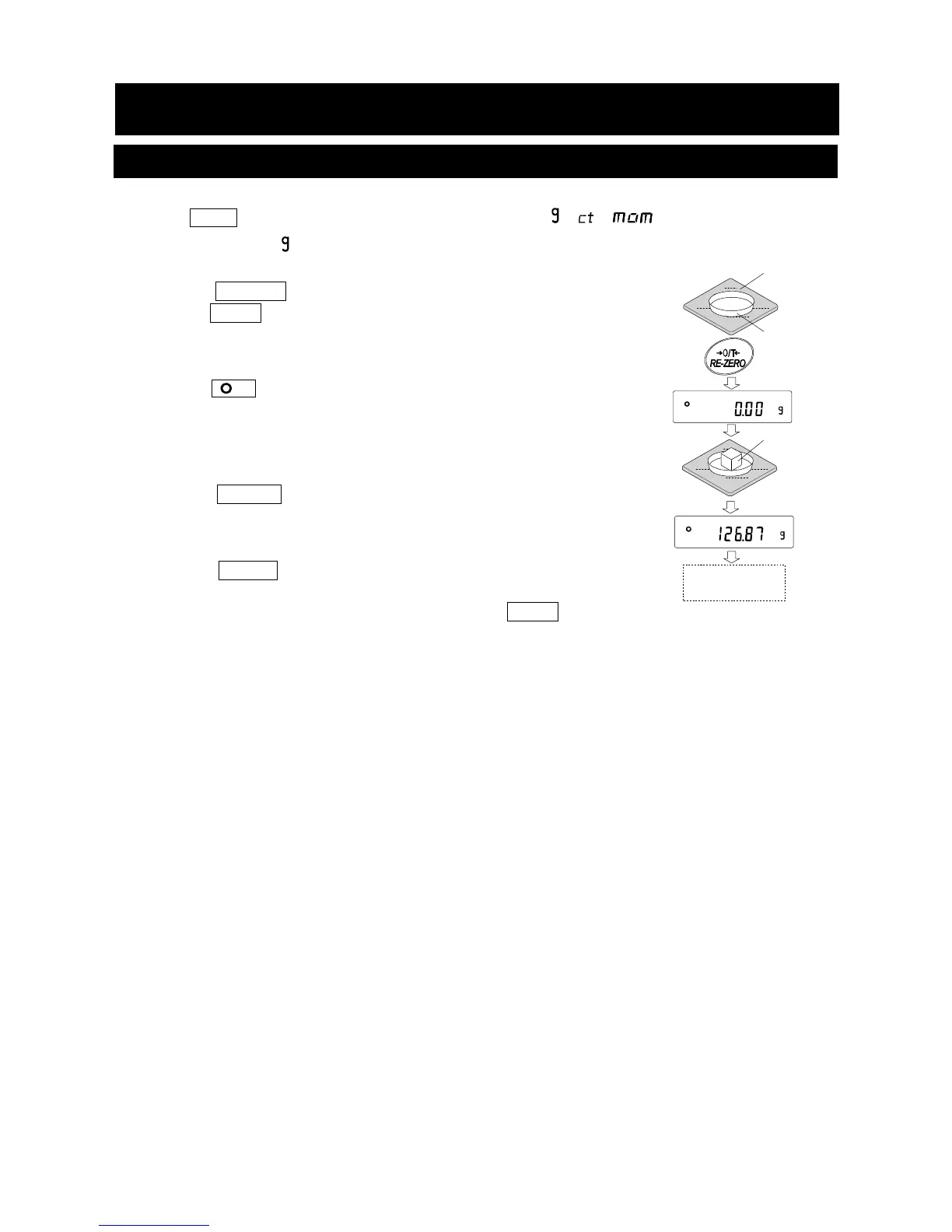
5-1 Basic Operation
1. Press MODE key, and then select the appropriates units(
, , )
In this case, select " ".
2. Place a container on the weighing pan, if necessary.
Press the RE-ZERO key to cancel the weight (tare). The balance
displays 0.00 g. (The decimal point position depends on the
balance model.)
3. Place a sample on the pan or in the container. Wait for the stabilization
indicator
to be displayed. Read the value.
Remove the sample and container from the pan.
Notes
□ Press the SAMPLE key to turn on or off the minimum weighing value.
□ The weighing data can be stored in memory. For details, refer to “12. Data
Memory”.
□
When the ON:OFF key is pressed with a container placed on
the weighing pan and weighing is started, the balance
automatically cancels the weight (tare) and displays 0.00 g.
Weighing
pan
Container
Sample
Remove the
sample



 To Next Page