38
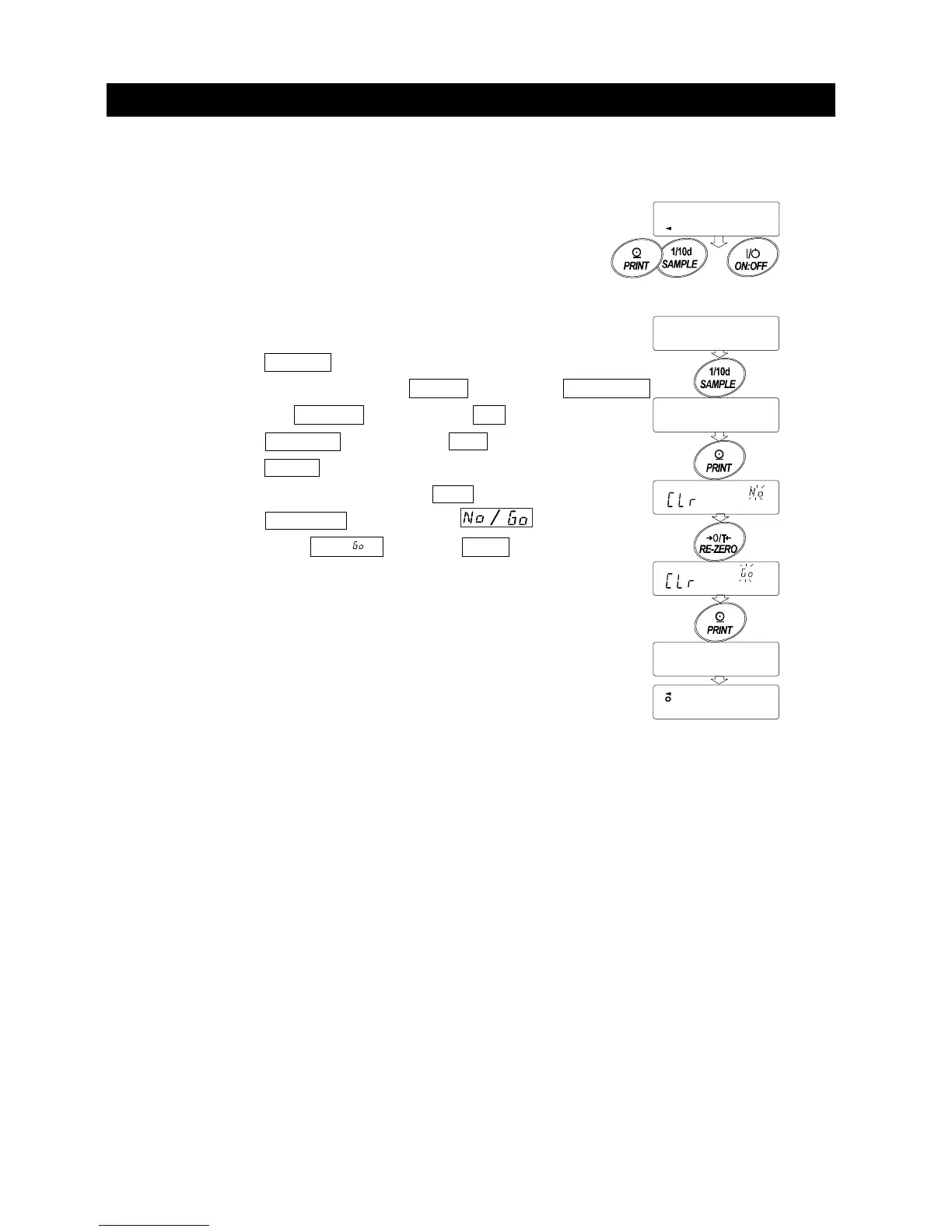
9-2 Initializing The Balance
This function returns the following parameters to factory settings. Calibration data
□ Function table
□ The sample unit mass value (counting mode),
100% reference mass value (percent mode)
□ The data that is stored in the balance using the data memory function
□ External calibration weight and target weight value
□ Function switch settings
Note Be sure to calibrate the balance after initialization.
Step1 Press the
ON:OFF key to turn off the display.
Step2 While pressing and holding the PRINT key and the SAMPLE
key, press the ON:OFF key to display p5 .
Step3 Press the SAMPLE key to display Clr .
Step4 Press the PRINT key.
To cancel this operation, press the CAL key.
Step5 Press the RE-ZERO key to change .
Step6 With displaying Clr , press the PRINT key to initialize the
balance. The balance will automatically return to the weighing
mode.
end
0.00
g
Clr
p5
With pressing
and holding
Hold



 To Next Page