72
14.Flow Measurement
The balance has a "flow mode" that calculates the amount of change in the weighing value per hour.
To use the statistical calculation mode, set the "Application function (apf)" parameter of “Application
(ap fnc)” in the function table to “3”, as described below.
Calculating the flow rate from the weight output of the balance may change the number of weighing
values per unit time, so there is a possibility that the result will not be correct.
The flow mode is calculated at the accurate timing at which the weighing value is updated in the balance,
so it is possible to calculate the correct flow rate value.
If the flow unit is set to ml/*, density can be registered. The maximum number of registrations is 10, and if
density is set in advance, it can be selected according to the measurement sample.
Flow calculation formula
□ Q : Flow rate Ct : Calculation time
W : Current calculated value W’ : Weight value befer Ct
Note
□ In flow mode, the display update timing during flow display changes according to the calculation time Ct.
The relationship between calculation time Ct and flow update timing is as follows.
Calculation
Time Ct
Display
update
Calculation
Time Ct
Display
update
Calculation
Time Ct
Display
update
1 sec. 1 sec. 30 sec. 1 sec. 20 min. 10 sec.
2 sec. 1 sec. 1 min. 1 sec. 30 min. 15 sec.
5 sec. 1 sec. 2 min. 1 sec. 1 hour 30 sec.
10 sec. 1 sec. 5 min. 3 sec.
20 sec. 1 sec. 10 min. 5 sec.
□ The flow rate value is displayed as "0" until the set calculation time Ct has elapsed.
□ The recorded weighing data can be initialized by turning off the power or by pressing RE-ZERO key.
□ In flow mode, the unit is g and flow unit only. Other units cannot be displayed.
□ Automatic environment setting / self-diagnosis function cannot be used in flow mode.
□ "Heading" and "End" of the GLP report function cannot be output in flow mode.
□ The data memory function cannot be used in flow mode.
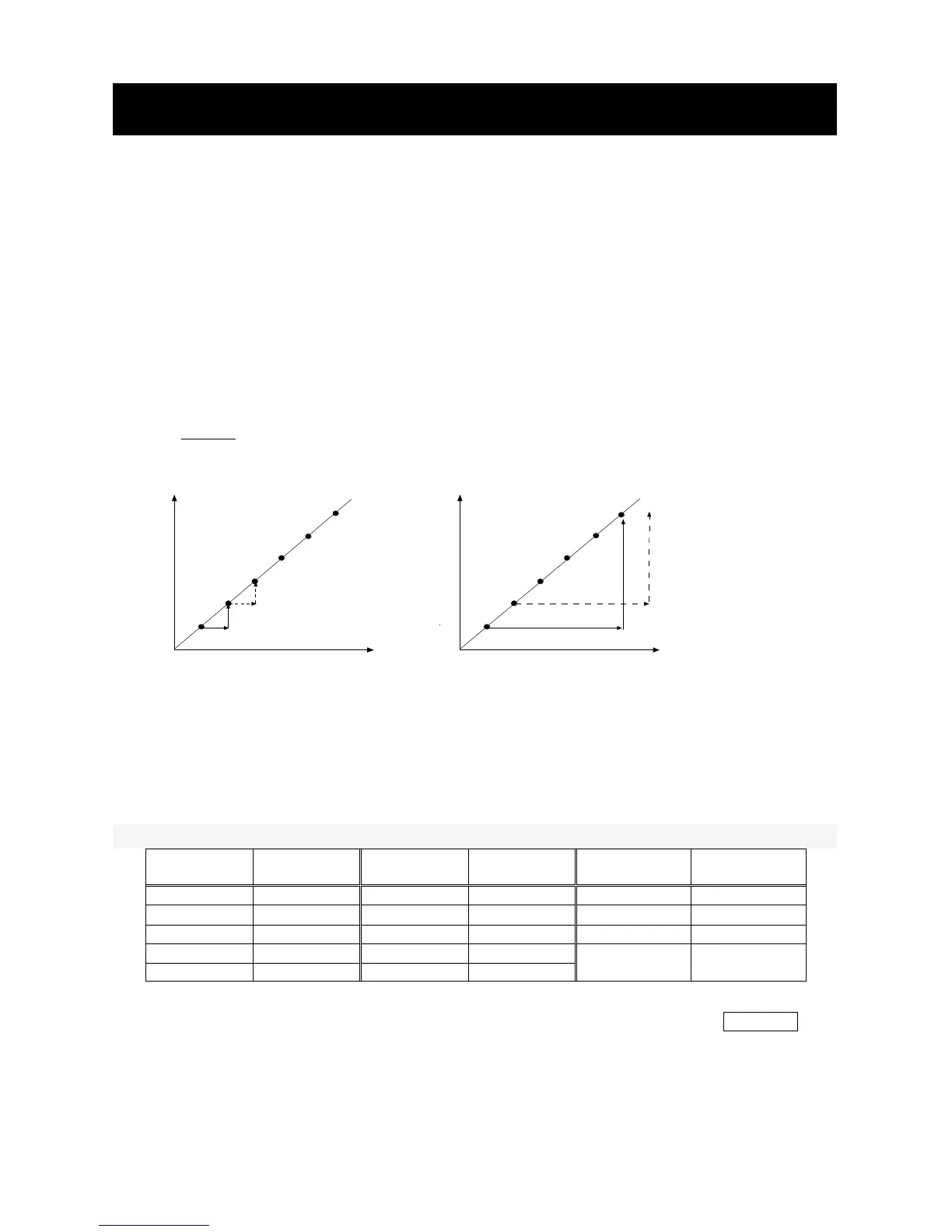
Ct = 1 second
Calculate instantaneous flow rate
Ct = 5 minutes
With the amount of change in the measured value
for 5 seconds, calculate flow rate
The longer the Ct is set, the more stably the flow rate value
can be calculated.
C



 To Next Page