14
4. Weighing Units
4-1 Units
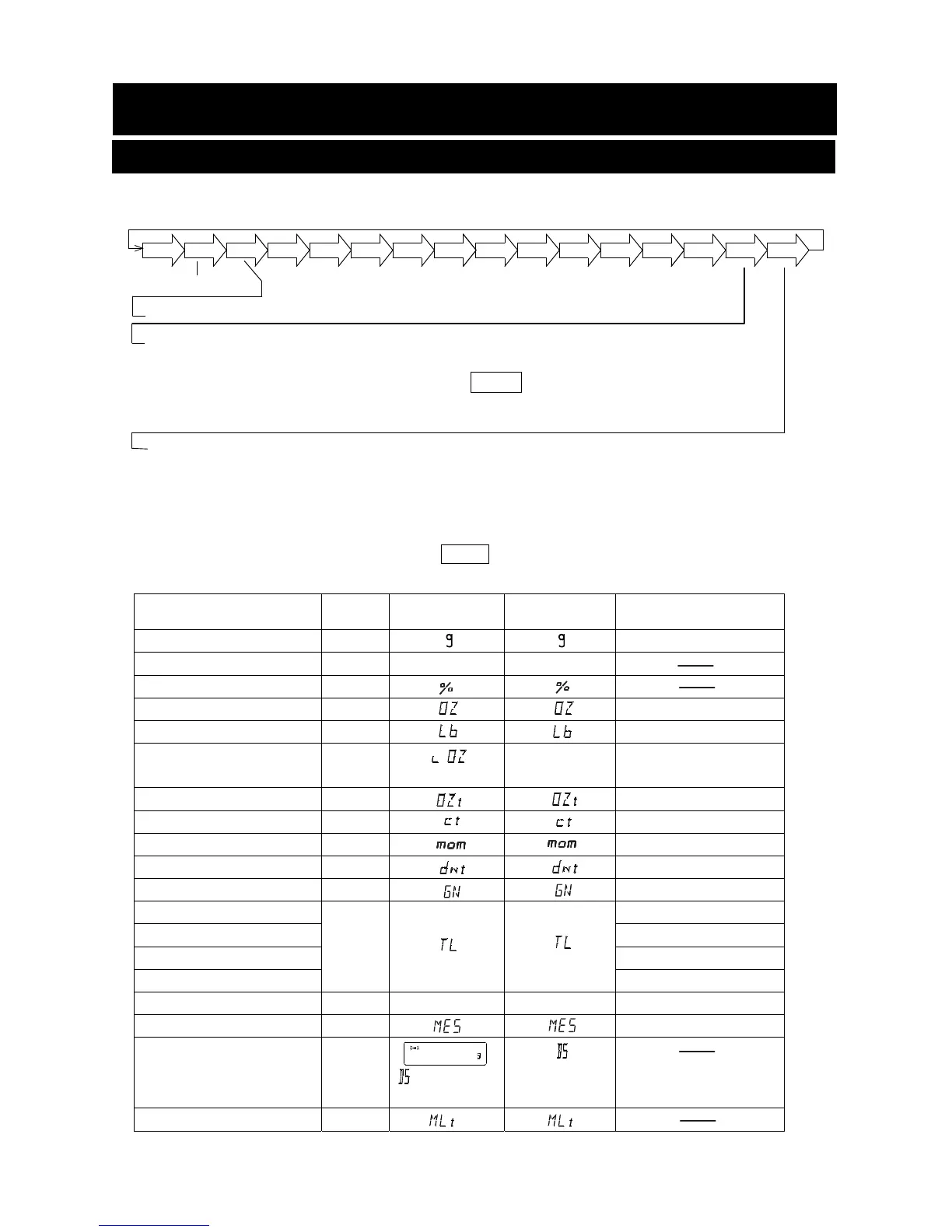
With the GX-A /GF-A series balance, the following weighing units and weighing modes are available :
A unit or mode can be selected and stored in the function table as described on page 15.
If a weighing mode (or unit of weight) has been turned off, that mode or unit will be missing in the
sequence. Tael has four varieties, one of which can be selected and installed at the factory.
To select a unit or mode for weighing, press the MODE key.
For details about the units and modes, see the table below:
Name (unit, mode) Abbrev. Display
Function table
(Storing mode)
Conversion factor
1 g =
Gram g 1 g
Counting mode PCS
Percent mode %
Ounce (Avoir) OZ 28.349523125 g
Pound Lb 453.59237 g
Pound/Ounce L OZ l0 1Lb=16 oz,
1 oz=28.349523125 g
Troy Ounce OZt 31.1034768 g
Metric Carat ct 0.2 g
Momme mom 3.75 g
Pennyweight dwt 1.55517384 g
Grain (UK) GN 0.06479891 g
Tael (HK general, Singapore)
TL
37.7994 g
Tael (HK jewelry) 37.429 g
Tael (Taiwan) 37.5 g
Tael (China) 31.25 g
Tola (India) tol 11.6638038 g
Messghal MES 4.6875 g
Density mode
(See note below)
DS
is used to
show the density.
Programmable-unit (Multi-unit) MLT
Note: The blinking processing indicator with “g” indicates that the density mode is selected.
g
OZ
L
PC
Pct OZ
Lb
OZt
ct
mom
dwt
GN
TL
MES
DS
Percent mode
Density mode (To use this mode, it must be stored in the function table as described on
page 15. For details about this mode, refer to "19. DENSITY MEASUREMENT".
To select this mode, press the MODE key until the processing indictor
blinks with the unit "g" displayed. "DS" appears only when the density
value is displayed.)
Programmable-unit (No unit displayed. For details, refer to "18. PROGRAMMABLE-UNIT".)
Counting mode
tol
MLT
p C 5
p C 5
to1
to1



 To Next Page