54
Example 2
(Continuous comparison, including "near zero", reference value and tolerance value.)
Selecting a comparator mode
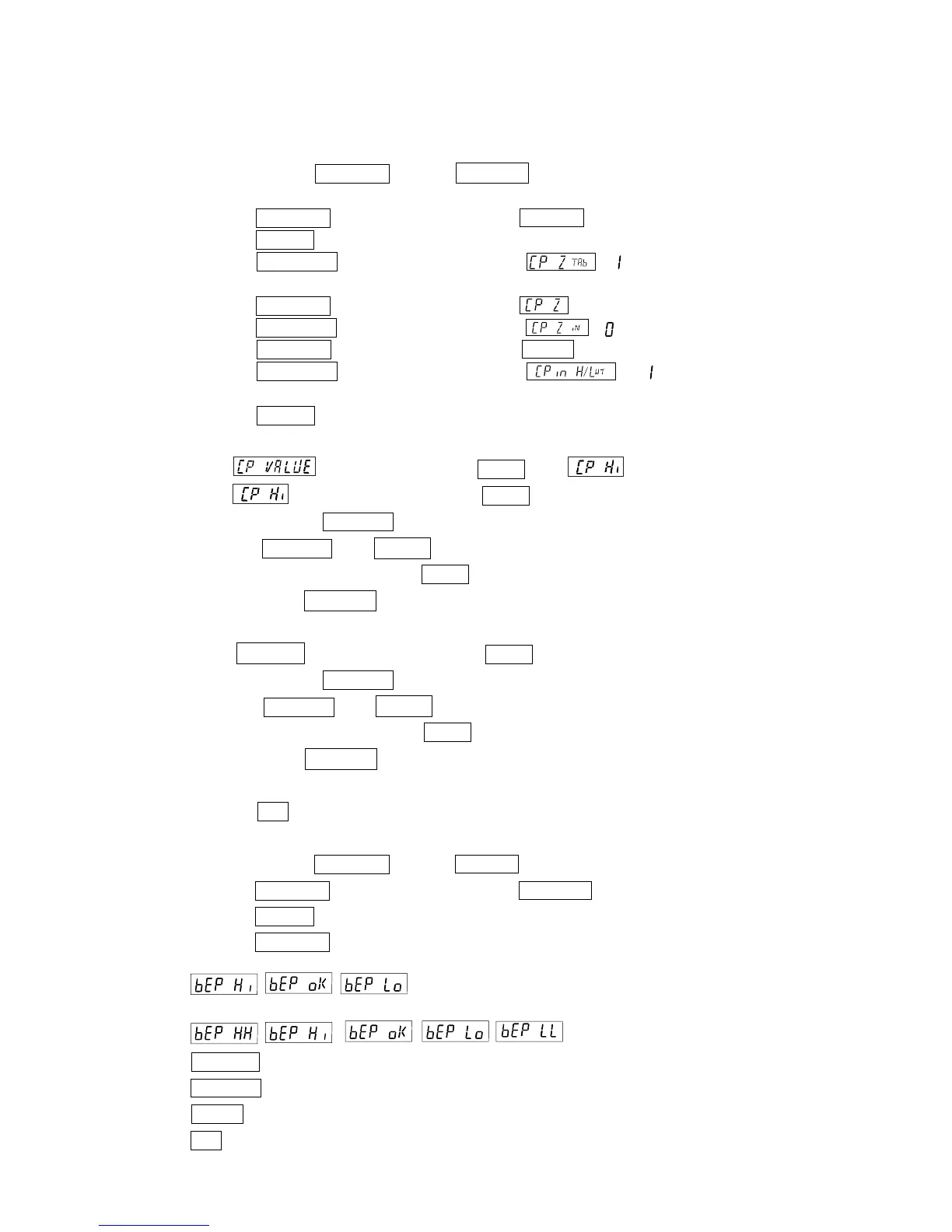
Step1 Press and hold the SAMPLE key until
ba5fnc of the function table is displayed, then release
the key.
Step2 Press the SAMPLE key several times to display Cp fnc .
Step3 Press the PRINT key.
Step4 Press the RE-ZERO key several times to display . (" " compared when stable and
over)
Step5 Press the SAMPLE key several times to display .
Step6 Press the RE-ZERO key several times to display .(" " near zero is also compared.)
Step7 Press the SAMPLE key several times to display Cpin .
Step8 Press the RE-ZERO key several times to display . (" " upper-lower limit is set.
Input by loaded.)
Step9 Press the PRINT key to store the new setting.
Entering the reference and tolerance values
Step10 When is displayed, press the PRINT key. will be displayed.
Step11 When is displayed, press the PRINT key to check the currently set value (all
blinking). Press the RE-ZERO key to enter the load input mode.
Step12 Press the RE-ZERO key, 0.00g is displayed. Place a sample of the weight of the upper
limit on the balance and press the PRINT key. (Register the upper limit value.)
Step13 When finished, Cp lo is displayed. (Replace a sample of the weight of the upper
limit from the balance.)
Step14 When Cp lo is displayed, press the PRINT key to check the currently set value (all
blinking). Press the RE-ZERO key to enter the load input mode.
Step15 Press the RE-ZERO key, 0.00g is displayed. Place a sample of the weight of the lower
limit on the balance and press the PRINT key. (Register the lower limit value.)
Step16 When finished, Cp Hi is displayed. (Replace a sample of the weight of the lower
limit from the balance.)
Press the CAL key twice to return to the weighing display.
Sound the built-in buzzer corresponding to the comparison result.
Step1 Press and hold the SAMPLE key until ba5fnc of the function table is displayed.
Step2 Press the SAMPLE key several times to display Cp beep .
Step3 Press the PRINT key.
Step4 Press the SAMPLE key to set the buzzer sound setting of the comparison result "ON/OFF".
When 3-step comparator is set, the display can be selected from the following 3 kinds
.
When 5-step comparator is set, the display can be selected from the following 5 kinds
.
SAMPLE key Select the comparison result.
RE-ZERO key Set the buzzer sound setting of the comparison result "ON/OFF
PRINT key Store the setting.
CAL key Cancel and return to the weighing display.



 To Next Page