80
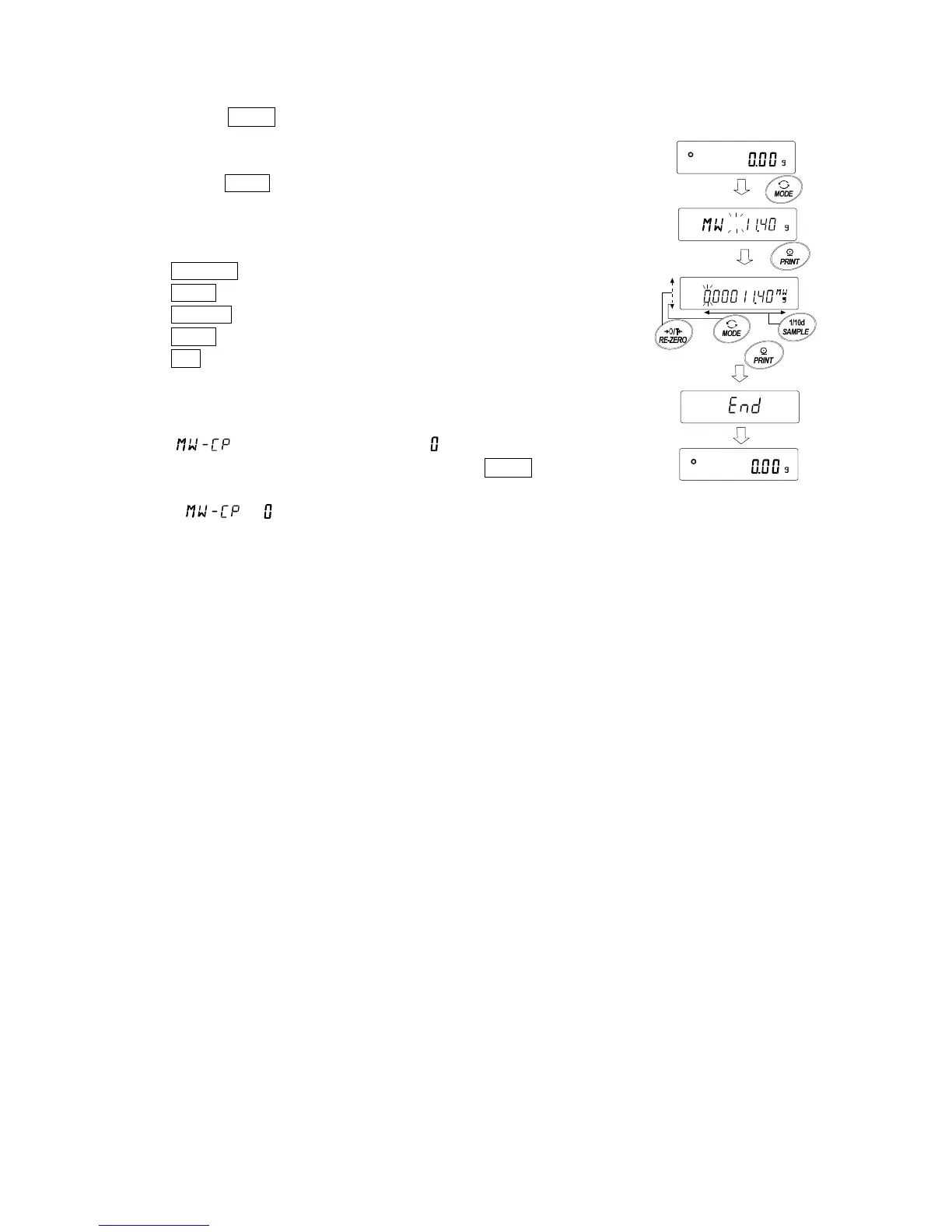
Setting confirmation and changing method from the weighing display
1. Press the MODE key in the weighing display.
2. The current setting minimum weighing value blinks.
3. Press the PRINT key.
4. Set the minimum weighing value. The minimum
weighing value can be changed by the following
key operation.
RE-ZERO(+) key
Change the value of the blinking digit.
MODE(-) key Change the value of the blinking digit.
SAMPLE key Move the blinking digit.
PRINT key Store the set value and proceed to the next item.
CAL key Advance to the next item without
storing the setting value.
Note
□ If is set to anything other than , the unit is fixed in "g"
units and it cannot be changed the unit with the MODE key.
□ To turn OFF the minimum weighing value warning function,
set to by referring to "Setting procedure" above.



 To Next Page