85
(3)Entering the density of a liquid
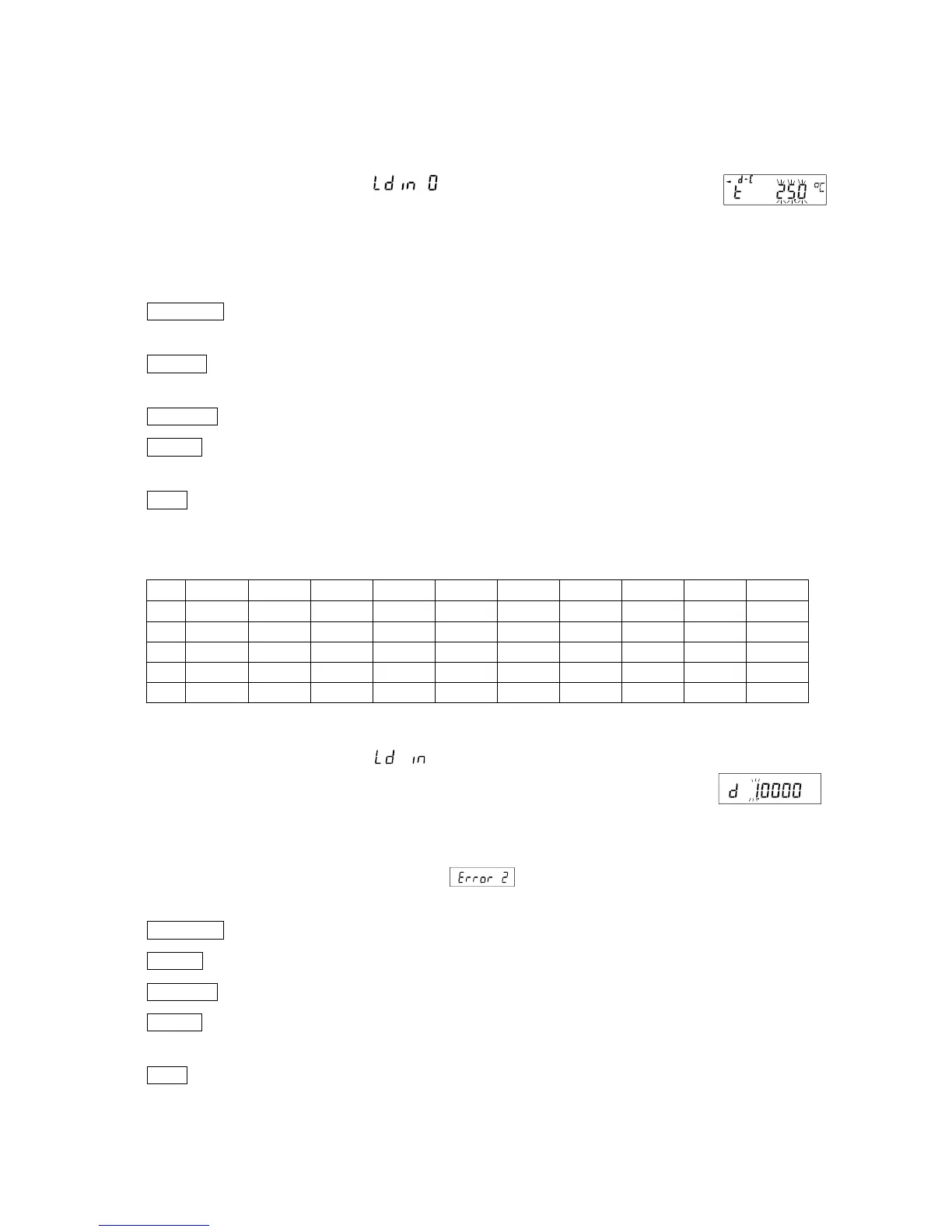
Two ways to set the density of a liquid are available in the function table, "Liquid density input (ldin): by
entering the water temperature or by entering the density directly.
Entering the water temperature
( )
The water temperature currently set (unit:°C, factory setting : 25°C) is displayed.
Use the following keys to change the value. Setting range is 0.0℃ to 99.9℃, in
increments of 0.1℃. Refer to the following matrix the " The relation between the
water temperature and density
RE-ZERO (+)key
......
The key to increase the temperature by one degree.
(0°C is displayed after 99°C)
MODE (-)key
........
The key to decrease the temperature by one degree.
(99°C is displayed after 0°C)
SAMPLE key
...............
Move the blinking digit.
PRINT key
...................
The key to store new water temperature and return to the density mode.(Proceed
to Step 5)
CAL key
........................
The key to cancel the change and return to the density mode.
Proceed to Step 5.
The relation between the water temperature and density
℃ +0 +1 +2 +3 +4 +5 +6 +7 +8 +9
0
0.99984 0.99990 0.99994 0.99996 0.99997 0.99996 0.99994 0.99990 0.99985 0.99978
10
0.99970 0.99961 0.99949 0.99938 0.99924 0.99910 0.99894 0.99877 0.99860 0.99841
20
0.99820 0.99799 0.99777 0.99754 0.99730 0.99704 0.99678 0.99651 0.99623 0.99594
30
0.99565 0.99534 0.99503 0.99470 0.99437 0.99403 0.99368 0.99333 0.99297 0.99259
40
0.99222 0.99183 0.99144 0.99104 0.99063 0.99021 0.98979 0.98936 0.98893 0.98849
g/cm
3
Entering the density directly(
).
The density currently set (unit : g / cm
3
, factory setting : 1.0000g / cm
3
) is
displayed.
Use the following keys to change the value.
The range to set the density is 0.0000g / cm
3
to 1.9999g / cm
3
.
If it is input beyond the settable range value, is displayed and the
display return to the input display.
RE-ZERO (+)key
.....
The key to set the value of the blinking digit .
MODE (-)key
...........
The key to select the blinking digit to change the value.
SAMPLE key
...............
Move the blinking digit.
PRINT key
...................
The key to store the change and return to the density mode. Proceed to Step
5.
CAL key
........................
The key to cancel the change and return to the density mode. Proceed to Step
5.



 To Next Page