Commissioning
© 2006 ABB STOTZ-KONTAKT GmbH 237
ABB i-bus
®
EIB / KNX
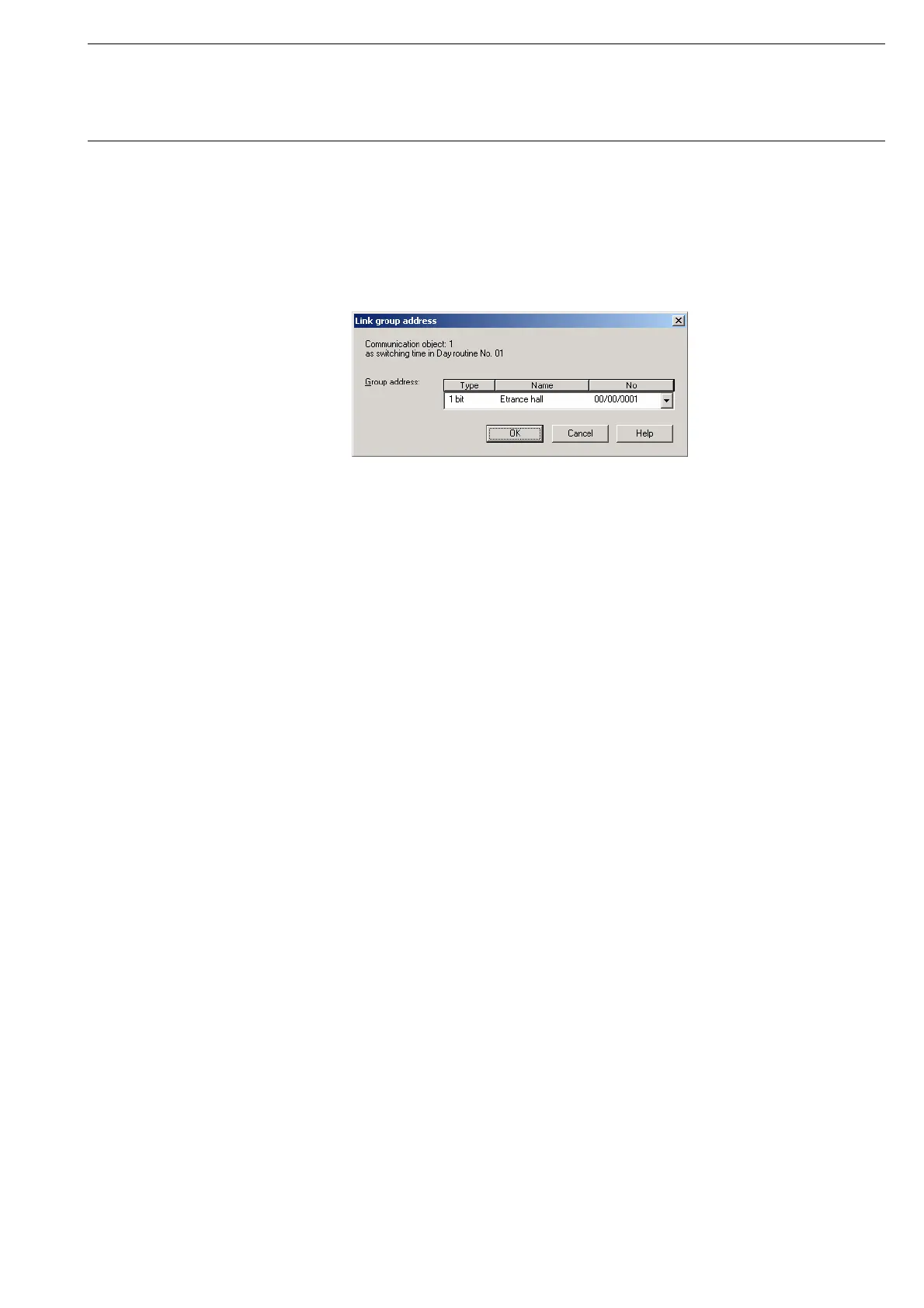
Select an existing group address e.g. the group address 00/00/001. The
dialog window Link group address is activated in the following way:
- by double-clicking on the selected group address or
- by pressing the right mouse button and selecting Edit in the pop-up menu.
Fig. 226: Parameter window: “Assign group address”
Note: This dialog window can only be opened if the group address
has already been assigned a specific use e.g. activating a day
routine. The group address is thus assigned to a
communication object via priority control.
Communication object: X
The communication object number is automatically assigned as a
consecutive number by the application program Times Groups/2.
as switching time in Day routine no. 01
The text displayed here describes the assignment of the selected group
address e.g. to the switching time and day routine.
Note: A group address can be reassigned for the communication
object number and the description.
If a new assignment is selected, this is represented in the table
in the column DR, ST, GT or GM with a +.








 To Next Page