Commissioning
System Manual
111
6.4.6 Backup / restore the project
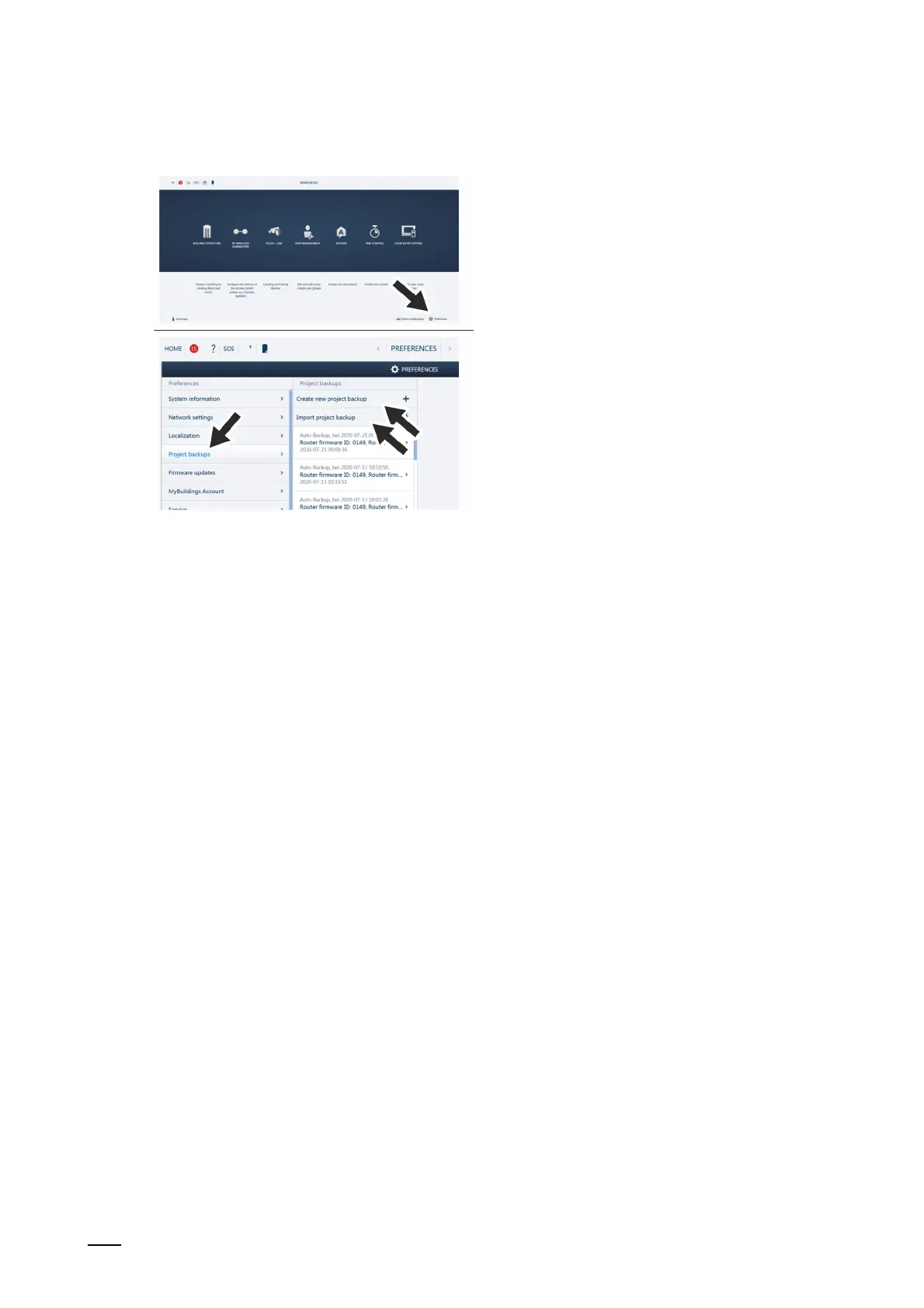
Fig. 90: Data backup / data restoration
Create the first data backup after the first initialization has been completed.
Then create a backup after every major change, such as the addition or deletion of devices.
To create the data backup, carry out the following steps:
1. Connect a PC with the "Smart Access Point".
– More detailed information for connecting, see chapter 6.4.3 “Reconnect the "Smart
Access Point"“ on page 105
2. In the main menu of the "Smart Access Point", change to the "Settings" function.
3. Change to the "Project backup“ function.
Creating data backup
1. The backup file is created via the "Create new project backup" function.
Playback of data backup
1. The backup file is imported via the "Import project backup" function.















 To Next Page