Connection, installation / mounting
System Manual
39
5.3 Outdoor stations
5.3.1 Mounting
For mounting an outdoor station, perform the following points:
1. First set the installation box for the corresponding mounting situation.
– Surface-mounting: see chapter 5.1 “Outdoor stations: SM installation boxes“ on page
32.
– Flush-mounted installation in solid facades: see chapter 5.2.2 “Mounting in clinker
facades“ on page 36.
– Flush-mounted installation in insulated facades: see chapter 5.2.1 “Mounting in
insulated facades“ on page 34.
– Flush-mounted installation in hollow walls: see chapter 5.2.3 “Mounting in hollow walls“
on page 37.
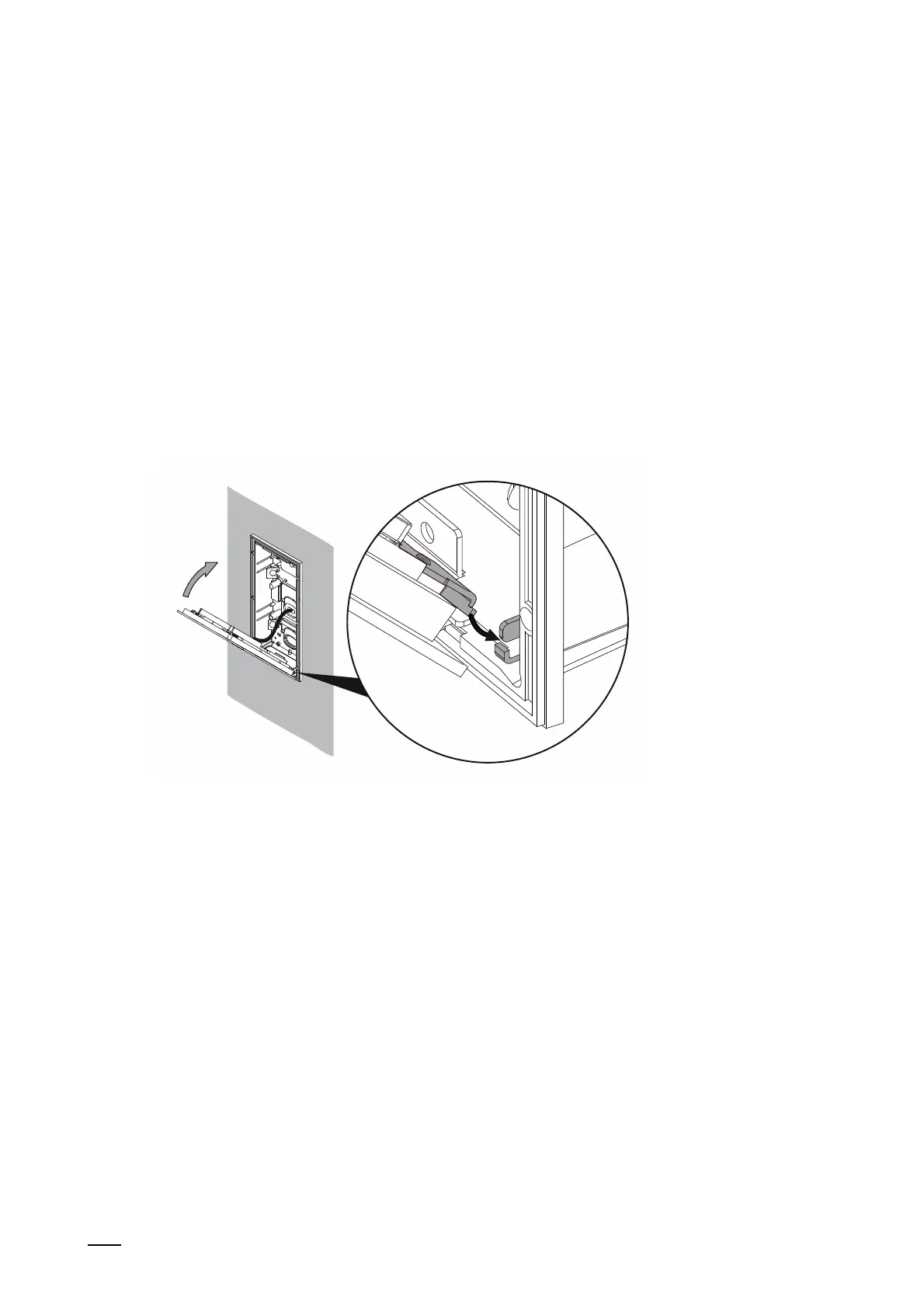
Fig. 16: Mounting outdoor station: Inserting the device (Example of flush-mounted installation box)
2. When the installation box is set:
■
Establish the connection on the device.
■
Insert the device into the installation box.
– Set the device at the bottom into the holding fixture and fold it up.
– The two spring pins at the top on the device must latch into the installation box.















 To Next Page