Commissioning
System Manual
70
6.2.4 Outdoor station with display
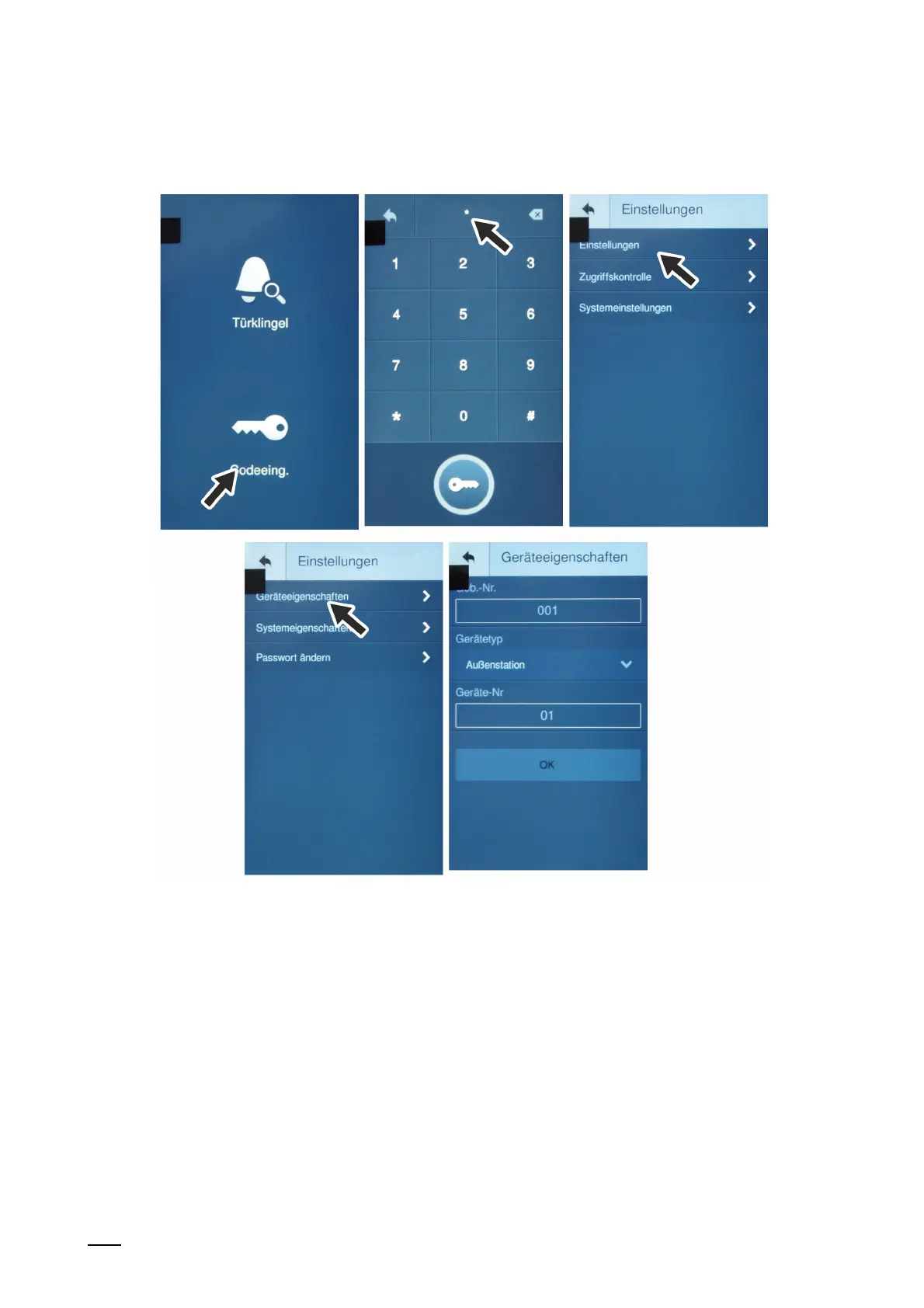
Fig. 49: Outdoor station with display: Settings
The wizard is displayed after the device has booted up automatically and will guide you through
the first setup. If the device has already been setup, the main menu is displayed directly.
To address the device, perform the following steps:
1. Boot up the device.
– The device boots up automatically when the power supply is connected.
2. For initial commissioning: Follow the steps of the wizard for the initial commissioning.
– First select the language.
3. Open the "Entry code" function in the standby mode.
4. In window "Password" enter the following: [#*] + settings password + [#]
– The device automatically switches to the selection windows of the setting areas.
– On the password, see the information at the end of this section.















 To Next Page