Commissioning
System Manual
117
6.7 RESET (Reset system / devices)
6.7.1 Indoor stations IP Touch 7 and Guard unit
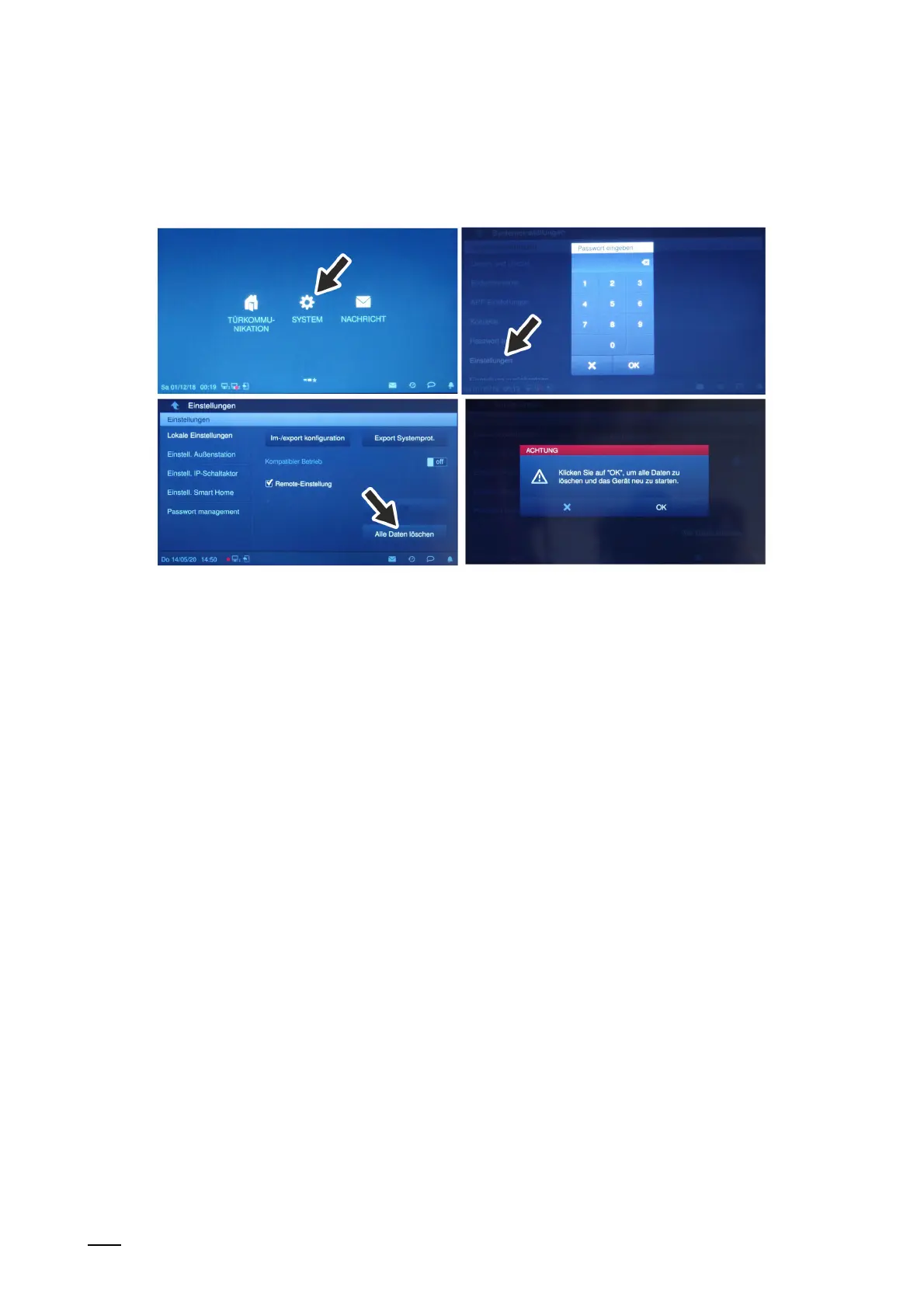
Fig. 95: Resetting the indoor stations IP Touch 7 and Guard unit
Resetting becomes necessary, for example, when they have already been integrated in a
system or are to be integrated in a new system.
There is a time space of 2 minutes for resetting after the device has booted.
■
This is no longer possible after the 2 minutes. The device must be rebooted.
■
Resetting is carried out on the devices themselves.
Carry out the following steps to reset devices:
1. Change to the "Settings" function.
– Enter the password for the "Settings".
2. Change to the "Local settings" function.
3. Click on the "Delete all data" button.
4. Confirm the security request.
– The existing data are reset.
– The device reboots.















 To Next Page