Connection, installation / mounting
System Manual
49
5.6 Indoor stations IP touch
5.6.1 Wall installation in installation boxes
Notice
■
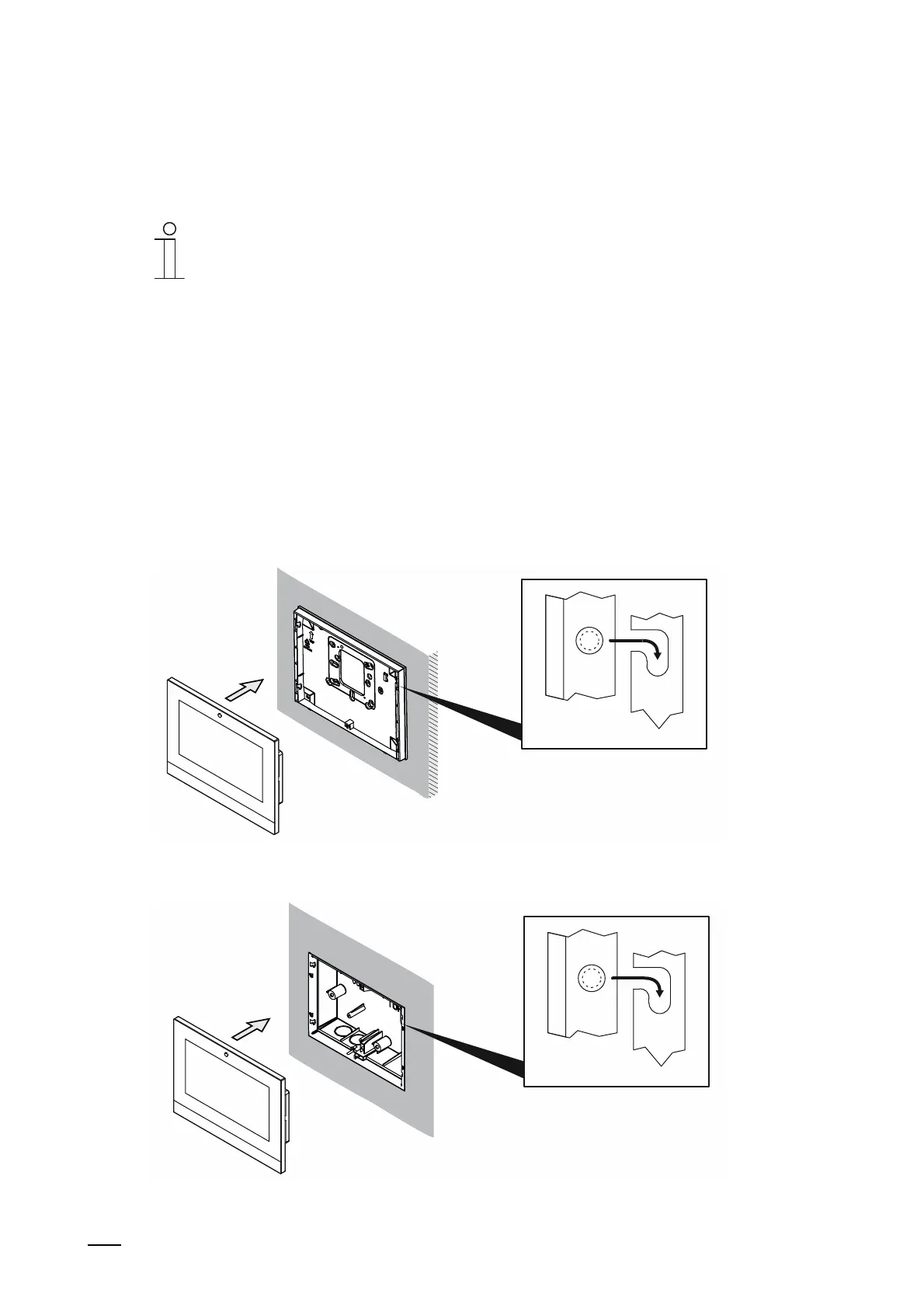
Due to the larger device depth the IP touch (LAN / LAN) indoor station can
only be inserted into a flush-mounted installation box.
■
The additional device versions can be inserted into a surface-mounted
installation box or flush-mounted installation box.
For mounting an IP touch indoor station, perform the following points:
1. First set the installation box for the corresponding mounting situation.
– Surface-mounting: see chapter 5.4 “Indoor stations IP touch: SM installation boxes“ on
page 42.
– Flush-mounted installation in facades: see chapter 5.5.1 “Mounting in solid walls“ on
page 44.
– Flush-mounted installation in hollow walls: see chapter 5.5.2 “Mounting in hollow walls“
on page 47.
Fig. 30: Mounting indoor station: Insert the device surface-mounted (only LAN / WLAN version)
Fig. 31: Mounting indoor station: Insert the device flush-mounted (LAN / LAN and LAN / WLAN versions)















 To Next Page