Commissioning
System Manual
116
6.6 Delete device in the "Smart Access Point"
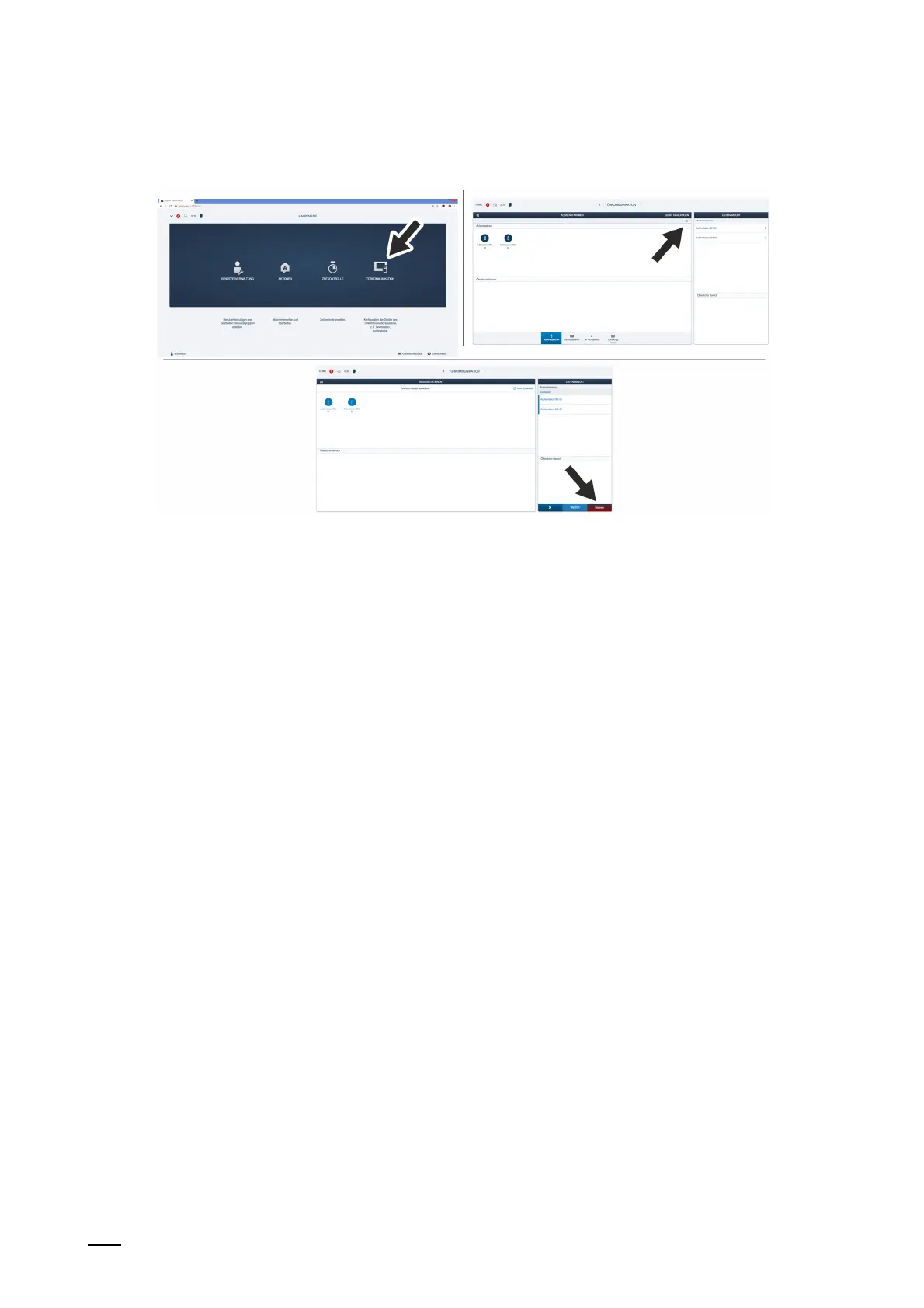
Fig. 94: Deleting devices
One device or several devices can be deleted at the same time. They are deleted in the device
administration of the "Smart Access Point".
Carry out the following steps to delete devices:
1. Connect a PC with the "Smart Access Point".
– More detailed information for connecting, see chapter 6.4.3 “Reconnect the "Smart
Access Point"“ on page 105.
2. Navigate to the "Door communication" function.
– Call up the main menu, if it is not yet displayed.
– Switch to door communication.
3. Mark the device to be deleted.
– Click directly on the device or on "Select all".
4. Click on "Delete".
The device or devices are deleted in the device administration.















 To Next Page