Commissioning
System Manual
134
6.9.4 Several name entries for a IP Touch 7
For each resident (owner, tenant, office, etc.) several name entries of the associated indoor
station can be created. These are shown accordingly on the display of the outdoor station.
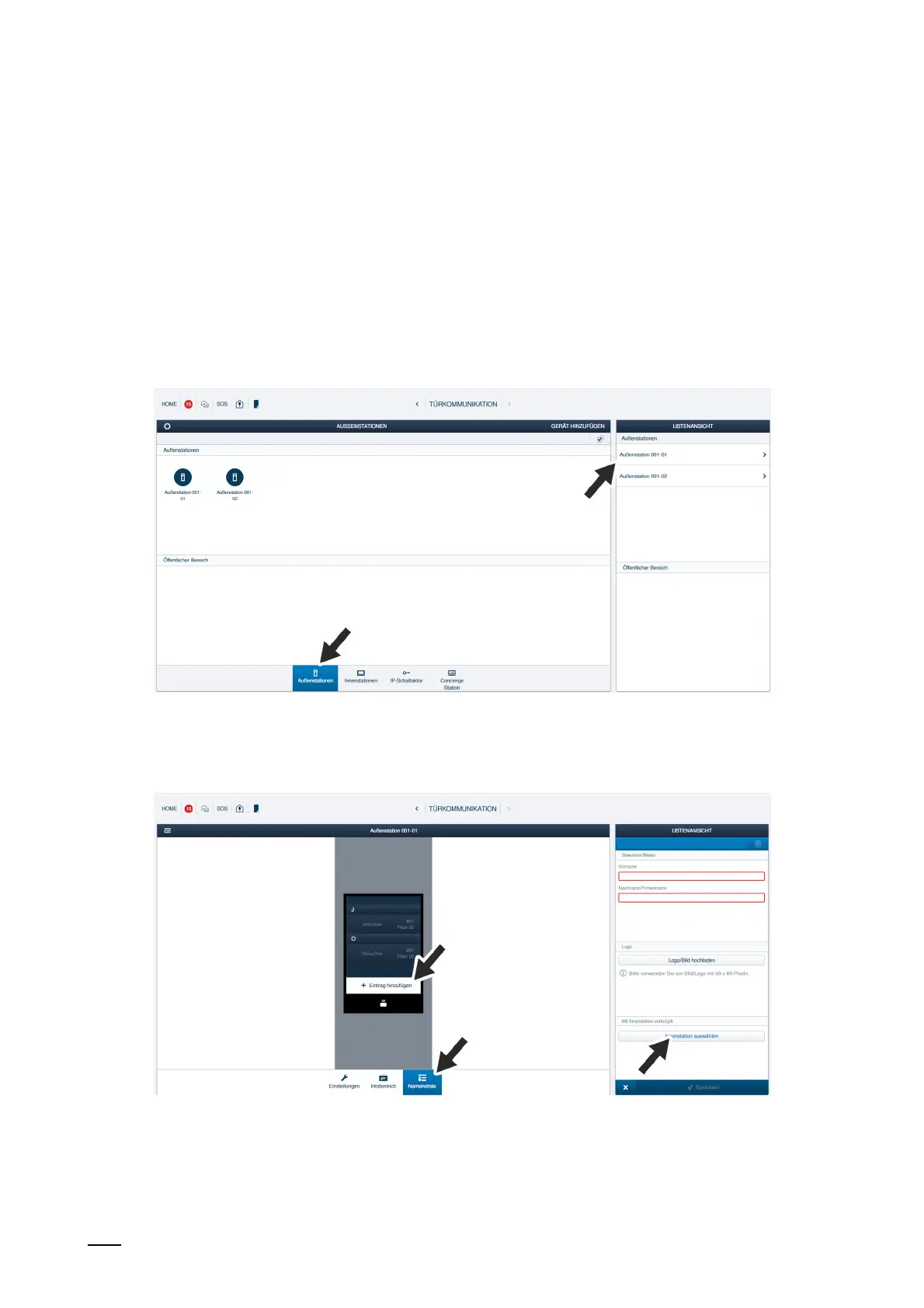
To add the additional name entries, perform the following steps:
1. Connect a PC with the "Smart Access Point".
– More detailed information for connecting, see chapter 6.4.3 “Reconnect the "Smart
Access Point"“ on page 105.
2. In the main menu of the "Smart Access Point", change to the "Door communication"
function.
Fig. 116: Additional name entry: Select outdoor station
3. Change to the desired outdoor station.
Fig. 117: Additional name entry: Add entry
4. Change to the "Name list" function.
5. Change to the "Add entry“ function.
6. Change to the "Select indoor station" function.















 To Next Page