Connection, installation / mounting
System Manual
38
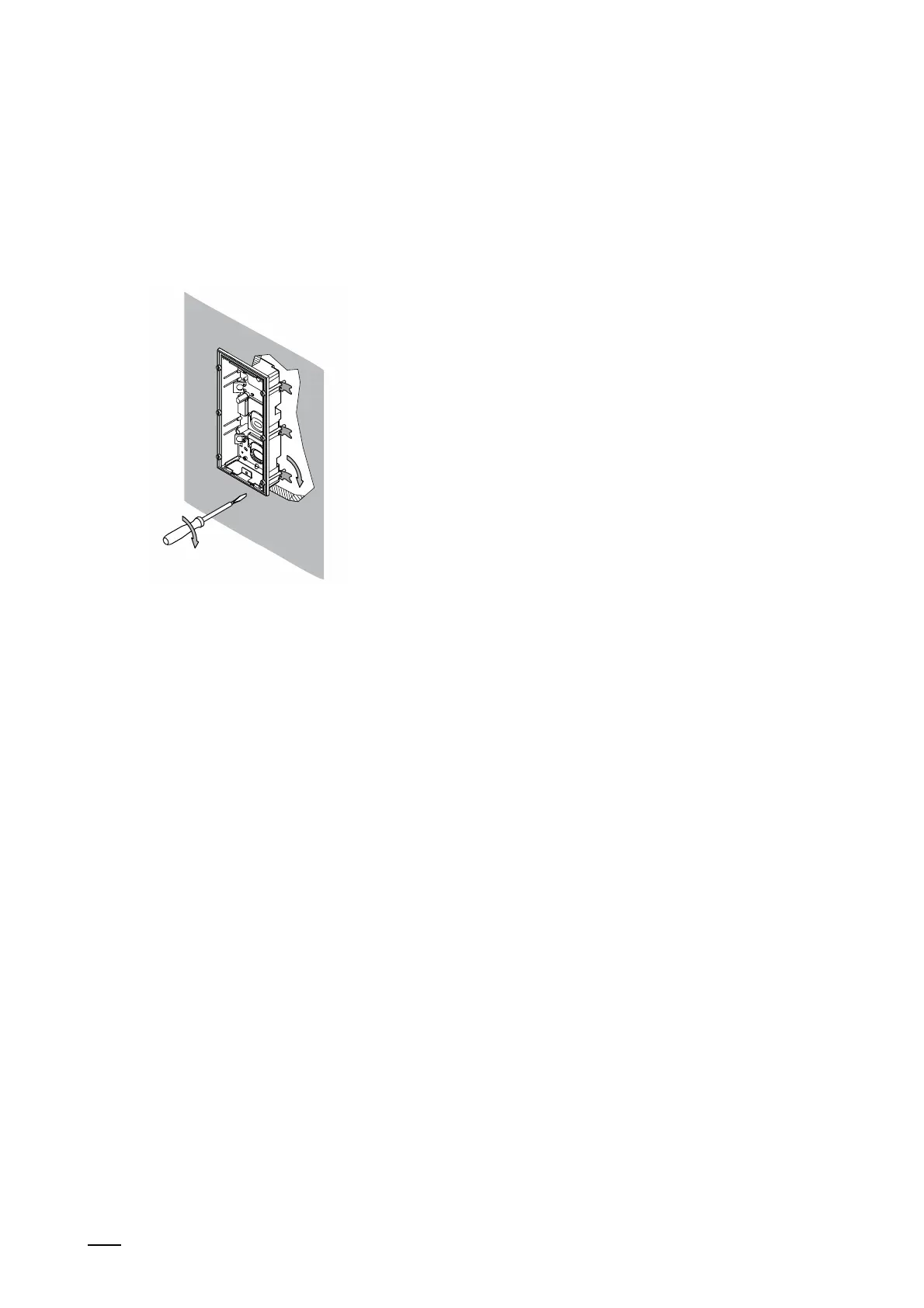
3. Insert the flush-mounted installation box into the cutout.
– Attention:
Ensure that the encircling "Collar" of the flush-mounted installation box rests on the
facade. The encircling "Collar" of the flush-mounted installation box must not be
submerged in the facade. The device can then not be mounted later.
Fig. 15: Mounting installation boxes in hollow wall: Clamping flush-mounted installation box
4. Tighten the clamps.
– The clamps click automatically into the correct position.
5. Mounting the outdoor station.
– see chapter 5.3 “Outdoor stations“ on page 39.















 To Next Page