Case studies
System Manual
176
Integrating the IP camera in the IP Touch 7
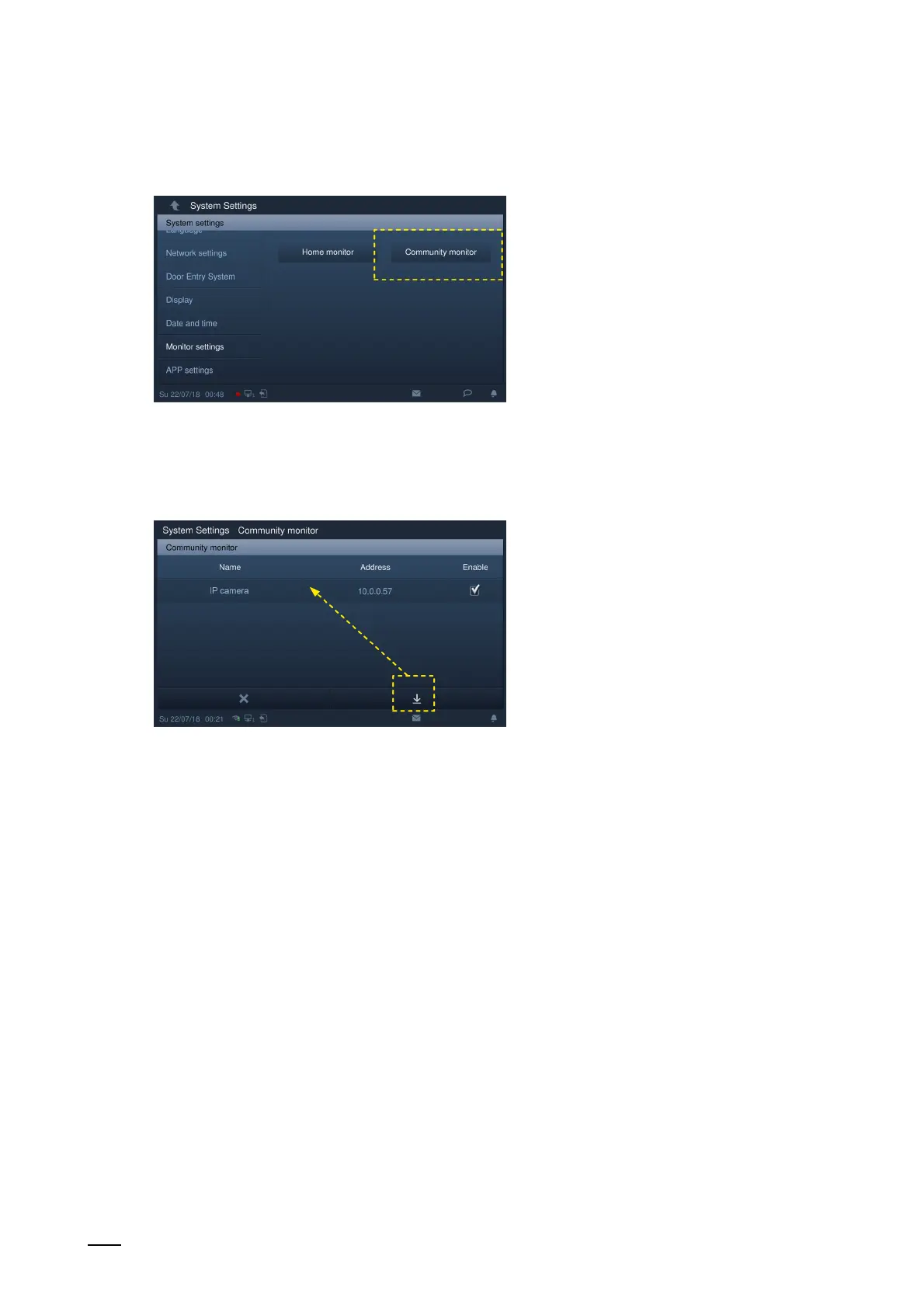
Fig. 163: Community Monitor in the IP Touch 7
4. In the IP Touch 7 change to "System settings" / "Monitor settings" and there open the
"Community monitor" page.
Fig. 164: Start screen in the IP Touch 7: IP cameras
– Click on the "Download" button to download the camera list from the management
software.















 To Next Page