Case studies
System Manual
180
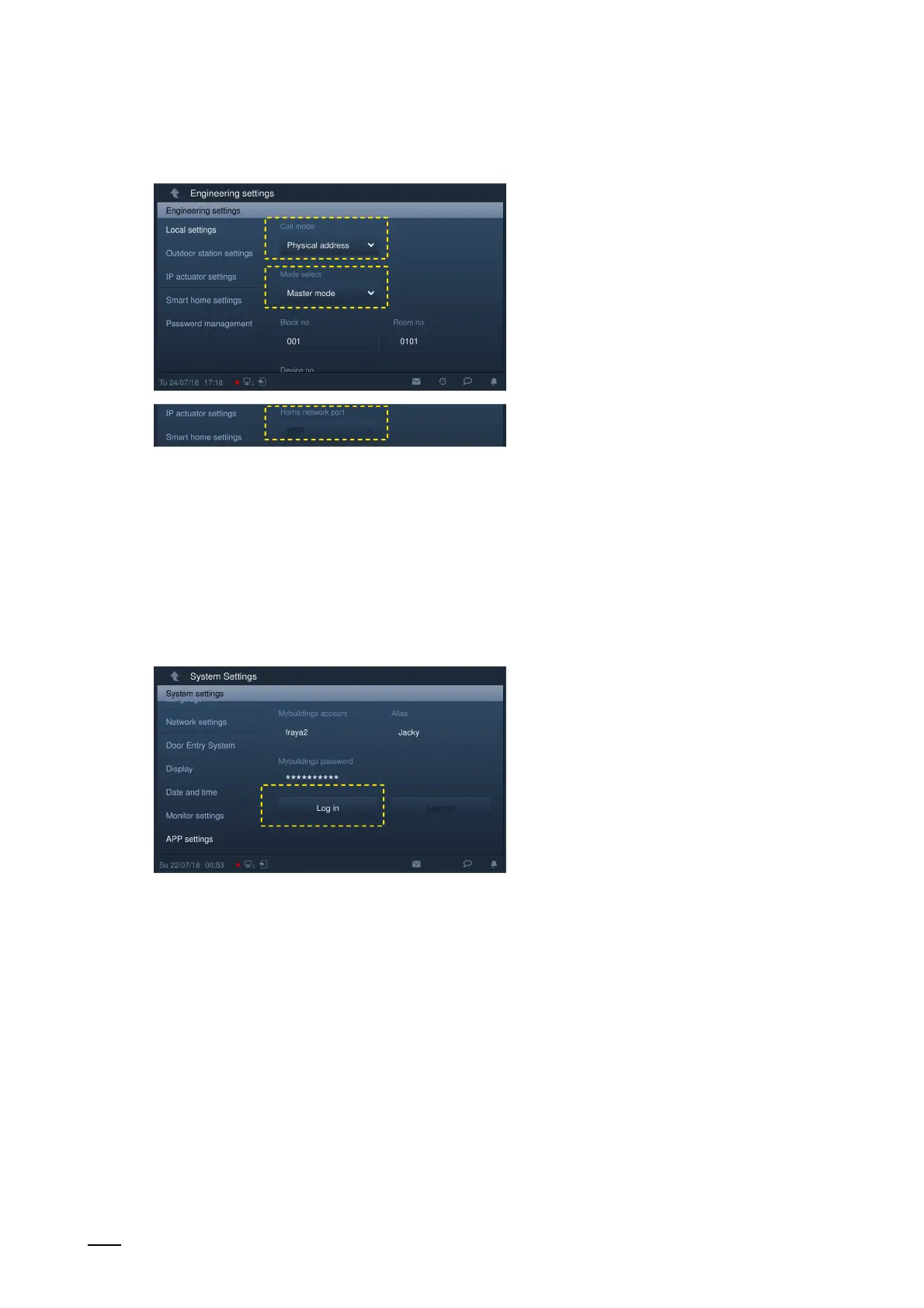
The following settings are necessary for the connection:
Fig. 170: Engineering settings on the IP Touch 7
1. Mode selection = Master mode
– The connection of the ABB-Welcome
®
App is only possible within a unit/one-family
house, and there on the IP Touch 7 with the master mode.
2. Home network port
– LAN/LAN version: LAN2
– LAN/WLAN version: WIFI
Fig. 171: Password on the IP Touch 7
3. Login on the MyBuildings portal via the IP Touch 7.
– On the IP Touch 7 under system settings click on "MyBuildings settings" and enter the
user password to call up the settings screen.
– Then enter a user name, an alias and a password, and click on "Log in".















 To Next Page