Connection, installation / mounting
System Manual
35
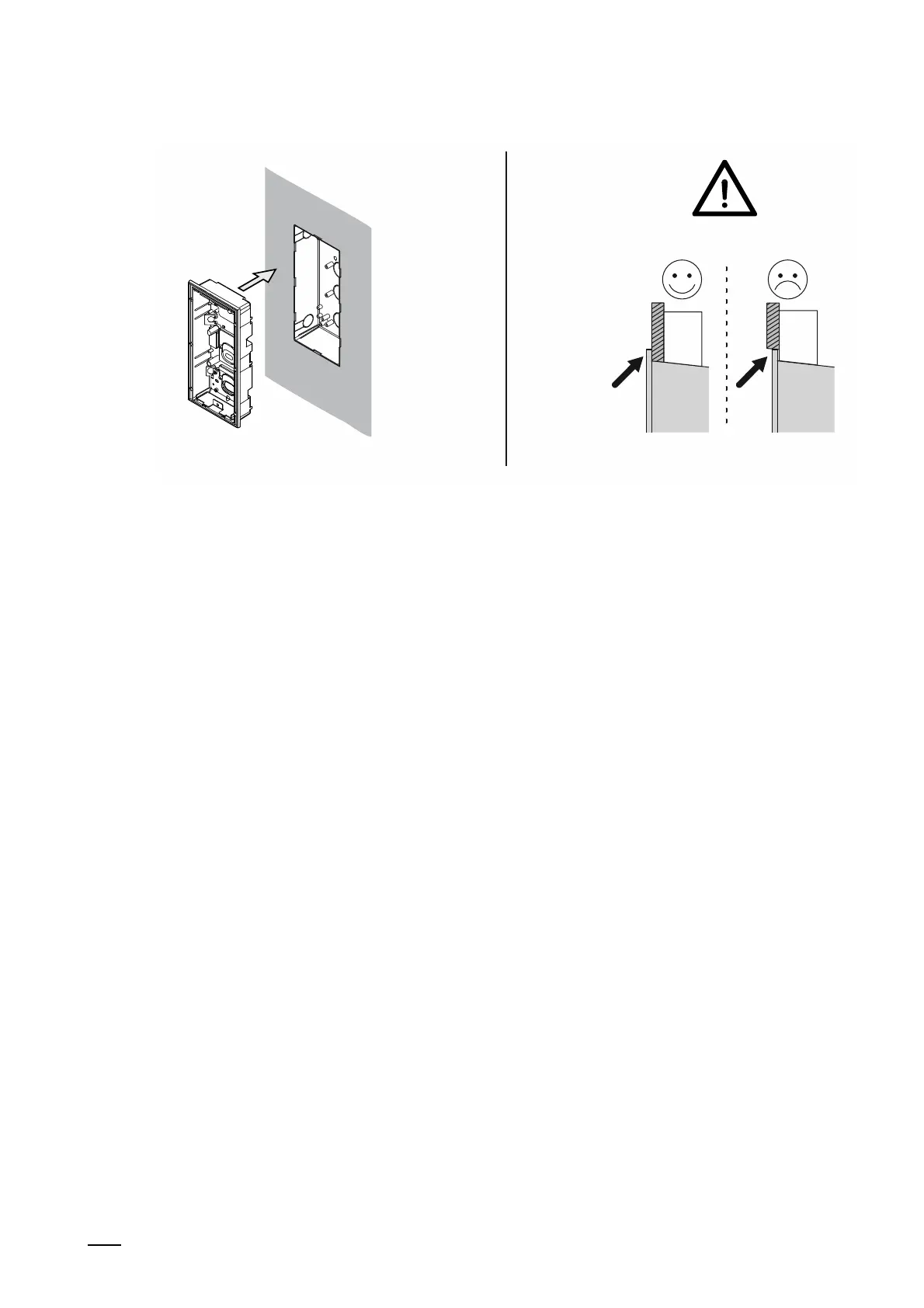
Fig. 11: Mounting in insulated facades: Inserting flush-mounted installation box
6. After the wall has been plastered, insert the flush-mounted box into the plastered box.
– Attention:
Ensure that the encircling "Collar" of the flush-mounted installation box rests on the
facade. The encircling "Collar" of the flush-mounted installation box must not be
submerged in the facade. The device can then not be mounted later.
– Tighten the flush-mounted installation box with the enclosed screws.
– For this, use the four elongated holes in the bottom of the flush-mounted installation
box. Information on the elongated holes and boreholes is available in the graphics of
the drilling templates, see chapter 5.9.3 “Installation boxes - Surface mounting“ on
page 57 and see chapter 5.9.4 “Installation boxes - flush-mounted installation“ on
page 59.
– Use the shorter or longer screws depending on the thickness of the plaster.
7. Mounting the outdoor station.
– see chapter 5.3 “Outdoor stations“ on page 39.















 To Next Page