Commissioning
System Manual
78
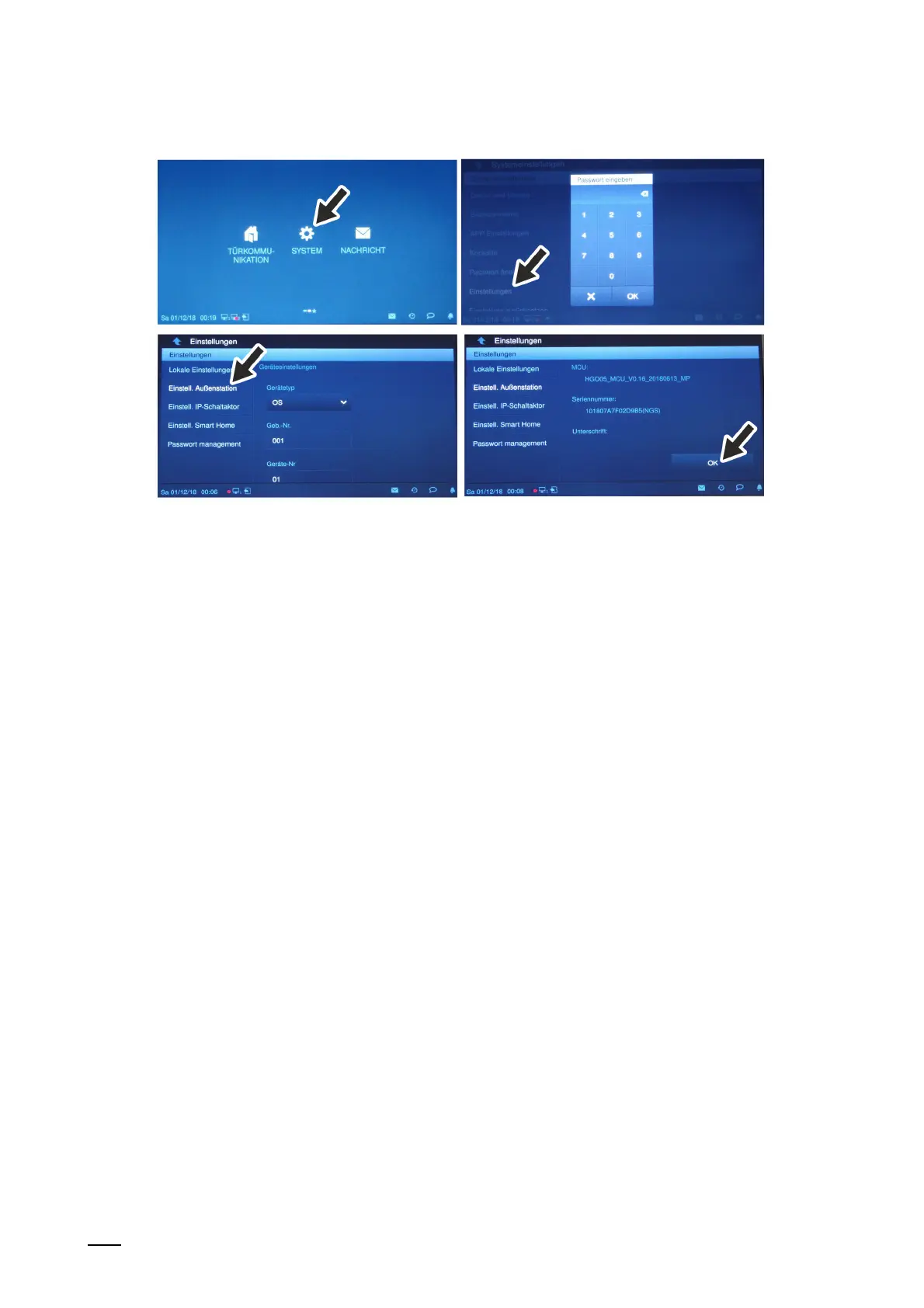
Fig. 53: Outdoor station without buttons: Addressing via indoor station
4. Switch to menu "System / Settings" at the indoor station.
– Switch to function "Outdoor station setting".
– The outdoor station is searched for automatically.
5. Address the outdoor station and save the entries via the "OK" button.
– Navigate to the "OK" button at the bottom.
The outdoor station is addressed.















 To Next Page