▪ Press or press and hold the Amplitude Decrease key unl the level shown on the acve amplitude bar▪
reaches zero and OFF is displayed.
If you perform either acon, the programmer turns o the IPG and smulaon stops. You should see the
following screen.
Figure 31. Operaonal Display screen showing smulaon o
Stopping Smulaon Using the Magnet
The system comes with a magnet that can turn o the IPG or turn it on and o. How the IPG funcons
depends on the program sengs. A program can be set with one of the following magnet modes:
▪
Magnet o. The magnet can turn o the IPG but cannot turn it on. In magnet o mode, if you use the
▪
magnet to turn o the IPG, you must use the programmer to turn it back on.
▪
Magnet on/o. The magnet can turn the IPG on or o. When selected, magnet on/o mode appears as
▪
MAG on the Program Selecon screen.
Figure 32.
Program in magnet on/o mode (MAG)
NOTE:
▪
In magnet on/o mode, if you hold the magnet over the IPG site for about 30 seconds, the IPG will turn
▪
o and you must use the programmer to turn it back on.
▪ The magnet is powerful and intended for use solely with IPGs. When the magnet is not in use, posion▪
the keeper bar on it properly.
CAUTION: Do not use the magnet provided with the system around magnecally sensive items to
avoid damaging them.
To stop smulaon using the magnet:
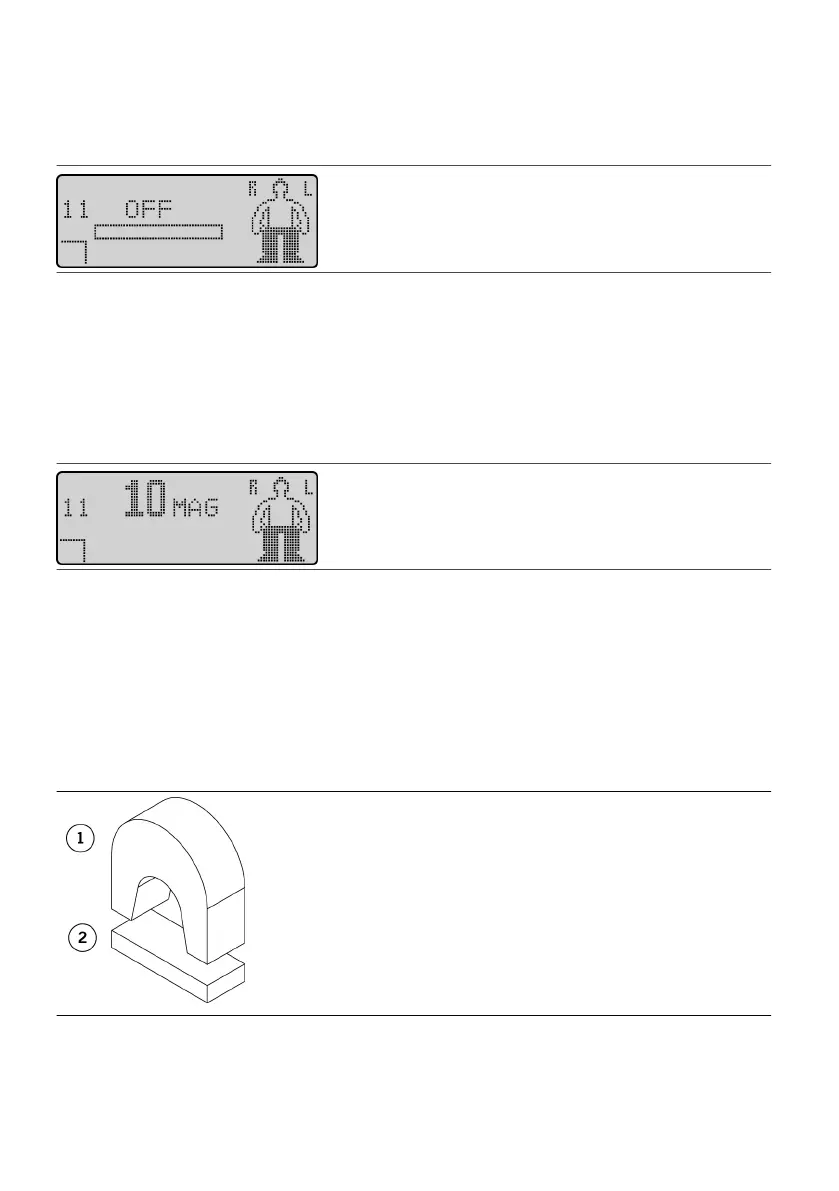
1. Take the keeper bar o the magnet.1.
Figure 33. Take the keeper bar o the magnet
1. Magnet1.
2. Keeper bar2.
2.
Place the magnet directly over the IPG.
2.
3. Hold the magnet in place for two seconds.3.
4. Remove the magnet, replace the keeper bar, and store the magnet.4.
16











 To Next Page