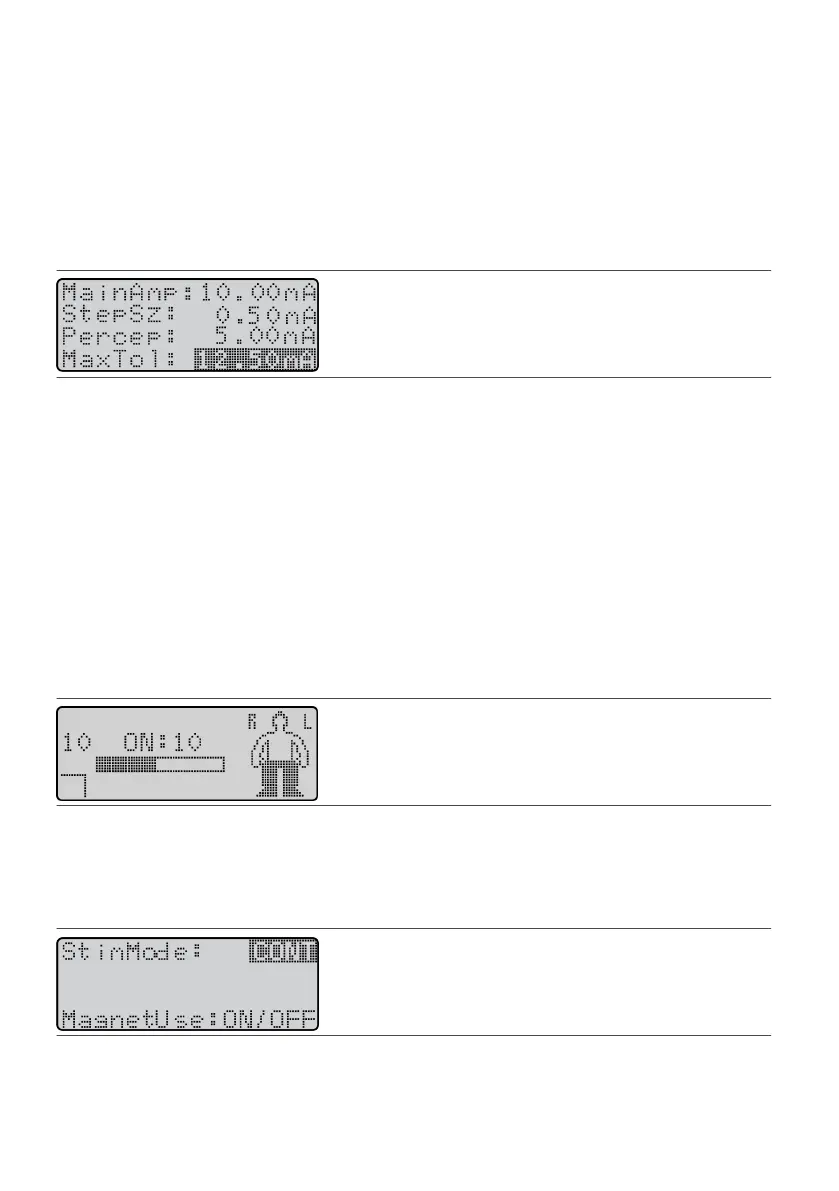
Seng Maximum Tolerable Amplitude (MaxTol)
Maximum tolerable amplitude is the maximum level at which smulaon is tolerable and eecve. Once you
set the MaxTol parameter, the paent cannot increase the amplitude past this value without going through a
manual bypass process. Maximum tolerable amplitude is an important safety feature that reduces the
possibility of the paent being oversmulated. The programmer also uses this value to determine the usage
range of the amplitude, and it must be properly set for each sm set.
To set maximum tolerable amplitude:
1.
Use MainAmp to establish a maximum tolerable level.
1.
2. Press the Balance key unl it highlights the MaxTol eld.2.
Figure 61. Highlight the MaxTol eld
CAUTION: Do not set the maximum tolerable value too high or the paent may receive unwanted
smulaon.
3.
Press the Amplitude Increase (or Decrease) key and set the highest value at which the paent receives
3.
smulaon that is tolerable and eecve.
Seng the Smulaon Mode
The smulaon mode governs how the IPG delivers the smulaon. Three modes are available: connuous,
cycle, and bolus.
NOTE: If you do not set a mode, the system sets the connuous mode by default.
To Set Connuous Smulaon Mode
Connuous mode provides connuous smulaon to the paent. When the system is turned on, it delivers
therapy unl it is manually turned o. Connuous mode is the default mode and does not display a mode
indicator on the Operaonal Display screen.
Figure 62.
The Operaonal Display screen in connuous mode
To set the smulaon mode to connuous:
1.
From the Program screen, press the Balance key unl it highlights the SmMode eld, and press the
1.
Balance key again. The SmMode screen appears.
2. Press the Amplitude Increase key unl CONT appears in the SmMode eld.2.
Figure 63. Select CONT in the SmMode eld
3.
Press the Balance key to highlight the MagnetUse eld.
3.
4.
Press the Amplitude Decrease key to change the magnet mode.
4.
26











 To Next Page