5. If desired, conrm that smulaon is stopped by turning on the programmer and establishing5.
communicaon with the IPG. In the Operaonal Display screen that appears, OFF is displayed above the
acve amplitude bar.
Checking the Remaining IPG Baery Capacity
To check the remaining baery capacity of the IPG:
NOTE: To get an accurate measurement, wait two minutes aer charging the IPG before checking the IPG
baery capacity.
1. From the Operaonal Display screen, press a Scroll key unl the Baery icon (B) appears in the user1.
opon window.
2.
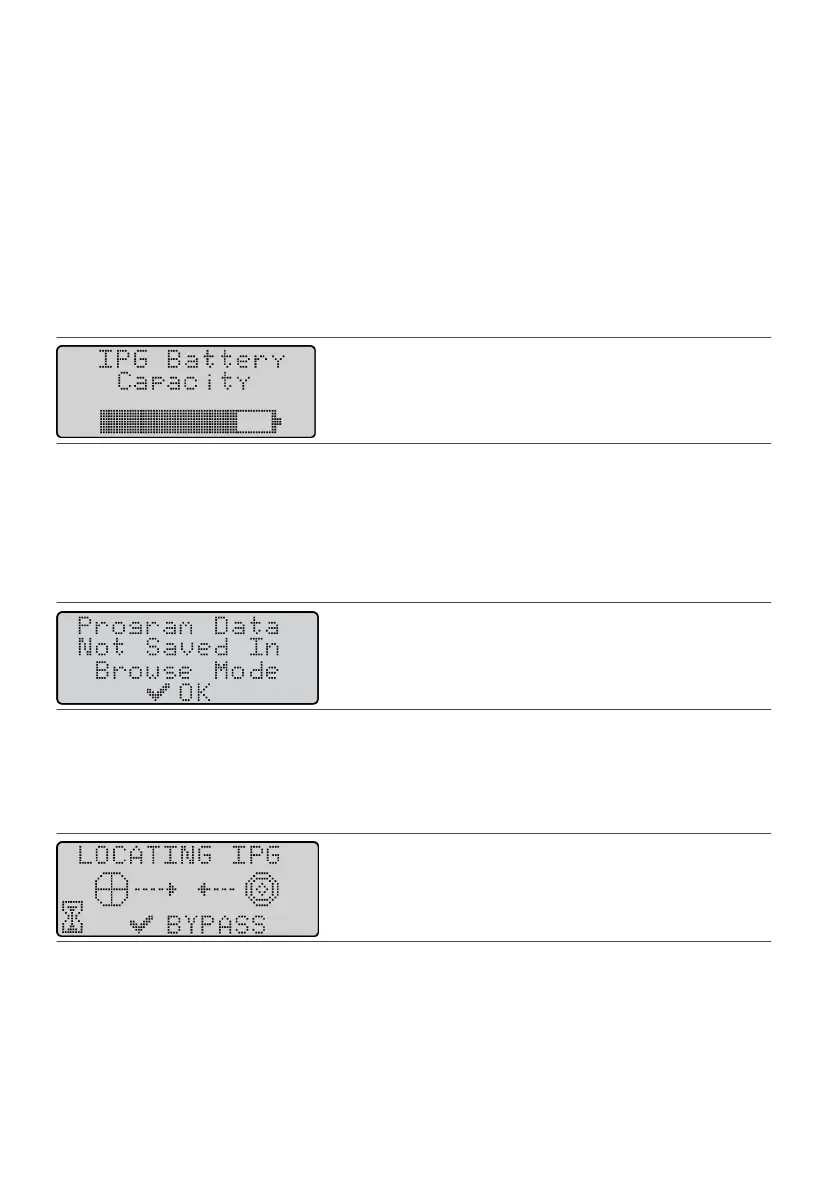
Press the Select key. The IPG Baery Capacity screen appears. The dark poron of the baery icon shows
2.
the amount of energy remaining in the IPG baery.
Figure 34.
IPG Baery Capacity screen
Browsing Programs
The browse mode is a demonstraon mode that allows you to view the programs saved in the programmer
while it is not communicang with an IPG.
NOTE: To prevent untested changes from causing unwanted smulaon, Browse mode does not allow you
to save program changes. The following screen appears if you try to save.
Figure 35. Program Data Not Saved screen
To access browse mode:
1.
Connect the programming wand to the programmer.
1.
2.
Press the Power key to turn on the programmer. the Diagnosc Test screen appears for a few seconds;
2.
then the LOCATING IPG screen appears.
Figure 36. LOCATING IPG screen
3. Press the Select key. The NO IPG TELEMETRY screen appears. You can now use the keys on the3.
programmer to view programs.
17











 To Next Page