Deleng Programs
This secon provides informaon for deleng programs.
Deleng All Programs
To delete all of the programs form an authorized paent programmer and clear the programmer's memory:
1. From the Operaonal Display screen, press a Scroll key unl the Menu icon (M) appears in the user opon1.
window.
2. Press the Select key. The Menu screen appears.2.
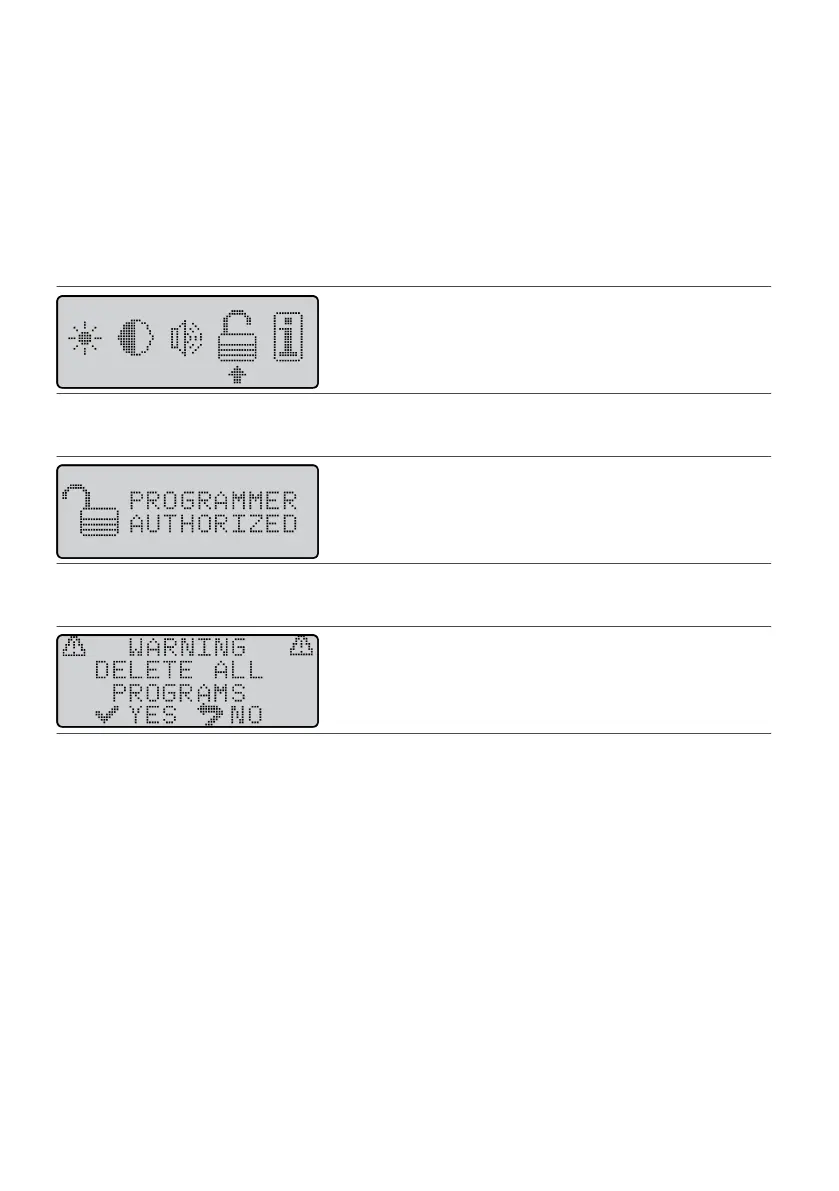
3. Press a Scroll key unl the selecon arrow is under the Authorizaon icon.3.
Figure 75. Select the Authorizaon icon
4.
Press the Balance key; then press the Select key. The following screen appears.
4.
Figure 76.
PROGRAMMER AUTHORIZED screen
5.
Press the Balance key; then press the Select key. The following screen appears.
5.
Figure 77. DELETE ALL PROGRAMS warning screen
NOTE: Pressing the Select key in the next step permanently deletes all programs and authorizaon
informaon from the programmer.
6.
To delete all programs, press the Select key. (Otherwise, press the Previous Screen key.) The programmer
6.
deletes all programs, reiniates communicaon with the IPG, and ensures its authorizaon with the IPG.
Deleng a Single Program
To delete an individual program from the paent programmer, connect a
Rapid
Programmer
™ system to the
paent programmer and follow the
Rapid
Programmer
unit’s menu instrucons. If a
Rapid
Programmer
system is not available, you cannot delete a program but must modify an unused program already stored on
the paent programmer.
Maintaining the System
This secon contains informaon about maintaining dierent parts of the neurosmulaon system.
Maintaining and Cleaning the Programmer
Occasionally clean your programmer, and inspect it for damage before using it. Other than these acvies, the
programmer does not need any other roune maintenance, tesng, or service.
31











 To Next Page