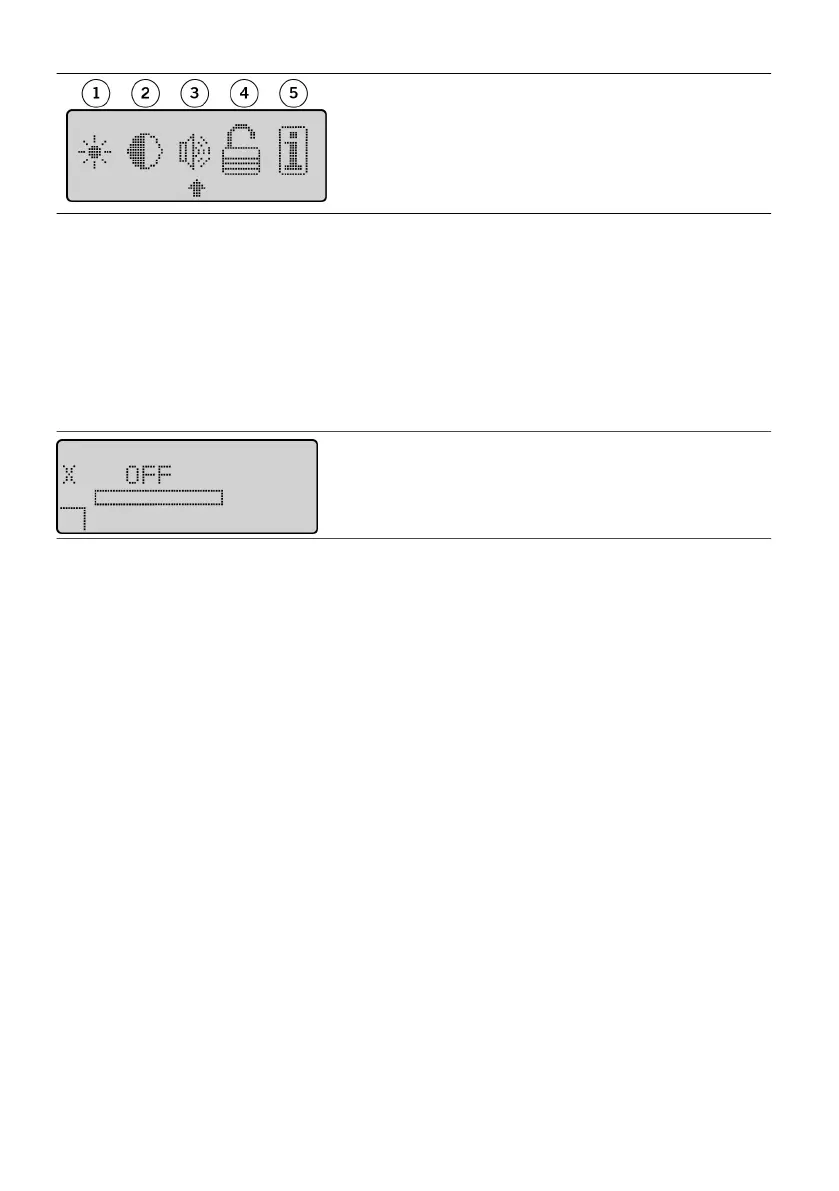
Figure 9. The Menu screen
1. Backlighng icon1.
2. Contrast icon2.
3. Volume icon3.
4. Authorizaon icon4.
5. Informaon icon5.
3. Press either Scroll key unl the arrow is under the icon of the seng that you want to change:3.
backlighng, contrast, or volume.
4. Press the Select key. The programmer displays the screen of the seng you selected.4.
5. Press the Scroll keys to adjust the selected seng.5.
6.
To save your changes, press the Select key. The Operaonal Display screen appears.
6.
Authorizing the Programmer
Aer you establish communicaon with a new IPG, an X icon appears on the Operaonal Display screen. This
icon means that the programmer is unauthorized with the IPG.
Figure 10.
X icon on the Operaonal Display screen
NOTE: An X in place of the program number may also indicate that another programmer made a change to
the program that is in the IPG.
The paent programmer has several authorizaon modes to ensure paent safety and programmer usability.
The authorizaon modes are as follows:
▪ Unauthorized. The programmer has never been assigned to an IPG implant (or has been reinialized).▪
▪
Not authorized. The IPG serial number does not match the serial number stored in the programmer.
▪
▪ Parally authorized. The programmer serial number does not match the programmer serial number▪
stored in the IPG.
▪
Fully authorized. Both the programmer and the IPG match the respecve serial numbers for
▪
authorizaon.
Before you can use a programmer with an IPG to create and save a program, you must authorize the
programmer to work with that parcular IPG. To use a programmer with an IPG for the rst me, see
“Authorizing the Programmer With an IPG” (page 10). To use the programmer with a dierent IPG, see
“Reauthorizing a Programmer With a Dierent IPG” (page 11).
Authorizing the Programmer With an IPG
You can use any Model 3855 or 3856
Prodigy™ paent programmer to modify the program that is stored in a
Prodigy™ IPG or Protégé™ IPG, and you can use any Model 3856 programmer to modify the program that is
stored in a
Prodigy
MRI
™ IPG or
Protégé
MRI
™ IPG. However, before allowing the programmer to save a
program or download other saved programs to the IPG, the programmer and IPG must be fully authorized.
To authorize the paent programmer to an IPG:
1. Establish communicaon with the IPG. See “Communicang With the IPG” (page 7). The Operaonal1.
Display screen appears.
10











 To Next Page