Saving an X Program
Somemes, an X appears on the programmer’s screen instead of a program number. The X appears on a
programmer’s screen for one of the following reasons:
▪
A programmer that is not authorized for an IPG establishes communicaon with the IPG.
▪
▪
A programmer that is authorized for an IPG establishes communicaon with the IPG and nds that the
▪
IPG has a program in it that was modied or added by a dierent programmer.
The X program normally appears either when an IPG is new or when a clinician creates a program without
using the paent’s authorized programmer.
To save an X program:
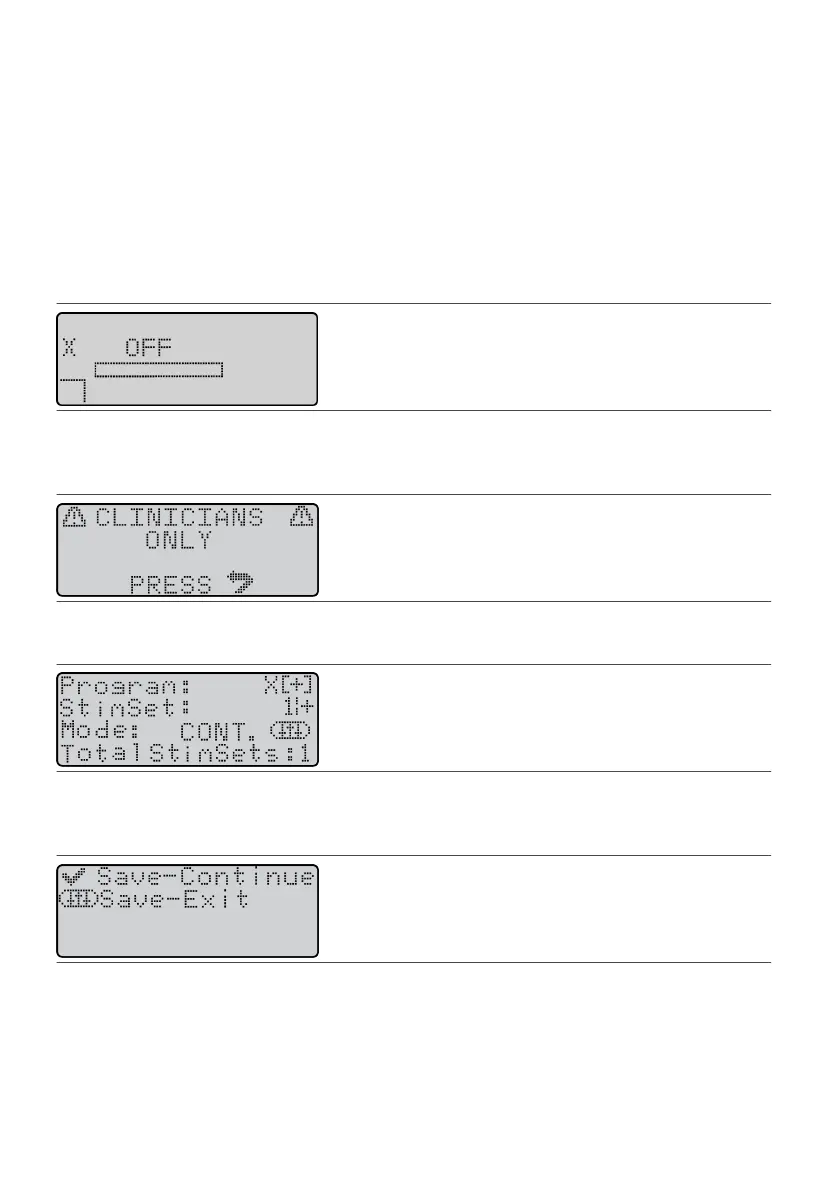
1. Establish communicaon with the IPG. See “Communicang With the IPG” (page 7).1.
Figure 71.
X icon on the Operaonal Display screen
2.
Press a Scroll key unl the Menu icon (M) appears in the user opon window.
2.
3.
Press the Balance key; then press the Select key. The CLINICIANS ONLY warning screen appears.
3.
Figure 72.
CLINICIANS ONLY screen
4.
Press the Balance key; then press the Select key. The Program screen appears.
4.
Figure 73. Program screen
5. Press the Balance key to highlight the Program eld.5.
6. Press the Select key. The following screen appears.6.
Figure 74.
Save screen for X programs
7.
Perform either of the following acons:
7.
– To save the X program and connue programming, press the Select key.–
– To save the X program and quit programming, press the Balance key.–
The system saves the new program as the next available program number in the paent programmer.
30
–
–











 To Next Page