Seng Polaries Using the IPG as an Anode
These instrucons present a method that is not normally used to set electrode polaries. With this method,
you set the IPG (can) to funcon as the anode (
+). This may be the only soluon when, for example, you
cannot reach the targeted nerve ber by programming a simple bipole (one
- and one +) on the electrodes.
NOTE: Use these instrucons only if you cannot provide adequate smulaon coverage by using only the
electrodes. See “Seng Polaries Using Only the Electrodes” (page 23).
To set electrode polaries using the IPG can as the anode:
1.
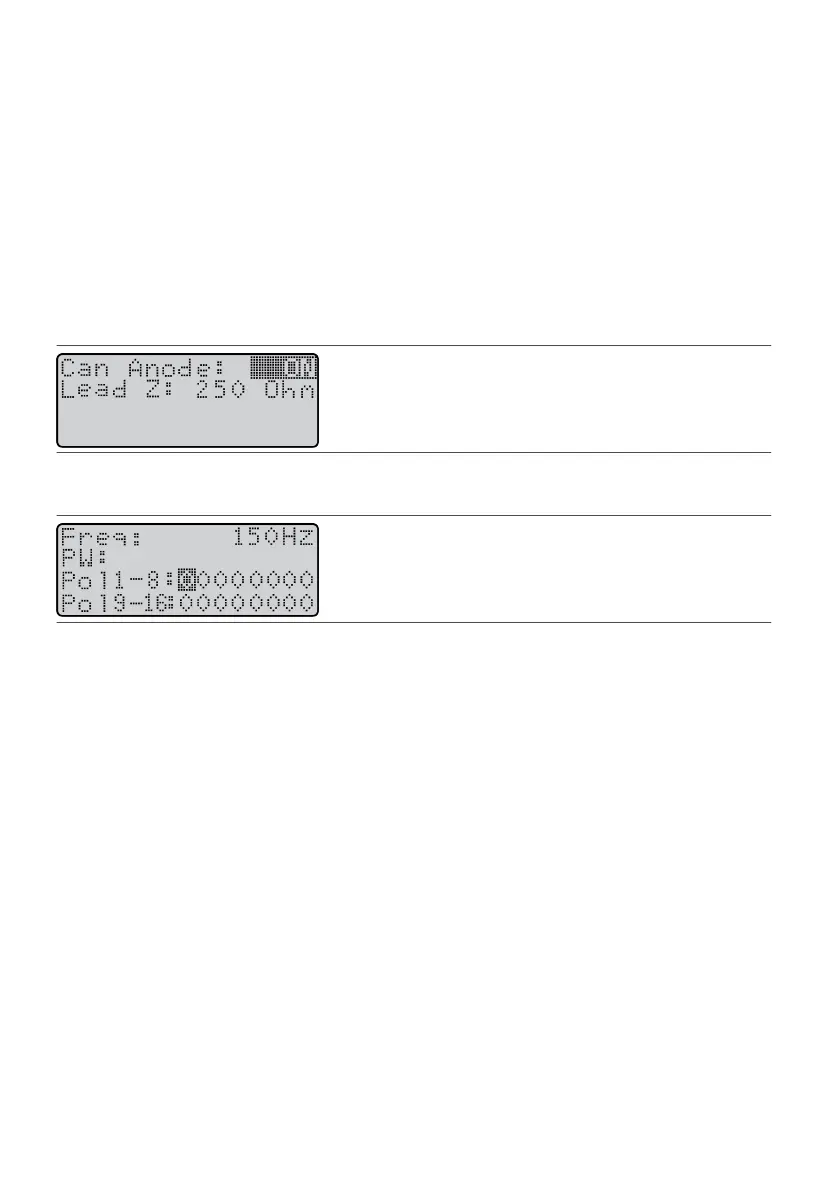
From the Program screen, press the Balance key unl it highlights the Can Anode eld.
1.
NOTE: Any me the Can Anode eld is set to ON, all electrode polaries are reset to 0 and cannot be
set to funcon as anodes (+).
2.
Press the Amplitude Increase key to select ON.
2.
Figure 56.
Highlight the Can Anode eld
3.
Press the Balance key unl it highlights the Pol eld.
3.
Figure 57.
Highlight the Pol eld
4.
Press a Scroll key to highlight an electrode that you want to select as a cathode (
–
).
4.
5. Press the Amplitude Increase (or Decrease) key.5.
6. To change another electrode to a cathode (–), repeat steps 4 and 5.6.
Seng Amplitude Levels
Amplitude is controlled by the keys on top of the paent programmer. You can set the following four
amplitude parameters:
▪ Step size▪
▪
Main amplitude
▪
▪ Percepon amplitude▪
▪ Maximum tolerable amplitude▪
NOTE: For some combinaons of parameters, the programmer will display that the IPG cannot achieve
the desired system output. When this occurs, you need to adjust the parameter to achieve an output of
which the system is capable.
Seng Step Size (StepSz)
Step size controls the size of the incremental increase or decrease that the programmer uses when you are
changing MainAmp values. Step sizes range from 0.1 to 1.0 mA. Larger step sizes enable you to reach values
faster. Once reached, smaller increments can be used for safety and specicity.
To set step size:
1. From the Program screen, press the Balance key unl it highlights the StepSz eld.1.
24











 To Next Page