Measuring Impedance
To measure the electrical impedance in the system:
NOTE: The programmer turns o the amplitude during this impedance test.
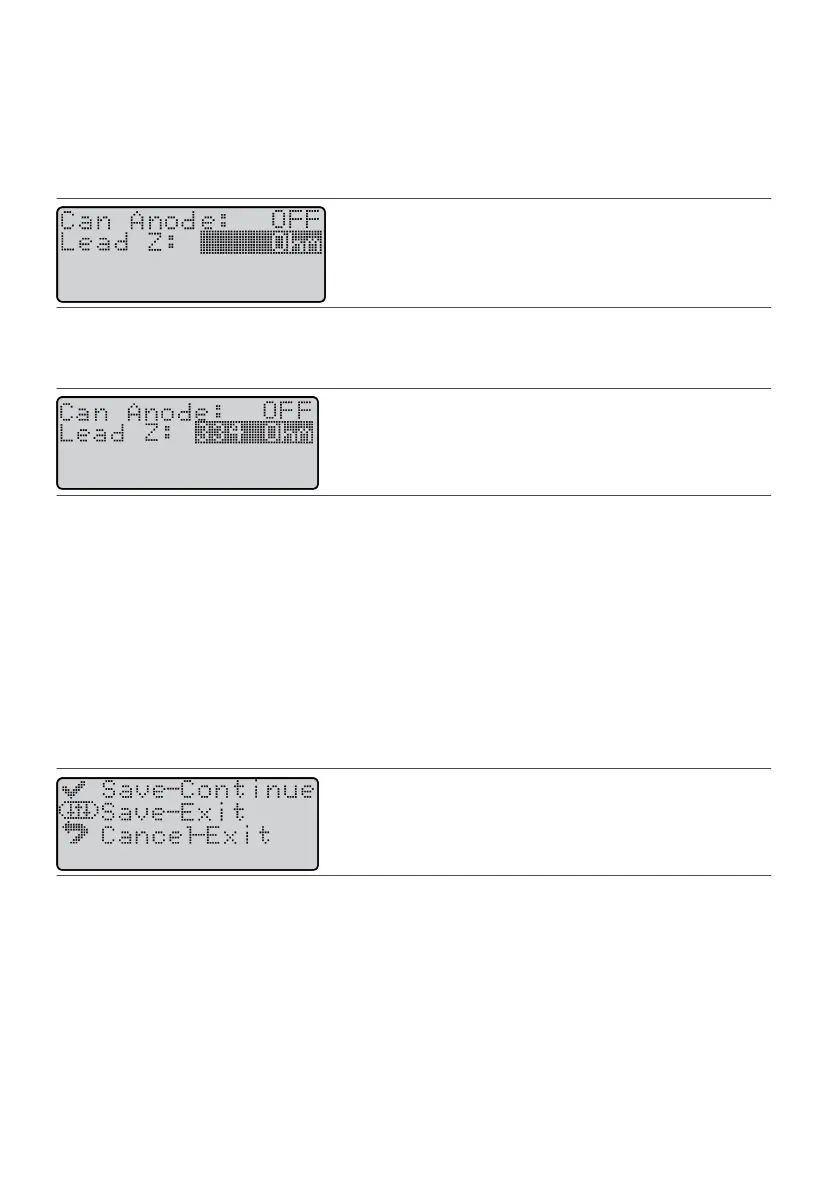
1. From the Program screen, press the Balance key unl it highlights the Lead Z eld.1.
Figure 68. Highlight the Lead Z eld
2.
Press the Amplitude Increase key and wait for the programmer to evaluate the impedance. The
2.
programmer displays the electrical impedance in the system.
Figure 69.
Lead Z eld displays the system impedance.
The readings and their meanings are as follows:
▪ Low. Below 200 ohms.▪
▪
High. Above 3,000 ohms. The systems may have an open (broken) circuit. Check all of the connecons.
▪
▪
Invalid. Programmer did not communicate with the IPG within 18 seconds. Try this step again.
▪
Saving a Program
Once you have established sengs for a paent, have tested them, and are sased with the program, save
the program.
To save the smulaon sengs as a program:
1. From any of the programming screens available in programming mode (for example, the Program screen),1.
press the Select key. The following screen appears.
Figure 70. Save screen for programs
2.
Perform one of the following acons:
2.
–
To save the program and connue programming, press the Select key. The system saves the program in
–
the next available program register.
– To save the program and exit to the Operaonal Display screen, press the Balance key. The system–
saves the program in the next available program register.
–
To cancel any program changes that you made and exit to the Operaonal Display screen, press the
–
Previous Screen key. The system does not save the program.
29
–
–
–











 To Next Page