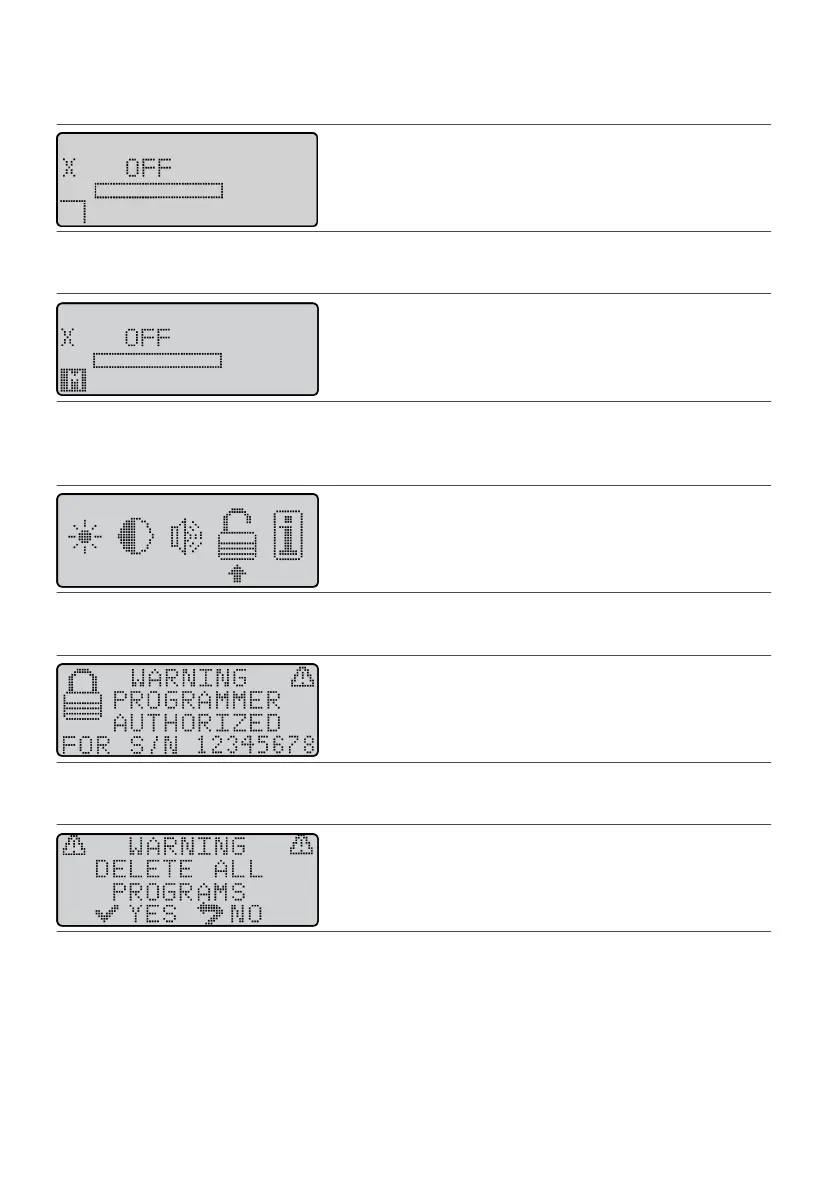
1. Establish communicaon with the IPG. See “Communicang With the IPG” (page 7). The1.
Operaonal Display screen appears.
Figure 16. X icon on the Operaonal Display screen
2. Press a Scroll key unl the Menu icon (M) appears in the user opon window.2.
Figure 17. Scroll to the Menu icon (M)
3.
Press the Select key. The Menu screen appears.
3.
4.
Press a Scroll key unl the selecon arrow is under the Authorizaon icon (lock).
4.
Figure 18.
Select the Authorizaon icon
5. Press the Balance key; then press the Select key. The following screen appears.5.
Figure 19. Programmer authorized for a dierent IPG
6.
Press the Balance key; then press the Select key. The following screen appears:
6.
Figure 20.
Warning to delete all programs
7. Press the Select key. The programmer deletes all programs, reiniates communicaon with the IPG, and7.
ensures that it is authorized with the IPG.
8. Use the programmer to create and save a program for the IPG. The X icon will remain on the8.
Operaonal Display screen unl you save the program.
Displaying IPG and Programmer Informaon
To view informaon about the IPG and the programmer from the Menu screen:
1.
From the Operaonal Display screen, press either Scroll key unl the Menu icon (M) appears in the user
1.
opon window.
12











 To Next Page