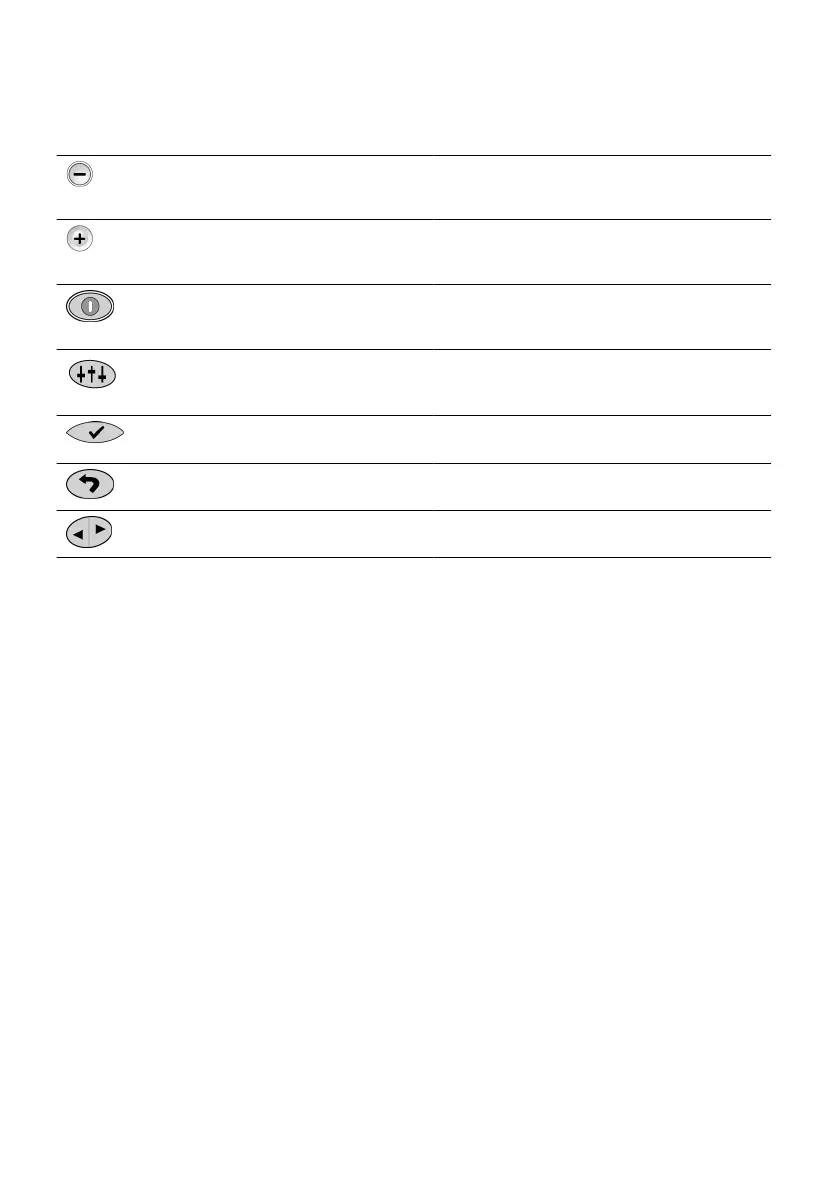
The following table provides a descripon of the funcons of the programmer keys.
Table 2. Funcons of the programmer keys
Key Descripon Funcon
Amplitude
Decrease key
Decreases the amplitude of the program that is
running. In programming mode, it performs other
special funcons.
Amplitude
Increase key
Increases the amplitude of the program that is
running. In programming mode, it performs other
special funcons.
Power key Turns on the power to the programmer and turns
o the IPG. Aer one minute of inacvity, the
programmer automacally shuts o.
Balance key Enables individual adjustments of amplitude to
selected sm sets within a MulSm™
smulaon program.
Select key Selects and acvates menu and program changes.
Conrms on-screen messages.
Previous
Screen key
Returns the display to the previous screen or
cancels an acon.
Scroll keys Scroll through programs and through mode and
menu opons.
Seng Up the Paent Programmer
This secon provides informaon about the paent programmer and has denions, overviews of screens,
smulaon modes, and authorizaon modes. For more informaon about the programmer, see the user's
guide for the paent programmer.
NOTE: Each me before using the system, inspect the device and its accessories for damage. Avoid using a
damaged device or accessory. Return it to
Abbo Medical for evaluaon.
Turning the Programmer On and O
To turn the programmer on, press the Power key.
To turn the programmer o, do not press any keys for one minute. The programmer automacally turns o
aer one minute of inacvity.
NOTE: The programmer will not turn o if it is in programming mode. Ensure you are not in programming
mode to turn o the programmer.
Communicang With the IPG
To establish communicaon with the IPG:
1. Ensure that the programmer is o. (It turns itself o aer one minute of non-use.)1.
2.
Plug the communicaon wand into the wand port on the boom of the programmer.
2.
7











 To Next Page