Chapter 2 Design the Relative Standard Curve Experiment
Set Up the Targets
27
Applied Biosystems 7500/7500 Fast Real-Time PCR System Getting Started Guide for Relative Standard Curve
and Comparative C
T
Experiments
Notes
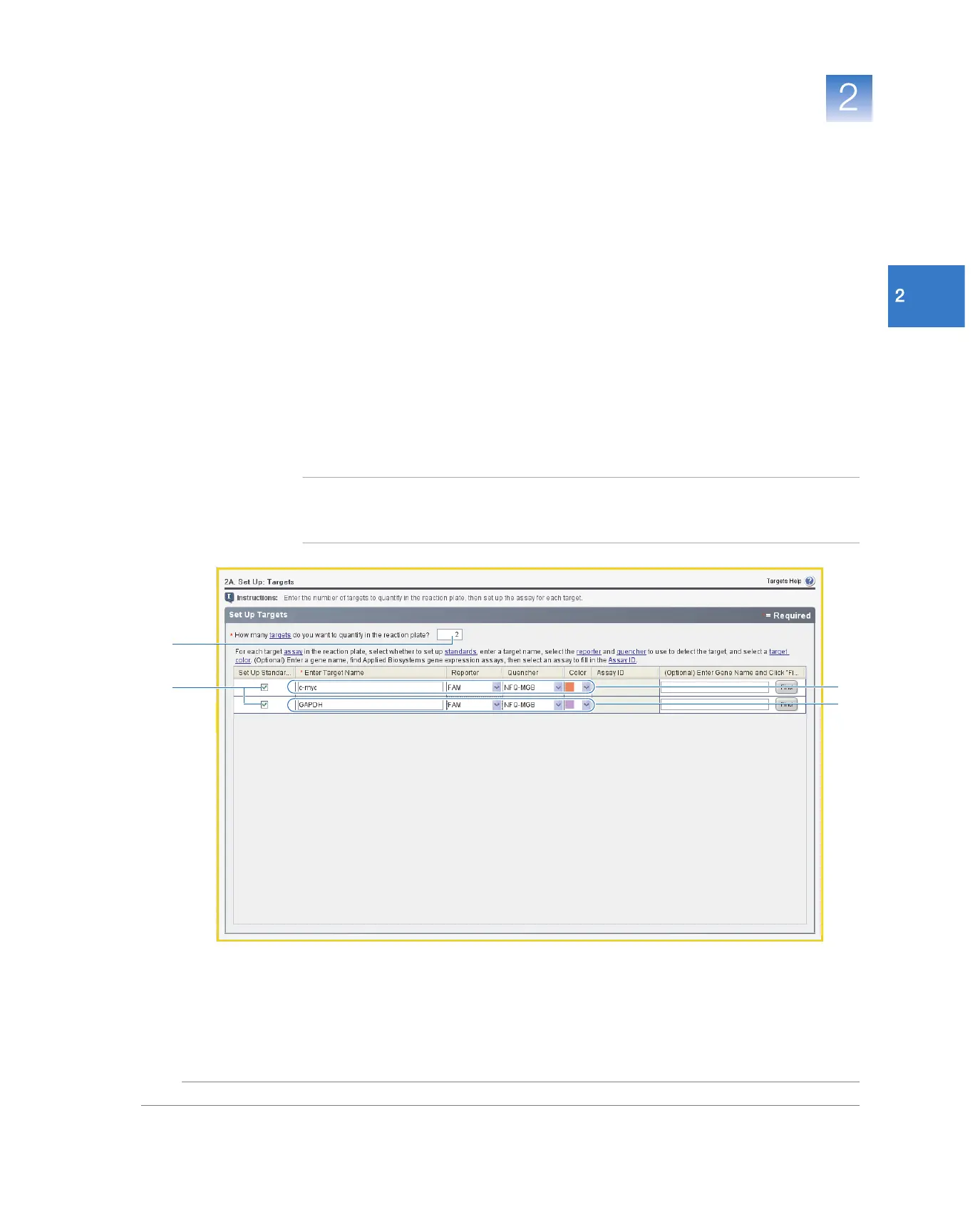
3. Set up the Target 1 experiment:
a. Click the Enter Target Name cell, then enter c-myc.
b. In the Reporter drop-down list, select FAM (default).
c. In the Quencher drop-down list, select NFQ-MGB (default).
d. In the Color field, leave the default.
4. Set up the Target 2 experiment:
a. Click the Enter Target Name cell, then enter GAPDH.
b. In the Reporter drop-down list, select FAM (default).
c. In the Quencher drop-down list, select NFQ-MGB (default).
d. In the Color field, leave the default.
5. Click Next.
Note: For all targets, leave blank the (Optional) Enter Gene Name field. You can search
for the gene/assay ID when you order your materials (see “Order Materials for the
Experiment” on page 43).
2
1
3
4



 To Next Page