131
Bew. & Alarm: Motion-triggered and alarm input-triggered recording. Camera only records when motion
and the alarm input are triggered simultaneously.
Event: Recording of all Smart Events (e.g. Tripwire)
To accept the changes select "OK", to discard them click on "Cancel".
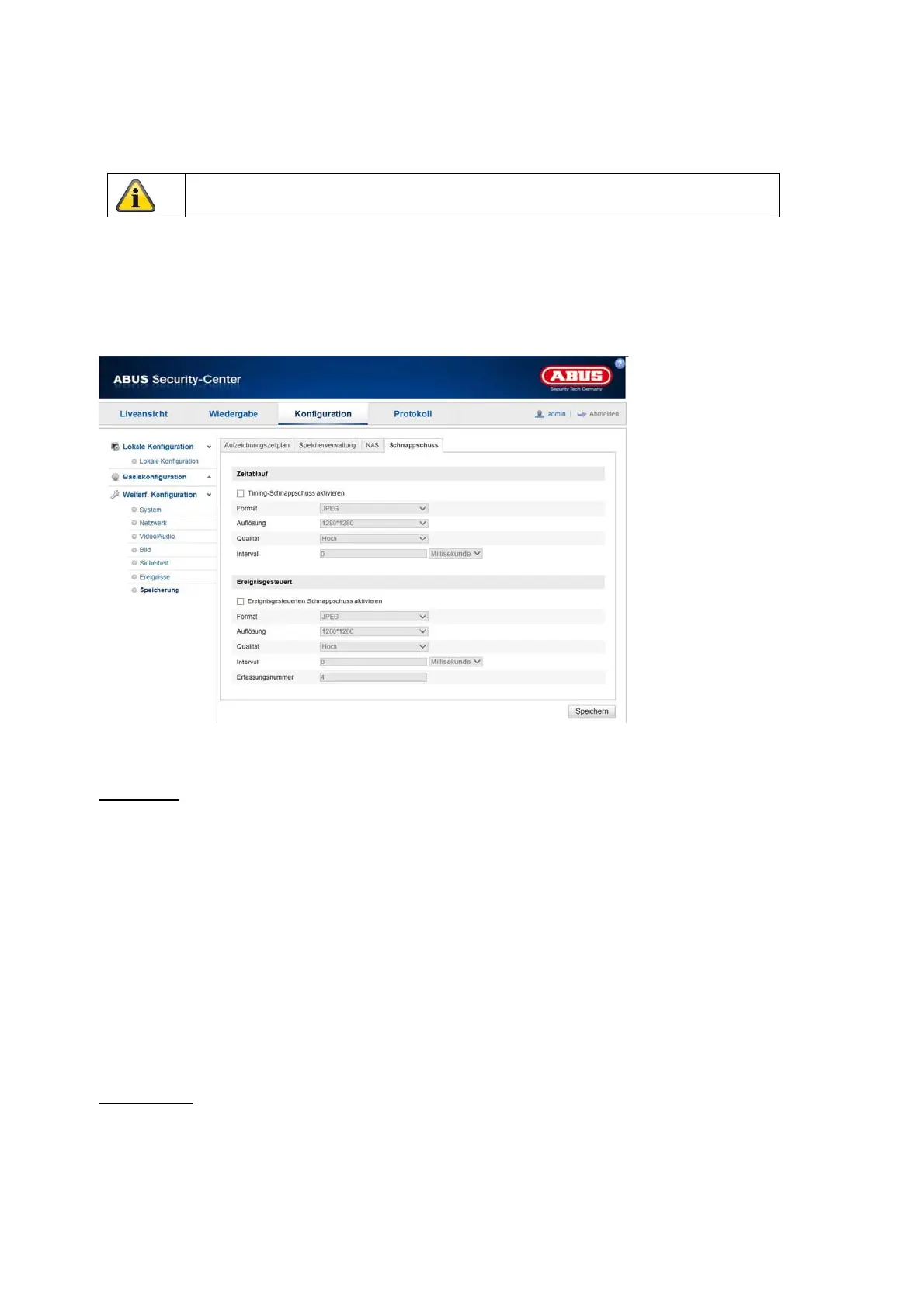
8.7.2 Capture / Single image
Here you can configure time- and event-controlled snapshots to upload them to an FTP server.
Time lapse
Activate Timing Snapshot
Activate this function to save images at specific time intervals.
Format
The format for the images is preconfigured to JPEG.
Resolution
Set the resolution of the image here.
Quality
Select the quality for the saved images.
Interval
Set the time span between two saved images here.
Event-driven
Activate event-controlled snapshot
Activate this function to save event-controlled images.
Format
The format for the images is preconfigured to JPEG.
Please note that the alarm input is only available in some models.



 To Next Page