MAX_Kurzanleitung_Brief_Overview_V1.03_de_en 68 / 105
25.2 DC/AC converter
The DC/AC converter installed in this mobile workstation converts the 24 V DC (direct current) into a 230 V
AC/50 Hz sinusoidal alternating current.
The status LED on the illuminated socket switch indicates whether the DC/AC converter is working correctly.
If the status LED does not light up, the converter has switched off due to a fault such as over/undervoltage,
overloading or overheating. For further error codes or explanations, please see Remedying Malfunctions in
the converter manual.
25.3 Battery controller
The battery controller installed in this mobile workstation allows you to monitor the residual capacity of the
batteries so you can protect them from deep discharging.
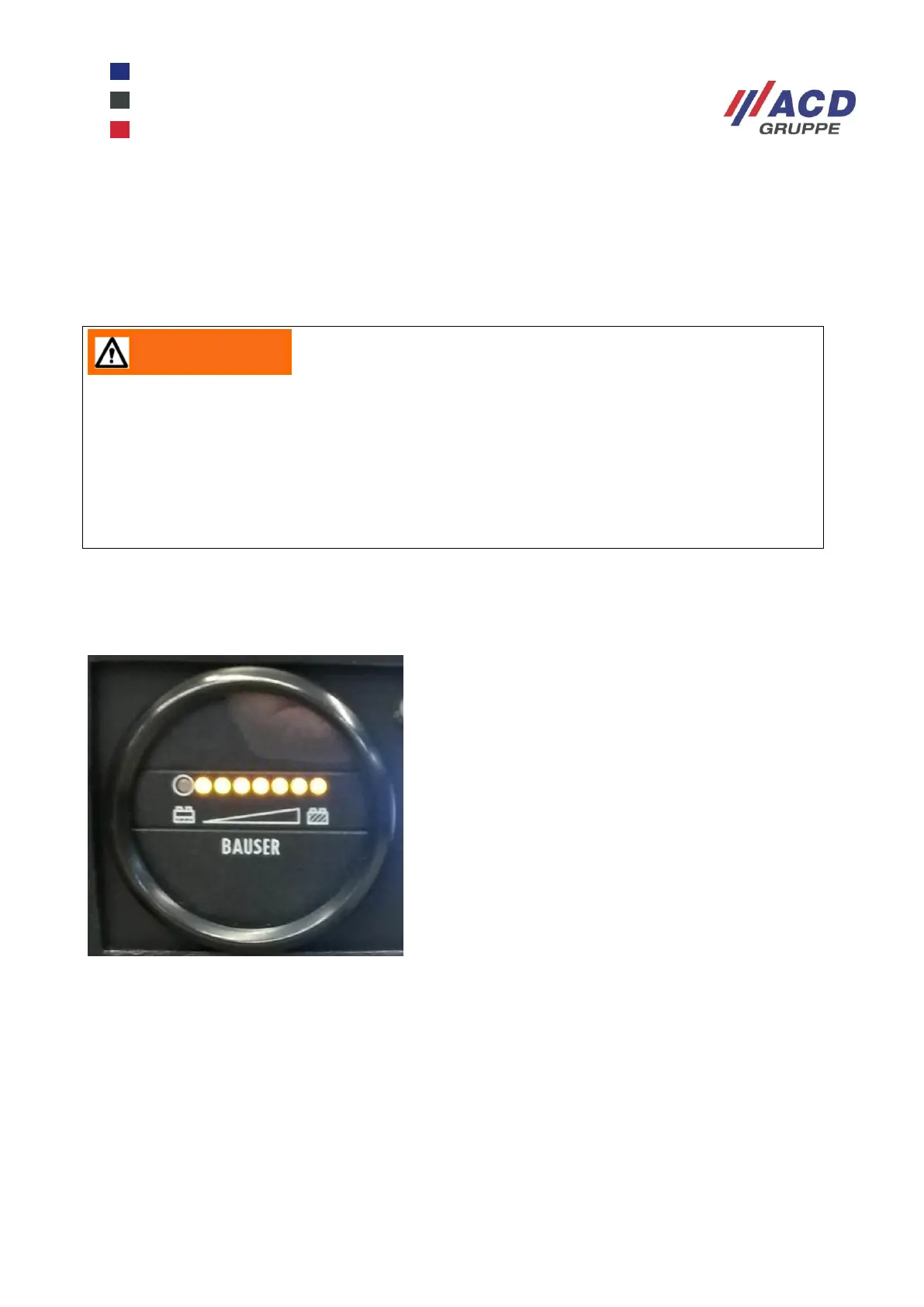
Figure 12: Battery controller
The battery controller starts the visual display when the On/Off switch has been activated on the front (switch
light is on).
The row of LEDs (seven yellow LEDs, one red LED) indicates the current residual capacity. As the capacity
decreases, the yellow LEDs go out from right to left. When the residual capacity drops below the boundary
value “Warning time” (approx. 25 %), the last yellow LED flashes. When the final discharge limit is reached,
the red LED lights up and an acoustic signal sounds.
After a set time of approx. five minutes, all consumers on the cart apart from the acoustic signal are
automatically switched off. You can deactivate the acoustic signal with the On/Off switch.
After switching off due to overloading or overheating, the converter attempts to switch on again
automatically. The time up to automatic switching on again can range from a few seconds to a
number of hours.
This is why it is important during work on the electrical system or the consumers to disconnect
the converter from the battery using the On/Off switch, unplug the low-power cable of the charger
and unplug the battery tray connection cable.


 To Next Page