

EasyManua.ls Logo

ACD MAX Series - User Manual

ACD MAX Series
105 pages
Go to English
Print Icon
To Next Page IconTo Next Page
Loading...
MAX_Kurzanleitung_Brief_Overview_V1.03_de_en 1 / 105
Kurzanleitung/Brief Overview
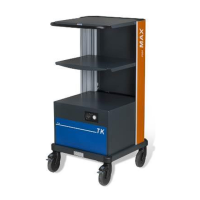
Mobiler Arbeitsplatz MAX/Mobile Workstation MAX
Version: 1.03
MAX MAX Li-Ionen MAX TK MAX 200
Kurzanleitung Mobiler Arbeitsplatz MAX
Brief Overview Mobile Workstation MAX
Wichtige Informationen bitte vor Gebrauch sorgfältig lesen.
Important information please read before use.
Betriebsanleitung/Handbook: https://www.acd-gruppe.de/login/
© Copyright ACD Gruppe
Dieses Dokument darf ohne Zustimmung weder vervielfältigt
noch Dritten zugänglich gemacht werden.
This document may not be duplicated or made accessible to
third parties without permission.

Table of Contents

Question and Answer IconNeed help?

Do you have a question about the ACD MAX Series and is the answer not in the manual?

Summary

MAX Variants and General Information

Manual Validity, Rights, and Safety Markings

Safety Information and Markings

Explains safety signal words (DANGER, WARNING, CAUTION, NOTE) and their risk levels.

Intended Use, Service, and Liability

Intended Use Guidelines

Defines permitted activities for the mobile workstation and those that are not.

Service and Support Information

Provides instructions for manual usage, contact info for technical support, and manual download.

Delivery, Assembly, and General Warnings

General Safety Warnings

Crucial safety warnings regarding battery modules, electronics boxes, and high voltages.

Moving Safety Precautions

Safety warnings related to tipping or falling, including weight limits and handling precautions.

Warranty, Maintenance, Repair, and Operation Modes

Operating Modes: Mode 1 and Mode 2

Operating Mode 3: Charging and Operation

MAX Dimensions

Battery Information and Safety

Battery Handling Safety Warnings

Critical safety warnings for handling batteries, including risks of explosion and injury.

Battery Tray Handling Precautions

Battery Tray Changing Safety

Warning against changing the battery tray alone and the need for two people.

Battery Changing Station Procedures

Loading Battery Trays onto MAX Powerstation

Battery Tray Locking Warning

Secure Battery Tray Locking

Crucial warning to ensure the battery tray is correctly locked in the MAX powerstation to prevent injury.

MAX TK Battery Change System and 200 Variants

MAX 200 Variants Without Electrical Equipment

MAX Li-Ion Technology and Safety

Li-Ion Battery Safety Guidelines

Comprehensive safety guidelines and risk warnings for working with Li-ion batteries.

High Voltage Danger with Li-Ion

Critical danger warning about high voltages when opening modules or working with converters.

Li-Ion Battery Electrolyte Hazards

Warning about the corrosive nature of Li-ion battery electrolyte and handling damaged batteries.

MAX Li-Ion Transport and Operation Modes

Li-Ion Transport Instructions

Instructions for transporting lithium-ion batteries and the complete workstation, including hazardous goods labeling.

MAX Li-Ion Charging and Status

MAX Li-Ion Combined Operation and Charging

MAX Li-Ion Battery and DC;DC Converter

Li-Ion Battery Handling Warnings

Safety warnings for handling lithium-ion batteries, including risks of explosion and injury.

MAX Li-Ion Connectivity Options

MAX with Key Switch Option

Cleaning, Maintenance, and Troubleshooting

Troubleshooting Overview

Lists essential information to have ready for customer services when troubleshooting.

Troubleshooting Unit and Hardware Issues

Unit Not Functioning After Switching On

Lists possible causes and remedies for the unit not functioning after power-on.

Connected Hardware Malfunctions

Lists possible causes and remedies for connected hardware not functioning.

Unit Not Functioning During Charging

Lists possible causes and remedies for the unit not functioning during the charging process.

Troubleshooting Specific Version Issues

TK Version Charging Issues

Lists possible causes and remedies for the TK version not functioning during charging.

MAX Li-Ion Not Functioning After Switching On

Lists possible causes and remedies for the Li-Ion version not functioning after switching on.

MAX Li-Ion Charging Malfunctions

MAX Li-Ion Not Functioning During Charging

Lists possible causes and remedies for the Li-Ion version not functioning during charging.

Technical Data for MAX Models

MAX Technical Specifications

Provides detailed technical specifications for the MAX chassis, converter, charger, and battery.

MAX TK Technical Specifications

Details technical specifications for the MAX TK chassis, charger, battery, and fuses.

MAX 200 with Power Inverter Specs

Lists technical specifications for the MAX 200 with power inverter, including chassis, converter, charger, and battery.

MAX 200 Without Power Inverter Specs

Provides technical specifications for the MAX 200 without power inverter, covering chassis, general information, and standards.

MAX 200 Without Electrical Equipment Specs

Details technical specifications for the MAX 200 without electrical equipment, including chassis and general information.

MAX 300 Li-Ion Technical Specifications

Lists technical specifications for the MAX 300 Li-ions, including chassis, converter, charger, and battery details.
ACD MAX Series Specifications

General IconGeneral
BrandACD
ModelMAX Series
CategoryDesktop
LanguageEnglish